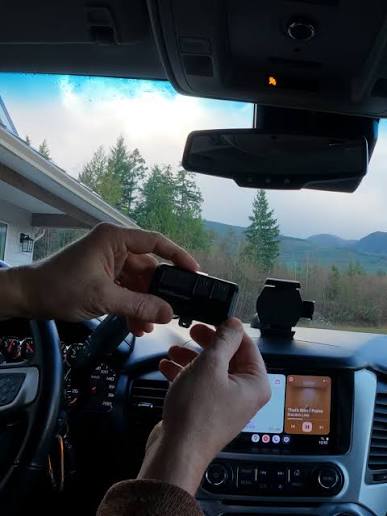
Have you ever pulled into your driveway, pressed the button on your Cadillac Escalade’s overhead console, and realized nothing happens? It is a frustrating scenario, especially when you cannot find your handheld remote or it has stopped working. Many Escalade owners face this issue, but the good news is that you do not always need the original remote to get your garage door working again. Learning how to program Escalade garage door opener without remote can save you time, money, and significant hassle.
In this comprehensive guide, we will walk you through the exact steps to sync your vehicle’s built-in HomeLink system directly with your garage door motor. Whether you have lost your remote, its batteries are dead, or you simply prefer the convenience of using your car, this tutorial is designed for you.
Understanding the HomeLink System in Your Escalade
Before diving into the programming process, it is essential to understand what you are working with. Most Cadillac Escalade models come equipped with HomeLink, a universal transceiver that replaces multiple handheld remotes for devices like garage doors, gate operators, and home lighting systems.
HomeLink works by learning the radio frequency signal from your garage door opener. However, modern garage door openers use rolling code technology for security. This means the code changes every time you press the button. Because of this, programming requires a specific sequence to ensure your car and garage door “shake hands” securely.
If you are unsure which HomeLink generation your Escalade has, check your owner’s manual. Generally, models from 2015 onwards use HomeLink Gen 5 or newer, which features a more streamlined programming process compared to older versions. For detailed technical specifications on universal transceivers, you can refer to the HomeLink Wikipedia page for historical context and compatibility standards.
Step-by-Step Guide: Programming Without a Handheld Remote
Many people assume they need the handheld remote to program their car. While having it makes the process easier, it is not strictly necessary if you can access the garage door motor unit directly. Here is how to do it.
Step 1: Clear Existing HomeLink Buttons
First, ensure the buttons in your Escalade are cleared of any previous codes.
- Turn your ignition to the “On” position (you do not need to start the engine).
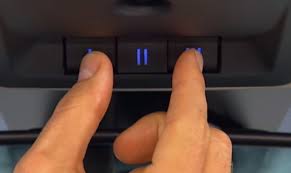
- Press and hold the two outer HomeLink buttons simultaneously.
- Keep holding them for about 20 seconds until the indicator light begins to flash rapidly.
- Release the buttons. The memory is now cleared.
Step 2: Locate the “Learn” Button on Your Garage Motor
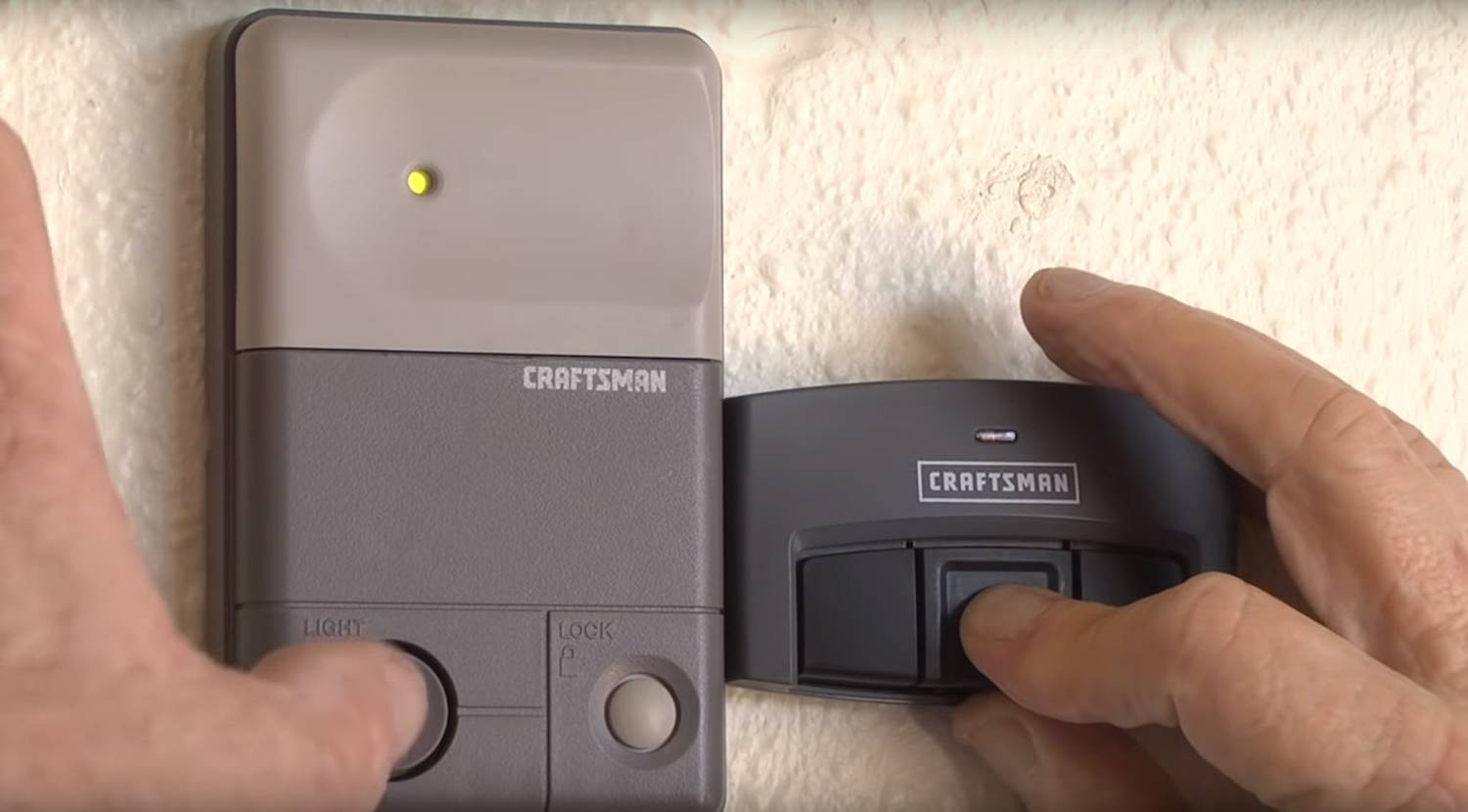
Go to your garage and locate the motor unit hanging from the ceiling. Look for a small button labeled “Learn,” “Smart,” or “Program.” It is usually located near the antenna wire and may be covered by a light lens.
- Note: The color of this button varies by brand (e.g., Yellow for LiftMaster, Purple for Chamberlain, Red for Genie).
Step 3: Initiate Programming Mode on the Motor
Press and release the “Learn” button on your garage door motor. The indicator light on the motor will typically turn on or start blinking, indicating it is ready to receive a new signal. You usually have 30 seconds to complete the next step.
Step 4: Program the Escalade HomeLink
Return to your Escalade quickly.
- Position your vehicle within range of the garage door (usually inside the garage or just outside).
- Press and hold the desired HomeLink button in your car.
- Keep holding the button. You may need to press it repeatedly if the first hold does not trigger the motor.
- Watch the garage door motor light. When it flashes or turns off, it indicates the code has been accepted.
- Test the button by pressing it again. The garage door should operate.
Troubleshooting Common Programming Issues
Even with careful following of steps, things do not always go smoothly. Here are common hurdles and how to overcome them.
| Issue | Possible Cause | Solution |
|---|---|---|
| Light on motor does not blink | Motor not in learn mode | Press the “Learn” button again firmly. Ensure you are within the 30-second window. |
| Car button flashes but door doesn’t move | Signal interference | Move closer to the motor. Remove other electronic devices from the car that might cause interference. |
| Door moves partially then stops | Safety sensor misalignment | Check the safety eyes at the bottom of the garage tracks. Ensure they are aligned and clean. |
| Programming fails repeatedly | Rolling code incompatibility | Some older openers require a “compatibility bridge.” Check if your opener model needs a specific adapter. |
Dealing with Rolling Code Technology
If your garage door opener uses rolling codes (most made after 1993 do), you might need an extra step. After the initial programming, press the HomeLink button in your car three times. If the door operates correctly, the synchronization is complete. If not, you may need to repeat the process, ensuring you press the “Learn” button on the motor each time.
Why Program Your Escalade Instead of Using a Remote?
You might wonder why bother with the car’s system when you have a handheld remote. There are several compelling reasons.
- Convenience: You never have to dig through your purse or pockets for a remote. It is always there in your overhead console.
- Security: Handheld remotes can be lost or stolen. Your car is a more secure location for the access code.
- Battery Savings: You save money on replacing remote batteries frequently.
- Aesthetics: It reduces clutter in your home and car. No more loose remotes on the kitchen counter.
Frequently Asked Questions (FAQ)
1. Can I program my Escalade if I completely lost my garage remote?
Yes, you can. As long as you have physical access to the garage door motor unit to press the “Learn” button, you do not need the handheld remote. The car communicates directly with the motor during the programming phase.
2. What if my Escalade has a different HomeLink version?
The general process remains similar across generations, but the button-holding times may vary. Gen 1 and 2 systems might require holding buttons for up to 30 seconds, while Gen 5 and newer are faster. Always consult your specific vehicle’s manual for precise timing.
3. Why does my garage door only work sometimes after programming?
This is often due to signal interference or weak batteries in the car’s system (though rare). More commonly, it is a sign that the rolling code did not sync perfectly. Try reprogramming the button, ensuring you press the HomeLink button in the car multiple times after the initial learn phase to solidify the connection.
4. Is it safe to program my garage door to my car?
Yes, HomeLink uses encrypted signals similar to your handheld remote. Modern systems are highly secure. However, always ensure your garage door safety sensors are functioning correctly to prevent accidents.
5. Can I program multiple garage doors to one Escalade?
Absolutely. Most Escalade HomeLink systems have three buttons. You can program each button to a different device, such as your main garage door, a side gate, or even a second vacation home’s garage.
Conclusion
Learning how to program Escalade garage door opener without remote is a valuable skill that enhances your daily convenience and security. By following the steps outlined above, you can bypass the need for a handheld remote and enjoy the seamless integration of your vehicle with your home automation.
Remember, patience is key. If the first attempt does not work, double-check your steps, ensure your garage motor is in learn mode, and try again. With a little effort, you will have your garage door responding to your Cadillac’s command in no time.
Did you find this guide helpful? Share it with fellow Cadillac owners on social media who might be struggling with their HomeLink setup. Your share could save someone from a frustrating evening in the driveway!
Leave a Reply