In the world of garage door openers, Genie stands out as a trusted and reliable brand. However, even the most dependable devices may encounter glitches from time to time. If you’re experiencing issues with your Genie garage door opener, fear not! In this comprehensive guide, we’ll walk you through the process of resetting your Genie garage door opener step by step.
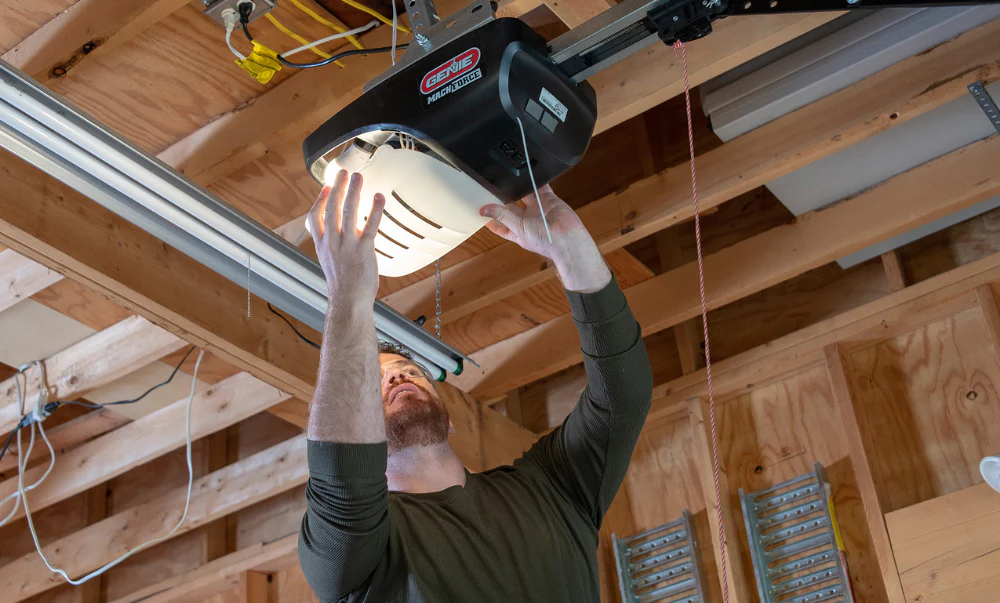
Understanding the Importance of Resetting Your Genie Garage Door Opener
Resetting your Genie garage door opener may become necessary for various reasons. It could be due to a malfunction, a change in settings, or the need to sync it with new remotes. Regardless of the reason, knowing how to reset your Genie garage door opener can save you time, money, and frustration.
Steps for Resetting Genie Garage Door Opener
Follow these simple steps to reset your Genie garage door opener:
- Locate the Reset Button: The first step is to find the reset button on your Genie garage door opener. This button is typically located near the motor unit. It may be labeled as “Reset” or identified by a small red button.
- Press and Hold the Reset Button: Once you’ve located the reset button, press and hold it down for approximately 10-15 seconds. You may need to use a small tool, such as a pen or pencil, to reach the button.
- Release the Reset Button: After holding the reset button for the designated time, release it. Your Genie garage door opener should now be reset to its factory settings.
- Test the Opener: To ensure that the reset was successful, test your Genie garage door opener by opening and closing the door using your remote control or keypad. If it operates smoothly without any issues, the reset was successful.
- Reprogram Remotes (If Necessary): If your Genie garage door opener uses remote controls, you may need to reprogram them after resetting the opener. Refer to your Genie garage door opener manual for instructions on how to do this.
- Adjust Settings (Optional): Once the opener is reset, you may want to adjust certain settings, such as the travel limits or force settings, to suit your preferences. Again, consult your Genie garage door opener manual for guidance on adjusting these settings.
By following these simple steps, you can easily reset your Genie garage door opener and get it back to working condition in no time.
Troubleshooting Common Issues
Sometimes, resetting your Genie garage door opener may not resolve the problem entirely. Here are some common issues you may encounter and how to troubleshoot them:
- Opener Not Responding to Remote: If your Genie garage door opener fails to respond to remote commands after resetting, check the batteries in the remote control and replace them if necessary. You may also need to reprogram the remote as described in the manual.
- Door Reverses Before Closing: If your garage door reverses before closing completely, adjust the close limit settings on your Genie garage door opener. Refer to the manual for instructions on how to do this.
- Opener Making Strange Noises: If you notice unusual noises coming from your Genie garage door opener after resetting, it could indicate a mechanical issue. Inspect the opener for any signs of damage or wear and tear, and contact a professional if necessary.
Conclusion
Resetting your Genie garage door openers doesn’t have to be a daunting task. With the right knowledge and guidance, you can easily troubleshoot and resolve common issues that may arise. By following the steps outlined in this guide, you’ll be able to reset your Genie garage door opener quickly and efficiently, allowing you to enjoy smooth and hassle-free operation once again.
Remember, if you encounter any difficulties or if the problem persists after resetting, don’t hesitate to seek assistance from a qualified technician. With proper maintenance and occasional troubleshooting, your Genie garage door opener will continue to serve you well for years to come.
Read too: No Power to Genie Garage Door Opener – Resolving the Issue with Ease: Troubleshooting Guide



Leave a Reply