Are you having trouble accessing your garage because your Chamberlain garage door opener is locked? Don’t worry; unlocking it is simpler than you might think. In this guide, we’ll walk you through the steps to unlock your Chamberlain garage door opener quickly and easily.
Why Your Chamberlain Garage Door Opener Might Be Locked
Before we delve into the unlocking process, let’s understand why your Chamberlain garage door opener may be locked:
- Security Feature: Many Chamberlain garage door openers come equipped with a locking feature designed to prevent unauthorized access to your garage. This feature is particularly useful when you’re away from home for an extended period or want to secure your garage overnight.
- Accidental Activation: Sometimes, the locking feature may be activated accidentally, either through a mistaken press of a button on the remote control or a programming error.
- Power Outage: In rare cases, a power outage or electrical surge may cause the garage door opener to default to a locked state as a safety measure.
Read too: Mastering the Art of How to Open a Garage Door Safely and Efficiently
How to Unlock Your Chamberlain Garage Door Opener
Follow these simple steps to unlock your Chamberlain garage door opener:
1. Locate the Lock Button
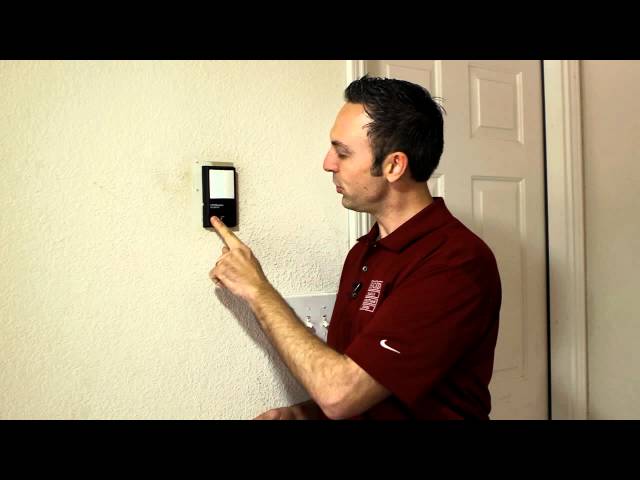
Look for the lock button on your Chamberlain garage door opener. This button is typically located on the wall-mounted control panel or the remote control that operates the opener.
2. Press and Hold the Lock Button
Press and hold the lock button for approximately five seconds. You may hear a beep or see a light indicator to confirm that the locking feature has been deactivated.
3. Test the Opener
After releasing the lock button, test the Chamberlain garage door opener to ensure that it is now unlocked. Use the remote control or wall-mounted button to open and close the garage door, verifying that the unlocking process was successful.
Additional Tips
- Check the Manual: If you’re unsure of the location or function of the lock button on your Chamberlain garage door opener, refer to the manufacturer’s manual for specific instructions.
- Resetting the Opener: If pressing the lock button doesn’t unlock the garage door opener, try resetting the opener by unplugging it from the power source for a few minutes and then plugging it back in. This may reset any settings or configurations that are causing the locking issue.
Conclusion
Unlocking your Chamberlain garage door opener is a straightforward process that can be completed in just a few simple steps. By following the instructions outlined in this guide, you can regain access to your garage quickly and conveniently. If you encounter any difficulties during the unlocking process, consult the manufacturer’s manual or contact Chamberlain customer support for assistance.



Leave a Reply