A Chamberlain garage door opener is a convenient and reliable device that adds ease and security to our daily lives. However, it can be frustrating when your garage door opener starts producing clicking sounds. Not only can it be bothersome, but it may also indicate underlying issues that require attention. In this article, we will explore the reasons why your Chamberlain garage door opener clicking and provide troubleshooting steps to help you resolve the problem.
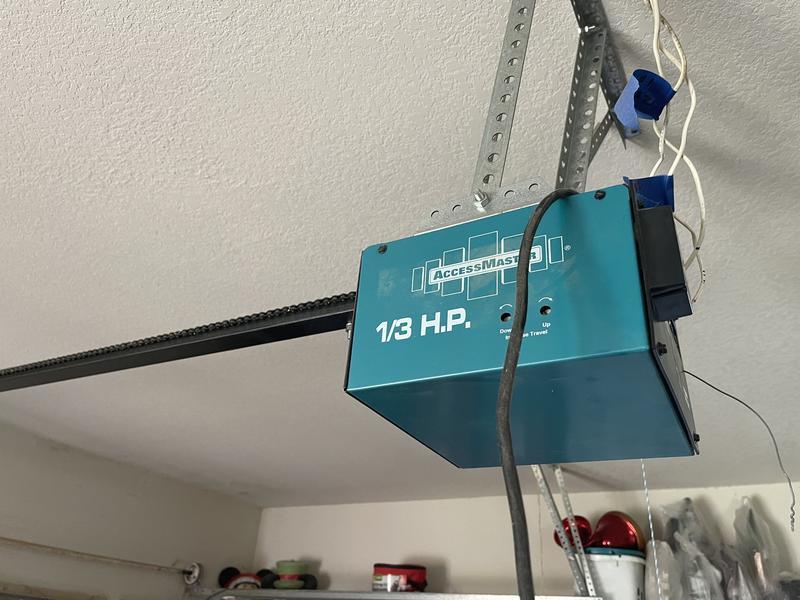
Understanding Chamberlain Garage Door Openers
Chamberlain garage door openers have gained popularity due to their exceptional features and reputation for reliability. These openers are designed to smoothly and efficiently open and close your garage door, providing you with convenience and peace of mind. A properly functioning garage door opener ensures the safety of your home and belongings.
Why Is Your Chamberlain Garage Door Opener Clicking?
There are several possible reasons why your Chamberlain garage door opener is producing clicking sounds. One common cause could be faulty hardware. Loose or damaged components such as rollers, hinges, or springs can create clicking noises as the door operates. Another possibility is electrical problems. Wiring issues, malfunctioning circuit boards, or motor problems can lead to clicking sounds.
Misaligned or damaged limit switches can also be a culprit. Limit switches are responsible for controlling the opening and closing positions of the garage door. When these switches are not functioning properly, the opener may produce clicking noises. Additionally, remote control issues can cause clicking sounds. Interference or low battery in the remote control can disrupt the signals sent to the opener, resulting in clicks.
Troubleshooting the Clicking Issue
To resolve the clicking problem in your Chamberlain garage door opener, follow these troubleshooting steps:
- Inspect the hardware: Start by visually inspecting all the components. Tighten any loose parts, such as rollers, hinges, or springs. Lubricate the moving parts, and replace any worn-out or damaged components.
- Check the electrical connections: Examine the wiring connections to ensure they are secure and undamaged. Inspect the circuit board for any visible signs of malfunction. Test the motor to ensure it is functioning correctly.
- Adjust the limit switches: If the clicking persists, inspect the limit switches. Check if they are misaligned or damaged. Align the switches properly or replace them if necessary.
- Resolve remote control issues: If the clicking noise still persists, check the battery level of your remote control. Replace the battery if needed. Reprogram the remote control to ensure it is correctly synced with the opener. Address any interference sources that may be affecting the remote’s signal.
When to Seek Professional Help
While many clicking issues can be resolved through troubleshooting, there are instances where professional assistance is recommended. Complex electrical problems should be handled by experts with the necessary knowledge and equipment. If you lack the skills or experience to perform repairs, it’s best to avoid further damage by seeking professional help. Additionally, if your Chamberlain garage door opener is still under warranty, consider contacting Chamberlain or an authorized service provider for assistance.
Conclusion
A clicking Chamberlain garage door opener can be an annoyance, but it’s important to address the issue promptly. By understanding the possible causes and following the troubleshooting steps outlined in this article, you can effectively resolve the clicking problem. Remember, a properly functioning garage door opener ensures convenience and security for your home. Take action based on the troubleshooting steps or reach out to professionals if needed. Silence the click and enjoy the smooth operation of your Chamberlain garage door opener once again.



Leave a Reply