Introduction
Managing your garage door remotely has never been easier with the Craftsman Smart Control Garage Door Opener Smartphone Control Kit. Many homeowners seek convenience, security, and peace of mind when accessing their garages. This guide will help you understand setup, operation, and troubleshooting, ensuring you get the most out of your smart control system.
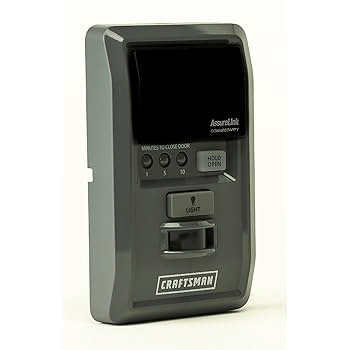
What is the Craftsman Smart Control Garage Door Opener Smartphone Control Kit?
The Craftsman Smart Control Kit allows users to open, close, and monitor their garage door remotely using a smartphone app. Key features include:
- Remote Access: Control your garage from anywhere.
- Notifications: Receive alerts when your garage opens or closes.
- Multiple User Support: Grant temporary or permanent access to family members or contractors.
- Compatibility: Works with most Craftsman garage door openers manufactured after 1998.
Read too: Why Are My Garage Doors Opening By Themselves? Troubleshooting Guide
Step-by-Step Setup Guide
1. Install the Smartphone Control Kit
- Mount the control kit near your garage door opener motor.
- Connect to a power source following the included instructions.
2. Download the Craftsman Smart Control App
- Available for iOS and Android.
- Create an account and log in.
3. Pair the Kit with Your Garage Door Opener
- Press the learn button on your Craftsman opener motor.
- Open the app and follow on-screen instructions to detect and pair the device.
- Test the connection by opening and closing the door via your smartphone.
4. Configure Settings
- Set notifications for door activity.
- Add authorized users and assign permissions.
- Enable auto-close or schedule features if supported.
Troubleshooting Common Issues
| Issue | Cause | Solution |
|---|---|---|
| App won’t connect | Wi-Fi issues | Ensure garage is within range of 2.4 GHz network |
| Garage not responding | Learn button not pressed | Repeat pairing steps using correct sequence |
| Notifications not received | App permissions | Check app notifications settings and internet connection |
| Multiple users cannot access | Incorrect permissions | Reconfigure user permissions via app |
Tips for Optimal Performance
- Stable Wi-Fi: Use a strong 2.4 GHz signal in the garage.
- Regular Firmware Updates: Keep app and kit updated for security and functionality.
- Secure Access: Change passwords periodically and remove unused users.
- Maintenance: Check sensors and opener motor annually to ensure smooth operation.
FAQ: Craftsman Smart Control Garage Door Opener Smartphone Control Kit
1. Is the kit compatible with all Craftsman openers?
It works with most Craftsman openers made after 1998. Check your model for confirmation.
2. Can multiple phones control the same garage door?
Yes, the app allows multiple authorized users to access the door remotely.
3. What if the garage door doesn’t respond to the app?
Ensure your kit is powered, connected to Wi-Fi, and paired with the opener. Re-pair if necessary.
4. Does it work without Wi-Fi?
No, remote control and notifications require an active Wi-Fi connection.
5. Can I set up auto-close schedules?
Yes, some models allow scheduling via the app for added security and convenience.
6. How secure is the smartphone control?
The system uses encrypted communication, and you can manage user permissions for security.
Conclusion
The Craftsman Smart Control Garage Door Opener Smartphone Control Kit provides convenience, security, and peace of mind by enabling smartphone control of your garage door. With proper setup and maintenance, you can enjoy remote access, notifications, and shared control with family or trusted users. Share this guide with others to help them experience smarter, safer garage management.



Leave a Reply