If you’re encountering issues with your Genie garage door opener, performing a factory reset might be the solution you need. Whether you’re experiencing connectivity problems, malfunctioning remotes, or other issues, a factory reset can often restore your opener to its original settings, resolving many common problems. In this comprehensive guide, we’ll walk you through the steps to perform a factory reset on your Genie garage door opener, ensuring smooth operation and peace of mind.
Factory Reset Genie Garage Door Opener: A Step-by-Step Guide
Performing a factory reset on your Genie garage door opener is a straightforward process that can usually be completed in just a few minutes. Follow these steps to reset your opener and troubleshoot any issues you may be experiencing:
Step 1: Locate the Reset Button
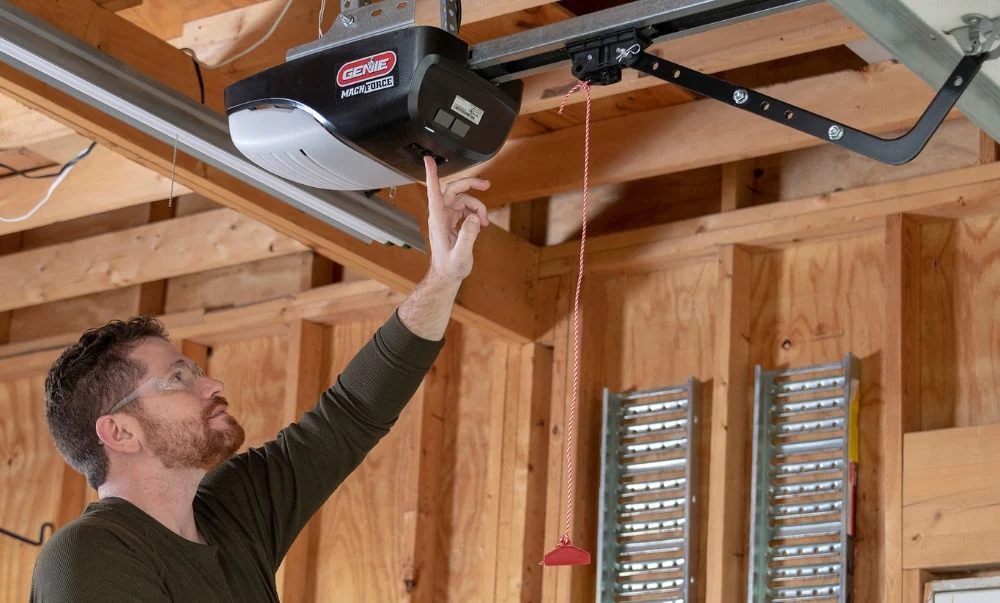
The reset button on your Genie garage door opener is typically located on the motor unit. It may be labeled as “Learn” or “Program,” depending on the model of your opener. Once you’ve located the reset button, prepare to press it to initiate the reset process.
Step 2: Press and Hold the Reset Button
With the garage door closed, press and hold the reset button on the motor unit. Hold the button down for approximately 15 seconds or until you see the indicator light on the opener flash, indicating that the reset process has begun.
Step 3: Release the Reset Button
Once the indicator light on the opener flashes, release the reset button. The light may continue to flash for a few moments as the reset process completes. During this time, avoid pressing any other buttons on the opener or operating the door.
Step 4: Test the Opener
After the reset process is complete, test your Genie garage door opener to ensure that it’s functioning correctly. Use your remote control or keypad to open and close the door, and check for any improvement in performance or functionality.
Common Issues Resolved by a Factory Reset
Performing a factory reset on your Genie garage door openers can resolve a variety of issues, including:
- Connectivity problems with remotes or keypad entry systems
- Malfunctioning sensors or safety features
- Erratic behavior, such as opening or closing unexpectedly
Conclusion
Performing a factory reset on your Genie garage door openers is a simple yet effective way to troubleshoot and resolve common issues. By following the steps outlined in this guide, you can reset your opener with confidence, restoring its functionality and ensuring smooth operation for years to come.
Read too: Mastering the Art of How to Open a Garage Door Safely and Efficiently



Leave a Reply