In today’s fast-paced world, convenience is key. If you’re a Ford vehicle owner, you may already know that many Ford models come equipped with a built-in garage door opener feature that allows you to control your garage door from the comfort of your car. In this comprehensive guide, we’ll walk you through the steps to program your Ford garage door opener, enabling you to simplify your daily home access.
Understanding Ford’s Garage Door Opener Feature
Convenience at Your Fingertips
Ford’s garage door opener feature, often referred to as the HomeLink system, provides a seamless way to operate your garage door without the need for separate remotes or keypads. It’s a practical addition to your vehicle that enhances your daily routines.
Programming Your Ford Garage Door Opener
1. Locate the HomeLink Buttons
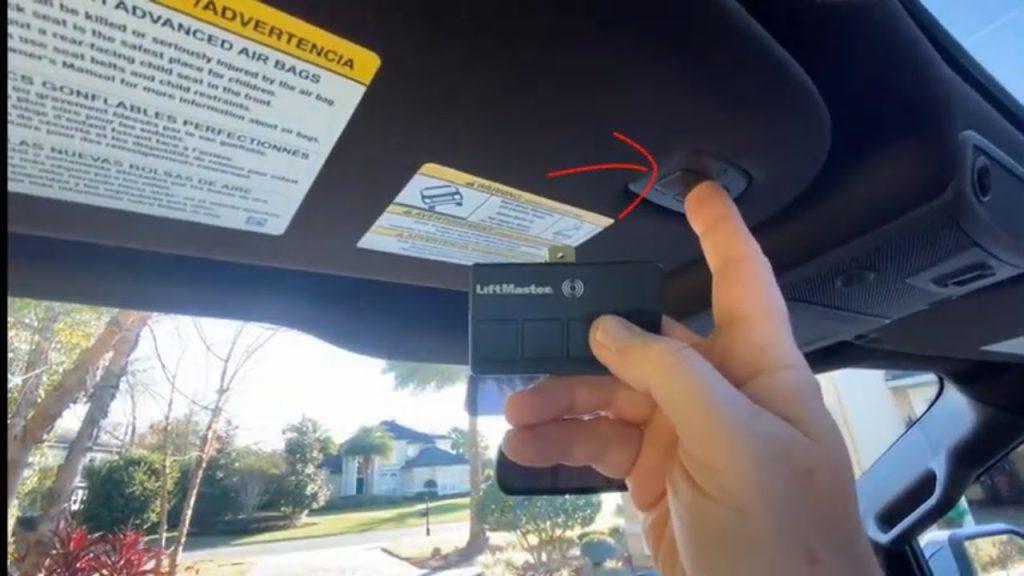
In your Ford vehicle, you’ll find the HomeLink buttons typically integrated into the overhead console, sun visor, or rearview mirror. These buttons are the interface for programming and operating your garage door.
2. Clear Existing Codes (If Necessary)
If your vehicle is pre-owned or you’ve used HomeLink for other devices before, it’s essential to clear any existing codes. To do this, press and hold the first and third HomeLink buttons simultaneously until the indicator light flashes rapidly. This indicates that the memory has been cleared.
3. Prepare Your Garage Door Opener Remote
You’ll need your existing garage door opener remote for this step. Ensure it’s accessible and functioning correctly.
4. Program the HomeLink Buttons
- Press and hold the desired HomeLink button you want to program (usually for about 20 seconds) until the indicator light begins to flash slowly.
- While holding the button, simultaneously press and hold the open/close button on your garage door opener remote. Keep both buttons pressed until the HomeLink indicator light flashes rapidly.
- Release both buttons. The indicator light should change from a rapid flash to a solid light, indicating a successful programming.
5. Test Your Garage Door Opener
To ensure that the programming is successful, press the programmed HomeLink button. Your garage door should respond accordingly, opening or closing as instructed.
Troubleshooting and Tips
1. Programming Difficulties
If you encounter issues during programming, consult your vehicle’s owner’s manual for specific instructions. It may require a slightly different process depending on the Ford model and year.
2. Security Features
Modern garage door openers often feature rolling codes for added security. If your garage door opener uses rolling codes, you may need to follow additional steps to sync your HomeLink system with it. Check your garage door opener manual for details.
3. Multiple Garage Doors
You can program multiple HomeLink buttons in your Ford vehicle to control multiple garage doors or other devices, such as gate openers or security systems.
Conclusion: Streamlining Your Daily Routine
Ford program garage door opener is a straightforward process that can significantly simplify your daily routines. With the HomeLink system integrated into your vehicle, you can enjoy the convenience of opening and closing your garage door without the hassle of separate remotes or keypads. Whether you’re arriving home after a long day or heading out for errands, this feature adds a touch of convenience to your life, one click at a time.



Leave a Reply