How Do I Program A Second Garage Door Opener Remote? Garage door openers have become a crucial part of home security and convenience. But what happens when you need to program a second remote? Whether you’re setting up a backup remote or adding a new one for a family member, the process is straightforward if you follow the right steps.
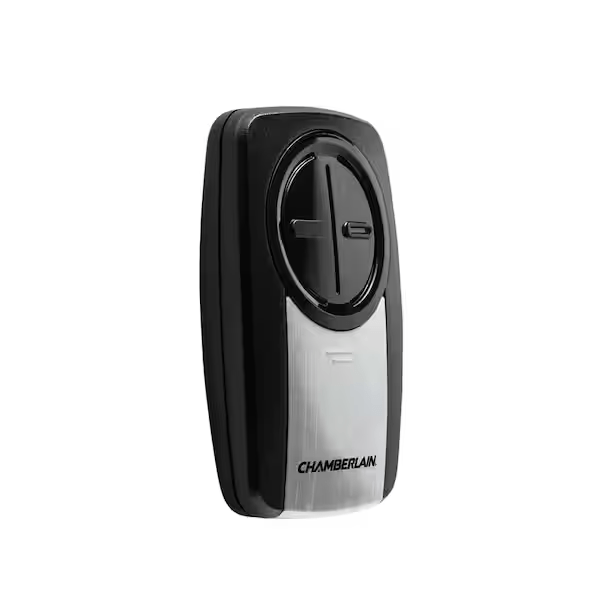
In this guide, we’ll answer the common question: “How Do I Program A Second Garage Door Opener Remote?” You’ll learn the step-by-step process, potential troubleshooting tips, and safety precautions to ensure smooth programming.
How Do I Program A Second Garage Door Opener Remote?
If you already have one working garage door opener remote, adding a second one is relatively easy. Most modern garage door openers have a simple programming process that allows you to sync multiple remotes with the same garage door system.
Step 1: Check Your Garage Door Opener Type
Before programming a second remote, you need to identify the type of garage door opener you have. The programming process can vary based on the brand and model.
- Rolling Code Garage Door Openers: These use a secure system that changes the code each time you use the remote. Brands like LiftMaster, Chamberlain, and Genie commonly use rolling codes.
- DIP Switch Garage Door Openers: Older models may have DIP switches, where you manually align the switches on the remote to match the opener.
If you’re unsure about your garage door opener type, check the user manual or look for a “Learn” or “Program” button on the unit.
Step 2: Locate the “Learn” or “Program” Button
Most modern garage door openers have a “Learn” or “Program” button on the back or side of the motor unit. This button is usually near the LED indicator light.
How to Find the Learn Button on Popular Brands:
- LiftMaster & Chamberlain: Look for a yellow, red, or purple button on the back of the opener unit.
- Genie: Usually located under the light cover or near the antenna wire.
- Craftsman: Similar placement to LiftMaster, often on the motor unit.
Once you locate the button, you’re ready to program your second remote.
Step 3: Program the Second Garage Door Remote
Follow these simple steps to sync the second remote with your garage door opener:
- Press the Learn Button: Hold the “Learn” or “Program” button on your garage door opener until the LED light turns on.
- Activate the Remote: Within 30 seconds, press and hold the button on the second remote that you want to program. The opener’s LED light should flash, indicating successful pairing.
- Test the Remote: Press the newly programmed button on the remote to see if it operates the garage door.
If the remote doesn’t work, repeat the steps to ensure proper synchronization.
Step 4: Programming a DIP Switch Remote (For Older Models)
If you have an older garage door opener with DIP switches, follow these steps:
- Open the battery compartment on your existing working remote.
- Locate the DIP switches inside and note their positions.
- Open the second remote’s battery cover and set the switches to match the first remote.
- Close the cover and test the remote to confirm it opens the garage door.
Step 5: Troubleshooting Common Issues
Sometimes, the second remote might not work immediately. Here are some troubleshooting tips:
- Remote Not Responding: Ensure you’re pressing the correct button within 30 seconds after pressing the Learn button.
- Opener Memory is Full: Some garage door openers have a limit on how many remotes they can store (usually between 3-5). You may need to clear the memory by holding the Learn button for 10 seconds and then reprogramming the remotes.
- Weak Battery: If the second remote isn’t working, replace the battery and try again.
- Interference Issues: Wi-Fi routers, LED bulbs, or nearby electronic devices can interfere with the signal. Move them away from the garage door opener if possible.
Step 6: Safety Tips When Programming a Garage Door Remote
When adding a second garage door remote, keep these safety tips in mind:
- Avoid Sharing Remotes Unnecessarily: Only program remotes for trusted individuals.
- Reset Old Codes if Necessary: If you’ve lost a remote, clear all programmed remotes and reprogram only the ones you still use.
- Test the Remote Away from the Garage Door: Stand at a distance to ensure the opener responds properly without any malfunctions.
Frequently Asked Questions (FAQs)
1. How Many Remotes Can I Program to My Garage Door Opener?
Most modern garage door openers can support between 3 to 5 remotes. Check your user manual for specific limits.
2. Can I Program a Universal Remote to My Garage Door?
Yes! Universal remotes like Clicker or Genie Universal Remote can be programmed to work with multiple brands. Follow the instructions that come with the universal remote.
3. What Should I Do If My Garage Door Remote Stops Working?
First, replace the battery in the remote. If that doesn’t work, try reprogramming the remote or checking for signal interference.
4. Can Someone Else’s Remote Open My Garage Door?
If you have a rolling code garage door opener, it’s highly secure, and another remote won’t be able to access your garage unless it has been programmed manually.
5. How Do I Reset My Garage Door Opener to Erase All Remotes?
Hold the Learn button for 10-30 seconds until the LED light turns off. This erases all programmed remotes and requires you to reprogram them.
Read too: Door and Garage Door Companies: Choosing the Right Partner for Your Needs
Conclusion
Now you know the answer to “How Do I Program A Second Garage Door Opener Remote?” Whether you’re adding a second remote for convenience or replacing a lost one, the process is straightforward if you follow the steps correctly.
By identifying your garage door opener type, locating the Learn button, and programming your second remote, you can quickly and easily set up an additional remote without professional assistance. If you encounter any issues, troubleshooting steps such as battery replacement, clearing memory, or reprogramming should help resolve them.
For added security, be sure to reset old codes if you’ve lost a remote, and only program remotes for trusted individuals. With these tips, you’ll have a fully functional second garage door remote in no time!



Leave a Reply