Garage door openers make life easier by providing quick and secure access to your home. If you’ve recently installed a new Overhead Door garage door opener or need to reprogram your existing one, you may be wondering, “How do I program my Overhead Door garage door opener?” Programming your opener is a simple process, but it requires following the right steps carefully. In this guide, we’ll walk you through the entire process, from understanding your opener type to syncing it with your remote.
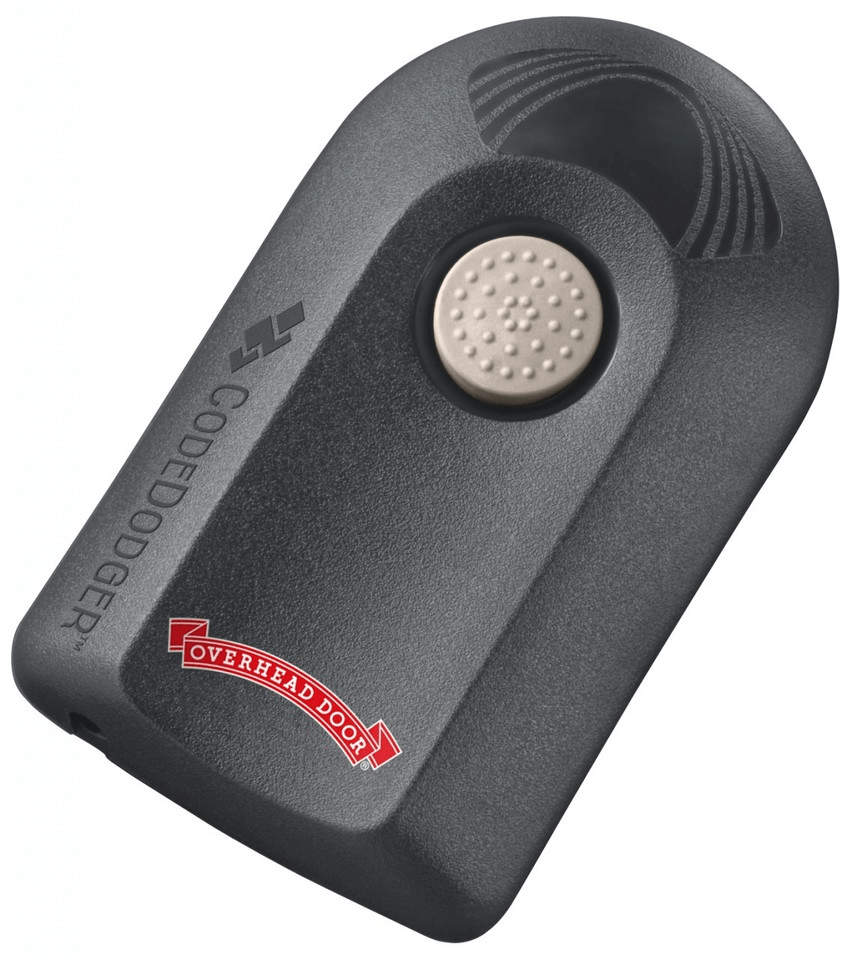
Understanding Your Overhead Door Garage Door Opener
Before you start programming, it’s essential to understand the type of Overhead Door opener you have. The brand offers different models with varying features, such as:
- Legacy® Series – A standard chain or belt drive garage door opener.
- Destiny® Series – A more advanced model with Wi-Fi connectivity.
- Odyssey® Series – Known for its quiet performance and durable build.
Most Overhead Door openers follow similar programming steps, but it’s always a good idea to refer to the owner’s manual for model-specific details.
Read too: Mastering Quantum Garage Door Opener Programming: A Comprehensive Guide
How Do I Program My Overhead Door Garage Door Opener?
Programming your Overhead Door garage door opener depends on whether you’re setting up the opener itself, the remote control, or a keypad. Below, we’ll go over each method step by step.
1. Programming the Garage Door Opener to Work with the Remote
To ensure your remote control operates your garage door opener properly, follow these steps:
1: Locate the “Learn” Button
- Find the “Learn” button on your garage door opener.
- The button is usually located near the antenna wire on the back or side of the unit.
- The color may vary depending on the model (yellow, red, or purple).
2: Press the “Learn” Button
- Press and release the “Learn” button on the opener unit.
- The indicator light next to the button should start blinking, signaling that the unit is in programming mode.
3: Press the Remote Control Button
- Within 30 seconds of pressing the “Learn” button, press and hold the button on your Overhead Door remote that you want to program.
- Hold the button until the indicator light on the opener blinks or flashes, confirming the remote is paired.
4: Test the Remote
- Press the programmed button on the remote to check if it operates the garage door.
- If the door moves up and down as expected, the programming was successful.
2. Programming a Keypad to Work with Your Garage Door Opener
If you have an Overhead Door keypad, follow these steps to program it:
1: Locate the “Learn” Button
- Find the “Learn” button on your garage door opener unit.
2: Enter the Programming Mode
- Press and release the “Learn” button. The indicator light will turn on.
- On the keypad, enter a four-digit PIN of your choice.
3: Confirm the Code
- Press the Enter button on the keypad within 30 seconds.
- The garage door opener light should blink or the unit should make a clicking sound, indicating a successful programming process.
4: Test the Keypad
- Stand outside your garage and enter the four-digit PIN, then press Enter.
- If the door opens or closes, the keypad is programmed correctly.
3. Resetting Your Overhead Door Garage Door Opener
If your remote or keypad isn’t working properly, resetting the garage door opener may help.
Step 1: Erase Existing Codes
- Locate the “Learn” button and hold it down for 10-15 seconds until the indicator light turns off.
- This action clears all programmed remotes and keypads from the system.
Step 2: Reprogram Your Devices
- After resetting, follow the programming steps above to reconnect your remote and keypad.
Troubleshooting Common Issues
1. Remote Control Isn’t Working
- Check if the batteries in the remote are still functional.
- Ensure the garage door opener antenna is hanging down properly.
- Reprogram the remote using the steps mentioned earlier.
2. Keypad Isn’t Responding
- Try replacing the batteries in the keypad.
- Make sure you’re entering the correct PIN code.
- Reset and reprogram the keypad.
3. Garage Door Opener Doesn’t Enter Programming Mode
- Unplug the opener, wait for 30 seconds, then plug it back in.
- Ensure the “Learn” button isn’t already in use for another device.
Frequently Asked Questions
1. How many remotes can I program to my Overhead Door opener?
Most models support up to seven remotes. If you’ve reached the limit, you may need to erase existing codes before adding a new one.
2. How do I program a universal remote to my Overhead Door opener?
- Press and hold the program button on the universal remote.
- Press the “Learn” button on your garage door opener.
- Press the button on the universal remote multiple times until the garage door responds.
3. Do I need professional help to program my garage door opener?
No, you can easily program it yourself by following these steps. However, if you encounter issues, professional assistance may be helpful.
Final Thoughts
Programming your Overhead Door garage door opener is a straightforward process that ensures convenience and security. Whether you’re setting up a remote, a keypad, or troubleshooting issues, following these steps will help you get your opener working efficiently. If you ever run into problems, resetting the system and reprogramming your devices is often the best solution.
With this guide, you should now have a clear answer to “How do I program my Overhead Door garage door opener?” and be able to set it up without hassle. Happy programming!



Leave a Reply