If you’ve ever wondered how many remotes can a garage door opener have, you’re not alone. Homeowners often need multiple remotes for family members, guests, or extra convenience, but each opener has a maximum capacity. Understanding this limit ensures seamless access without overloading your system or causing technical issues.
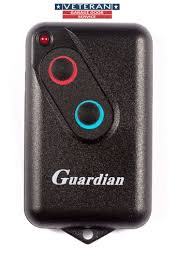
How Many Remotes Can Typically Be Programmed?
Most modern garage door openers can handle multiple remotes. The exact number depends on the manufacturer and model:
- Chamberlain: Usually supports up to 10–12 remotes.
- LiftMaster: Can often accommodate up to 12 remotes.
- Genie: Typically allows 8–10 remotes.
- Older models: May support fewer, sometimes only 2–4 remotes.
Expert Tip: Always check your opener’s manual to confirm its maximum capacity. Overloading the system can cause programming issues or interfere with normal operation.
Read too: Mastering the Art of Adjusting a Chamberlain Garage Door Opener for Smooth Operation and Safety
Factors Affecting Remote Capacity
- Opener Model & Age: Newer models generally support more remotes due to advanced memory chips.
- Remote Type: Universal remotes or smart remotes may count differently than standard remotes.
- Security Features: Rolling code technology or encryption may limit how many remotes can sync.
- Programming Mode: Some openers require clearing old remotes before adding new ones.
Step-by-Step Guide to Adding Multiple Remotes
- Locate the Learn Button: Usually on the motor head or near the antenna.
- Press the Learn Button: Indicator light typically flashes.
- Activate Remote: Press the button on the remote you want to program.
- Confirm Successful Sync: The light may flash or the door may operate once.
- Repeat for Additional Remotes: Do not exceed the maximum supported by your opener.
- Test Each Remote: Ensure all programmed remotes function correctly.
Multiple Remote Management Table
| Opener Brand | Max Remotes | Notes |
|---|---|---|
| Chamberlain | 10–12 | Rolling code security included |
| LiftMaster | 12 | Supports MyQ smart remotes |
| Genie | 8–10 | Check for model-specific limits |
| Older Models | 2–4 | May require clearing before reprogramming |
FAQs (H2)
Q1: Can I use more than the maximum number of remotes?
A: No, exceeding the limit can prevent remotes from syncing correctly and may require resetting the opener.
Q2: Can I use universal remotes with any opener?
A: Yes, but compatibility depends on frequency, security code type, and memory capacity.
Q3: Do smart home apps replace physical remotes?
A: Often yes, but physical remotes are still convenient backups.
Q4: How do I remove old remotes?
A: Press the “Learn” button for 6–10 seconds (model dependent) to erase all previous remotes.
Q5: Does adding more remotes affect opener speed?
A: No, performance is generally unaffected if within the supported limit.
Q6: Can I program a remote without the original?
A: Usually yes, but some rolling code openers require at least one programmed remote for syncing.
Tips for Smooth Remote Management
- Keep Track of Remotes: Label remotes to avoid confusion.
- Regularly Update Security Codes: For openers with rolling code technology, update periodically.
- Test Functionality: Check each remote monthly for proper operation.
- Use Smart Alternatives: Apps like MyQ can allow virtual remotes without physical devices.
For technical details on garage door openers, see Garage Door Opener – Wikipedia.
Conclusion
Knowing how many remotes can a garage door opener have helps you plan for family, guests, and future needs. Most modern openers support 8–12 remotes, but always check your specific model. Proper programming, testing, and management ensure safe, convenient access. Share this guide with friends and family to help them manage their garage remotes efficiently.



Leave a Reply