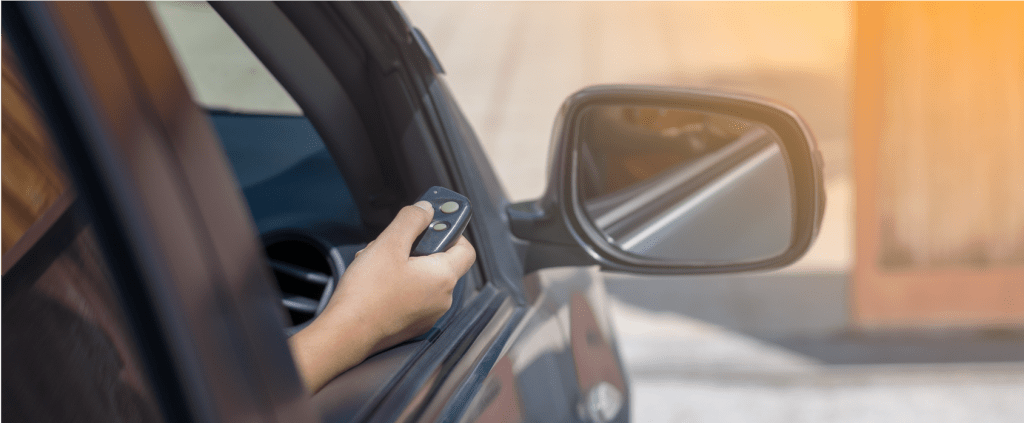
Struggling to sync your vehicle with your home access system? Learning How To Program 2022 Kia Telluride Garage Door Opener is much easier than you might think, and we are here to help you get it done seamlessly. Whether you are a brand-new owner or just upgrading your daily setup, this comprehensive guide will walk you through every single step. Say goodbye to fumbling for extra remotes!
How To Program 2022 Kia Telluride Garage Door Opener: Step-by-Step
Let us dive right into the core of the matter. The 2022 Kia Telluride comes equipped with the integrated HomeLink system, which is conveniently located on your overhead console near the rearview mirror.
Before we begin, ensure your vehicle is parked safely outside the garage. Turn the ignition to the “ON” or “ACC” position. Do not start the engine, just make sure the electrical system is active.
Step 1: Locate the HomeLink Buttons Look up at your rearview mirror area on the headliner. You will see three rectangular buttons. These are your programmable HomeLink channels, ready to be customized.
Step 2: Clear the Previous Memory If you are replacing an old code or bought the car used, you must clear the system first. Press and hold the two outer HomeLink buttons simultaneously. Keep holding them down for about 10 to 20 seconds until the small indicator light flashes rapidly. This confirms the previous memory is completely erased.
Step 3: Initiate the Programming Mode Choose one of the three buttons you want to use for your garage. Press and hold your chosen button. The indicator light will begin to blink slowly, indicating it is actively in learning mode.
Step 4: Transmit the Signal from Your Remote While still holding the chosen HomeLink button, bring your original garage door remote exactly 1 to 3 inches away from the HomeLink button. Press and hold the main button on your handheld remote.
Step 5: Complete the Syncing Process Keep holding both buttons firmly. Watch the HomeLink indicator light closely. It will eventually change from a slow blink to a rapid flash. This usually takes about 10 to 30 seconds. Once it flashes rapidly, release both buttons immediately.
Step 6: Test the Connection Press and hold the newly programmed HomeLink button. If your garage door activates smoothly, congratulations! You have successfully completed the process.
Note for Rolling Code Openers: If you have a rolling code garage door opener (most models made after 1996), you have one extra step. You will need to press the “Learn” or “Smart” button on your actual garage door motor unit inside the garage. Then, return to your car and press the programmed HomeLink button firmly for two seconds to sync the new security codes.
What Is the HomeLink System in the 2022 Kia Telluride?
To truly appreciate the convenience, it helps to understand what you are working with. The HomeLink system is a universal transceiver integrated directly into your vehicle’s architecture.
According to a recent survey by the Consumer Technology Association, over 65% of smart home users prefer integrated vehicle systems for home access over carrying separate remotes. This integration eliminates the need for bulky visor clips and dead batteries.
For more technical background on how these universal transceivers operate, you can check out the official HomeLink Wikipedia page. It provides great insight into the radio frequency technology used in modern vehicles and smart homes.
HomeLink vs. Traditional Remotes: Pros and Cons
To help you understand why this setup is worth your time, let us look at a quick comparison between the built-in system and old-school remotes.
| Feature | HomeLink System (Built-in) | Traditional Visor Remote |
|---|---|---|
| Convenience | High (Always in the car) | Medium (Can be lost or left inside) |
| Aesthetics | Sleek, integrated design | Bulky, hangs from the visor |
| Battery Life | Powered by the vehicle | Requires battery replacements |
| Security | Rolling code compatible | Varies by model year |
As you can clearly see, the built-in system offers a much cleaner, safer, and more reliable daily experience.
How Do You Reset the Garage Door Opener on a Kia Telluride?
Sometimes, you might move to a new house or need to clear a specific channel for a new device. Resetting is just as easy as programming the initial setup.
- Turn the ignition to the “ON” position without starting the engine.
- Locate the three HomeLink buttons on the overhead console.
- Press and hold the first and third buttons at the exact same time.
- Keep them held down for approximately 20 seconds.
- Watch the indicator light; it will flash rapidly to confirm the reset.
You can also erase a single button without clearing all three channels. Simply hold down the specific button you want to erase for about 20 seconds until it flashes rapidly.
Tips for Maintaining Your HomeLink System
Once you have successfully programmed your system, you want to ensure it keeps working perfectly. Fortunately, the HomeLink system requires very little maintenance.
However, if you ever change the batteries in your handheld remote, you usually do not need to reprogram the car. The car has already memorized the frequency. But if you buy a brand new garage door motor, you will need to clear the old codes and start the programming process from scratch.
Additionally, keep the overhead console clean. Use a soft microfiber cloth to gently wipe away dust and fingerprints. Avoid using harsh chemical cleaners, as they can damage the plastic finish or seep into the buttons and cause malfunction.
Troubleshooting: What If My Garage Door Opener Won’t Sync?
Technology is great, but sometimes things do not go perfectly on the first try. If you are having trouble, do not worry. Here are the most common issues and how to fix them.
- The Light Will Not Flash Rapidly: Ensure your remote battery is completely fresh. Also, make sure the remote is exactly 1 to 3 inches away from the HomeLink button during the initial training phase.
- Rolling Code Issues: If you have a newer garage motor, it likely uses rolling code technology. You must press the learn button on the garage motor itself after training the car.
- Distance Problems: When testing, make sure you are within 30 feet of the garage door. If it works up close but not from the street, you may need to install an antenna extension for your garage motor.
Frequently Asked Questions (FAQ)
1. Can I program a rolling code garage door opener to my 2022 Kia Telluride? Yes, absolutely. The 2022 Kia Telluride HomeLink system is fully compatible with rolling code technology. You just need to complete the extra step of pressing the “Learn” button on your garage door motor unit to sync the new security code.
2. How many garage door openers can the 2022 Kia Telluride store? Your vehicle has three programmable buttons. This means you can store up to three different devices, such as two garage doors and one gate opener, or even control smart home lights and security systems.
3. Do I need the original remote to program the HomeLink system? In most cases, yes. Having the original, working handheld remote makes the initial training process much faster and easier. If you lost the original remote, you will need to program it directly from the garage door motor unit using its “Learn” button.
4. Why is my HomeLink light blinking rapidly during programming? A rapid blink is actually a very good sign! It means the system has successfully captured and memorized the radio frequency signal from your handheld remote. If it blinks slowly, it is still in learning mode and you need to keep holding the buttons.
5. Is the HomeLink system compatible with LiftMaster and Chamberlain? Yes, the 2022 Kia Telluride HomeLink is compatible with almost all major brands, including LiftMaster, Chamberlain, Genie, and Craftsman. As long as you follow the rolling code steps properly, it will work seamlessly.
6. What if I want to program a HomeLink button to turn on my house lights? You can easily program a HomeLink button to control compatible smart lighting. The process is identical to programming a garage door. Just use a compatible smart plug or a lighting bridge that supports HomeLink integration.
Conclusion
Mastering your vehicle’s features can significantly enhance your daily routine and save you time. By following this guide, you now know exactly How To Program 2022 Kia Telluride Garage Door Opener without any hassle. You save time, eliminate clutter, and enjoy a smoother transition from your driveway to your living room.
If you found this step-by-step tutorial helpful, please share it on your social media or send it to a fellow Kia Telluride owner who might need a hand! Safe driving and happy syncing!



Leave a Reply