Introduction
Is your Chamberlain Clicker garage door remote acting up? You’re not alone. Millions of homeowners face this frustrating issue every year, especially after power outages or when replacing batteries. Learning how to program a Chamberlain Clicker garage door opener can save you time, money, and the hassle of calling a technician. In this guide, we’ll walk you through simple, proven steps to get your remote syncing with your garage door opener quickly and safely.
Why Programming Your Chamberlain Clicker Matters
Before diving into the steps, it’s important to understand why proper programming is crucial. A correctly programmed remote ensures:
- Security: Prevents unauthorized access to your garage
- Convenience: No more manual operation or keypad entry
- Reliability: Consistent performance without signal interference
According to Chamberlain Group, over 60% of garage door service calls are related to remote programming issues rather than mechanical failures. This highlights how essential proper setup is for smooth operation.
Step-by-Step Guide: How to Program a Chamberlain Clicker Garage Door Opener
Step 1: Locate the Learn Button on Your Garage Door Opener
The first step in learning how to program a Chamberlain Clicker garage door opener is finding the “Learn” button on your motor unit. This button is typically located:
- On the back or side of the motor housing
- Near the antenna wire
- Under a light cover (on newer models)
Pro Tip: The Learn button is usually colored yellow, purple, red, or green, depending on your model year. Consult your owner’s manual if you’re unsure.
Step 2: Clear Old Codes (If Necessary)
If you’re replacing an old remote or experiencing interference, clear existing codes first:
- Press and hold the Learn button for 6–10 seconds
- Release when the indicator light turns off
- All previously programmed remotes will be erased
Note: You’ll need to reprogram all remotes after clearing codes.
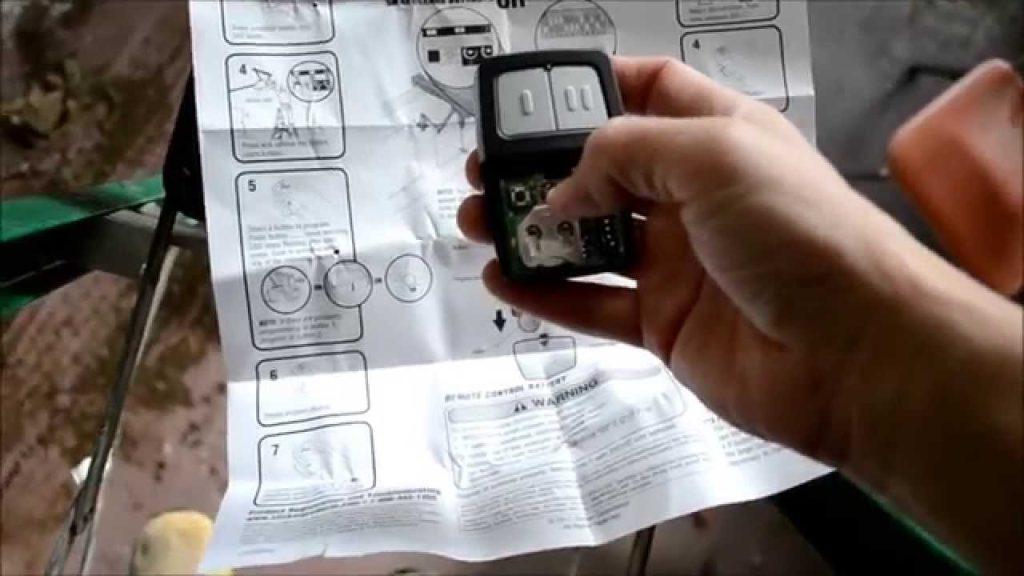
Step 3: Program Your Chamberlain Clicker Remote
Now comes the main event. Follow these precise steps:
- Press the Learn button on the motor unit once (the indicator light will turn on)
- Within 30 seconds, press and hold the button on your Chamberlain Clicker remote that you want to program
- Hold for 2–3 seconds until you see the motor unit’s lights flash or hear a click
- Release the remote button
Your remote should now be programmed! Test it by pressing the button to open/close the garage door.
Step 4: Test Multiple Remotes (If Applicable)
If you have multiple Chamberlain Clicker remotes:
- Repeat Step 3 for each remote
- Ensure each remote works independently
- Label remotes if needed for family members
Step 5: Troubleshoot Common Issues
Even with careful programming, issues can arise. Here’s what to check:
| Problem | Possible Cause | Solution |
|---|---|---|
| Remote doesn’t respond | Dead batteries | Replace with fresh AAA batteries |
| Intermittent operation | Signal interference | Reprogram away from electronic devices |
| Light flashes but no action | Wrong button pressed | Ensure you’re using the correct Learn button sequence |
| Remote works from close range only | Weak signal | Check antenna positioning on motor unit |
People Also Ask: Common Questions About Chamberlain Clicker Programming
Q1: How long does it take to program a Chamberlain Clicker?
Programming typically takes 2–5 minutes per remote if you follow the steps correctly. The actual button-pressing process only takes 30 seconds, but locating the Learn button and testing may add extra time.
Q2: Can I program a Chamberlain Clicker without the original remote?
Yes! You don’t need the original remote to program a new Chamberlain Clicker. As long as you have access to the garage door opener motor unit and its Learn button, you can program any compatible remote. However, if you’ve lost all remotes, you may need to use the wall-mounted keypad or consult a professional.
Q3: What if my Chamberlain Clicker won’t program?
If your remote won’t program, try these troubleshooting steps:
- Replace the batteries with fresh AAA alkaline batteries
- Ensure you’re within range (stand 5–10 feet from the motor unit)
- Check the Learn button color matches your remote’s compatibility
- Clear old codes and start fresh
- Verify remote compatibility with your opener model
For detailed compatibility information, visit Chamberlain’s official support page.
Q4: How many remotes can I program to one Chamberlain opener?
Most Chamberlain garage door openers can store up to 8–10 remote codes simultaneously. This includes:
- Handheld remotes (like Chamberlain Clicker)
- Keypad entries
- Vehicle-based systems (HomeLink, etc.)
Check your specific model’s manual for exact capacity.
Q5: Do I need to reprogram after a power outage?
Usually, no. Chamberlain openers retain programmed codes even during power outages. However, if the outage was prolonged or involved a surge, you might need to reprogram. Always test your remote after restoring power.
Q6: Is there a difference between older and newer Chamberlain Clicker models?
Yes. Older models (pre-2011) use fixed-code technology, while newer models use rolling-code encryption for enhanced security. Rolling-code remotes change their signal with each use, making them harder to hack. For more on garage door security standards, see Wikipedia’s article on garage door openers.
Advanced Tips for Optimal Performance
Maintain Your Chamberlain Clicker Remote
To ensure long-lasting performance:
- Replace batteries annually, even if they seem fine
- Keep the remote clean and dry
- Store in a cool place away from direct sunlight
- Avoid dropping or exposing to extreme temperatures
Enhance Signal Strength
If you experience weak signals:
- Reposition the antenna on your motor unit (hang it vertically)
- Remove obstacles between the remote and opener
- Install a signal repeater for large garages
- Upgrade to a newer remote with stronger transmission power
Security Best Practices
Protect your garage from unauthorized access:
- Change codes periodically if you suspect compromise
- Don’t share remote codes with strangers
- Use rolling-code remotes for better encryption
- Consider smart garage openers with app-based control and monitoring
Conclusion
Learning how to program a Chamberlain Clicker garage door opener doesn’t have to be complicated. With these straightforward steps, you can get your remote working in minutes, saving both time and money. Remember to keep your remote maintained, test it regularly, and follow security best practices to protect your home.
Did this guide help you? Share it with friends and family who might be struggling with their garage door remotes! Follow us on social media for more home improvement tips and troubleshooting guides.
Disclaimer: Always refer to your specific Chamberlain model’s owner manual for detailed instructions. If problems persist, contact Chamberlain customer support or a licensed garage door technician.



Leave a Reply