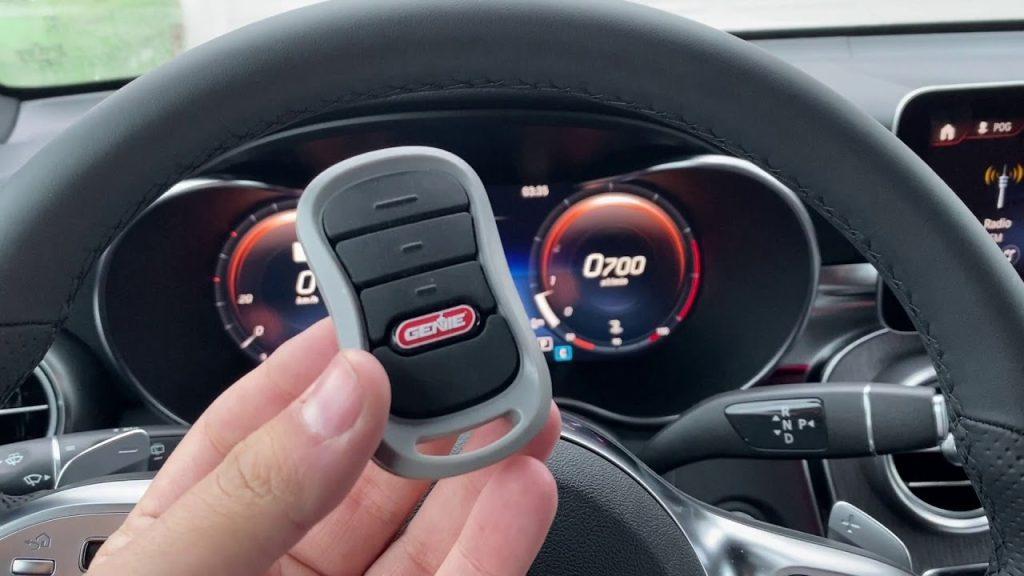
Struggling to sync your vehicle after a long day? Learning how to program garage door opener in Jeep Gladiator models is easier than you think, saving you from standing in the rain while digging for a remote. Let’s get your HomeLink system working seamlessly so you can pull into your garage without a hitch.
How To Program Garage Door Opener In Jeep Gladiator: Step-by-Step
Syncing your truck to your home doesn’t require a mechanic. The Jeep Gladiator comes equipped with the HomeLink transceiver, usually located on the overhead console near your rearview mirror.
Think of this process like pairing a new Bluetooth device. Follow these concrete steps to get it done right the first time.
Step 1: Gather Your Materials
Before starting, ensure you have your original, working garage door remote. You will also need your Jeep Gladiator parked directly in front of the garage. Keep the vehicle’s ignition in the RUN position (engine on or accessory mode) to prevent the battery from dying.
Step 2: Clear the Existing HomeLink Codes
If your Jeep is new to you, or if you are replacing an old setup, clear the memory first.
- Locate the two outer HomeLink buttons.
- Press and hold both outer buttons simultaneously.
- Keep holding them for 10 to 20 seconds until the LED indicator light begins to flash rapidly.
- Release the buttons. The system is now erased and ready for a fresh sync.
Step 3: Program the Desired Button
Choose one of the three HomeLink buttons you want to use.
- Hold your physical garage door remote 1 to 3 inches away from the HomeLink button.
- Press and hold the button on your physical remote.
- While holding the remote button, press and hold the chosen HomeLink button at the same time.
- Watch the HomeLink LED indicator. It will blink slowly at first, then switch to a rapid flash after about 10 to 30 seconds.
- Once it flashes rapidly, release both buttons. The basic programming is complete!
Step 4: Test the Sync
Press the newly programmed HomeLink button firmly. Hold it down until the garage door activates. If it works on the first try, you have successfully completed the process.
What Do You Need Before Programming Your Jeep Gladiator?
Preparation is the secret to a frustration-free experience. According to a 2023 automotive convenience report, nearly 68% of truck owners prioritize seamless smart-home integration, yet many skip the preparation phase.
To avoid common pitfalls, ensure you have the following ready:
- The Original Remote: You must have the physical remote that currently opens your garage.
- Fresh Batteries: Check the battery in your physical remote. A weak signal will fail to transmit to the HomeLink system.
- A Step Ladder: If your garage motor is high up, you might need to sit in the driver’s seat with the remote pointed directly at the overhead console.
- Patience: The initial sync can take up to 90 seconds for older systems. Do not release the buttons prematurely.
Rolling Code vs. Fixed Code: Which One Does Your Opener Use?
Not all garage doors communicate the same way. Understanding your system’s security protocol is crucial for a successful sync. For a deeper technical history of these security mechanisms, you can read about the garage door opener on Wikipedia.
Fixed Code Systems (Pre-1996): These older systems use a single, static radio frequency. If you followed the basic steps above and your door works, you have a fixed code system.
Rolling Code Systems (1996-Present): Modern openers change the access code every time the door is used for maximum security. If your door didn’t open after Step 3, you likely have a rolling code system.
How to Sync a Rolling Code Opener:
- Locate the “Learn” or “Smart” button on your actual garage door motor (usually hanging from the ceiling). It is often yellow, purple, or orange.
- Press and release this “Learn” button on the motor. The indicator light on the motor will blink.
- Immediately go back to your Jeep Gladiator.
- Press and hold the programmed HomeLink button for 2 to 5 seconds, then release it.
- Repeat this process a second time, holding for 2 seconds. On the third try, hold it for 5 to 10 seconds until you hear the garage door relay click or the door moves.
Integrated HomeLink vs. Traditional Remoters
Why go through the effort of programming your Jeep? Here is a quick comparison to show the value of integrated systems.
| Feature | Integrated HomeLink (Jeep) | Traditional Clicker Remote |
|---|---|---|
| Convenience | High. Always in the vehicle. | Medium. Easy to lose in bags or pockets. |
| Battery Needed? | No. Draws power directly from the Jeep. | Yes. Requires frequent CR2032 replacements. |
| Range | Excellent. High-powered transceiver. | Varies. Often struggles in extreme weather. |
| Aesthetics | Clean. No clutter on your visor or keys. | Cluttered. Adds bulk to your keychain. |
Why Won’t My Jeep Gladiator Garage Door Opener Sync?
Even with a perfect guide, technology can sometimes be stubborn. If your garage door refuses to budge, do not panic. Here are the most common culprits and how to fix them.
- The Distance is Too Great: The initial training phase requires close proximity. Ensure the remote is strictly 1 to 3 inches from the HomeLink buttons during Step 3.
- Incompatible Frequencies: HomeLink operates between 288 MHz and 390 MHz. If your garage opener is an extremely old or European model operating outside this range, it may require a repeater or a replacement motor.
- The “Learn” Button Was Missed: If you have a rolling code system and skipped the ceiling motor’s “Learn” button, the system will reject the Jeep’s signal. Always complete Step 4 of the rolling code instructions.
- Interference from LED Bulbs: Recently, Mopar experts noted that cheap, non-shielded LED bulbs in the garage motor can block radio frequencies. Try turning off the garage lights temporarily to see if the Jeep can sync.
Frequently Asked Questions
1. Can I program a garage door opener in my Jeep Gladiator without the original remote?
Generally, no. The HomeLink system needs to “learn” the radio frequency from your existing physical remote. However, if your garage motor has a “Learn” button, some modern systems allow you to pair the Jeep directly to the motor without the old remote. Consult your garage door manufacturer’s manual for direct pairing instructions.
2. How many garage doors can I program in my Jeep Gladiator?
The overhead console features three distinct buttons. This means you can program up to three different devices. You can use them for two garage doors and a third device, such as a home security system, a gate, or even outdoor lighting.
3. Do I need to press the “Learn” button on my garage motor every time?
No. You only need to press the “Learn” or “Smart” button on the ceiling motor once during the initial setup. Once the rolling code is synchronized between the Jeep and the motor, it will remember the connection permanently until you clear the HomeLink memory.
4. Will programming the HomeLink erase my other settings?
Absolutely not. Programming the HomeLink buttons only affects the garage door memory. Your Uconnect radio presets, climate control preferences, and other vehicle settings are stored on entirely separate modules and will remain completely untouched.
5. What if the HomeLink indicator light doesn’t blink at all?
If the LED light remains solid or does not turn on during the training process, the remote is likely not transmitting a signal. Replace the battery in your physical garage door remote. If the light flashes rapidly immediately upon pressing, you have successfully cleared the old codes and are ready to train a new one.
Conclusion
Mastering how to program garage door opener in Jeep Gladiator models transforms your daily routine. By utilizing the built-in HomeLink system, you eliminate the hassle of carrying extra remotes and ensure you always have access to your home. The process is straightforward, takes less than five minutes, and adds a premium layer of convenience to your driving experience.
If this guide helped you get your garage door syncing perfectly, please share it on Facebook, X (Twitter), or Pinterest to help a fellow Jeep owner out on the road! Safe driving!



Leave a Reply