If your Chamberlain garage door opener is not responding or you’ve lost access to the remote, knowing how to reset code for Chamberlain garage door opener is essential. Resetting the code restores control, improves security, and ensures smooth operation. This guide walks you through each step clearly, so even beginners can handle it safely.
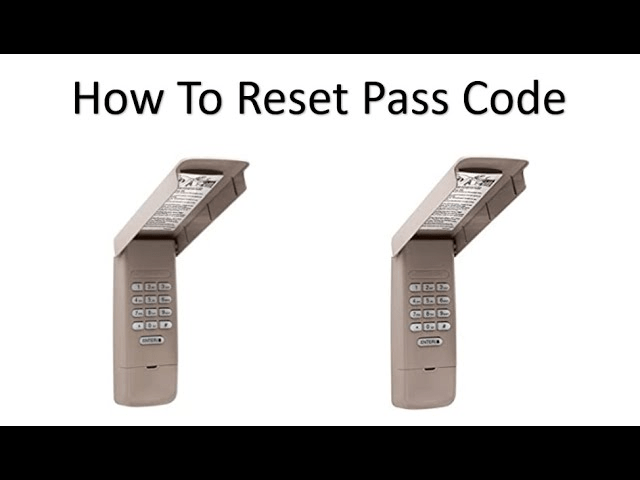
Tools and Materials Needed
- Ladder to reach the opener
- Screwdriver (if cover removal is required)
- Chamberlain remote or keypad
- Safety gloves and glasses
Read too: Door and Garage Door Companies: Choosing the Right Partner for Your Needs
Pro Tip: Always unplug the opener before working on it to avoid accidental door movement.
Step-by-Step Code Reset Process
1. Disconnect Power
- Unplug your Chamberlain opener from the electrical outlet
- Wait 10–15 seconds to allow internal electronics to reset
2. Locate the “Learn” Button
- Open the garage door opener cover
- Find the Learn button (usually red, yellow, or purple) on the motor unit
3. Erase Existing Codes
- Press and hold the Learn button for about 6 seconds until the LED indicator turns off
- This deletes all previous remote and keypad codes
4. Reprogram Your Devices
- Press the Learn button once briefly
- Within 30 seconds, press the button on the remote or keypad you want to program
- The LED light will blink or turn solid to confirm successful programming
5. Test Functionality
- Operate the garage door using the remote and keypad
- Make sure safety sensors and wall console work correctly
- Repeat programming for additional remotes if necessary
Troubleshooting Tips
- Opener not responding: Check power supply and circuit breaker
- Remote doesn’t work after reset: Ensure it’s within 30 seconds of pressing Learn button
- Door reverses or stops mid-operation: Inspect alignment of safety sensors and tracks
Comparison Table: Single Remote Reset vs Full Code Reset
| Feature | Single Remote Reset | Full Code Reset |
|---|---|---|
| Deletes other remotes | No | Yes |
| Time to complete | 1–2 min | 5–10 min |
| When to use | One remote malfunction | Lost remote or security concerns |
| LED indicator | Blinks once | Turns off then on |
Safety Considerations
- Avoid placing hands near moving parts during testing
- Wear protective gloves and safety glasses
- Never adjust torsion springs without professional help
- Verify opener works correctly before leaving unattended
FAQ
Q1: Can I reset the code without a remote?
A1: Yes, using the Learn button on the motor unit you can reset and reprogram remotes or keypads.
Q2: Will resetting delete all existing remotes?
A2: Yes, a full code reset erases all programmed devices. You must reprogram each remote or keypad.
Q3: How do I know the reset is successful?
A3: The LED indicator on the opener blinks or turns off, and previous remotes will stop working until reprogrammed.
Q4: Is it safe to do this myself?
A4: Yes, following this step-by-step guide ensures safe reset, but unplug the opener and follow safety precautions.
Q5: How long does a full reset take?
A5: About 5–10 minutes depending on the number of remotes or keypads being reprogrammed.
Conclusion
Learning how to reset code for Chamberlain garage door opener is crucial for maintaining control and security. By following this guide, you can quickly reset your opener, reprogram remotes, and ensure your garage door works flawlessly.
Share this article with friends and family who may need garage opener troubleshooting—it can save them time and frustration.



Leave a Reply