Owning a BMW comes with a myriad of features designed to enhance your driving experience, and one such feature is the ability to program your garage door opener directly into your vehicle. This convenient option allows you to seamlessly open your garage door without the need for additional remotes or keypads. In this guide, we’ll explore the process of programming your BMW garage door opener, empowering you with the knowledge to streamline your daily routine.
Understanding the Importance of Programming BMW Garage Door Opener
Programming BMW Garage Door Opener: A Seamless Integration
The integration of your garage door opener with your BMW adds an extra layer of convenience to your driving experience. By synchronizing your vehicle with your garage door, you can effortlessly open or close it with the touch of a button, eliminating the hassle of fumbling for remotes or manually operating the door.
Read too: Mastering Quantum Garage Door Opener Programming: A Comprehensive Guide
Step-by-Step Guide to Programming BMW Garage Door Opener
Preparing Your BMW for Programming
Before delving into the programming process, ensure that your BMW is parked outside your garage and that the garage door is closed. Follow these steps to initiate the programming mode:
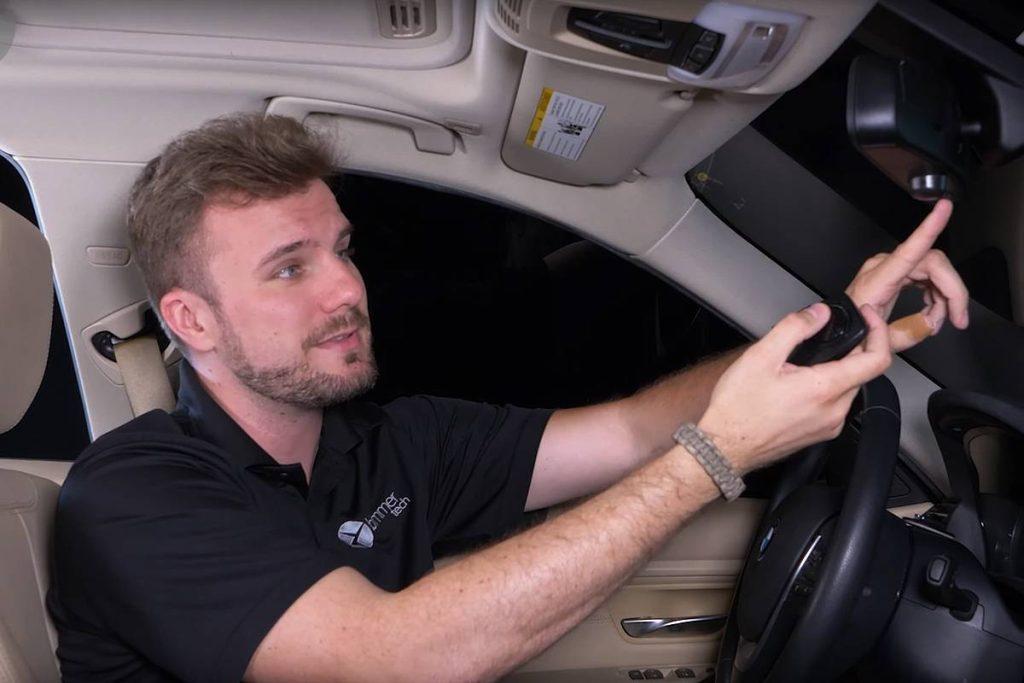
- Locate the Homelink Button: In your BMW, the Homelink button is typically located near the rearview mirror or on the overhead console. Press and hold the Homelink button and the interior lights will flash slowly.
- Resetting Homelink: If you’ve previously programmed Homelink but want to reprogram it, press and hold the button until the indicator light blinks rapidly. This indicates that all previous codes have been erased.
Programming Your Garage Door Opener
Once your BMW is in programming mode, follow these steps to synchronize it with your garage door opener:
- Accessing the Garage Door Opener: Locate the “Learn” or “Smart” button on your garage door opener motor unit. This button is usually located near the light bulb.
- Activating Learn Mode: Press and release the “Learn” button on your garage door opener. The indicator light will illuminate, indicating that the opener is in programming mode.
- Syncing with Homelink: Return to your BMW and press the Homelink button you wish to program. Hold it until the interior lights flash rapidly, indicating that the programming was successful.
- Testing the Connection: To ensure that the programming was successful, press the programmed Homelink button in your BMW. Your garage door should open or close accordingly.
Troubleshooting Tips for Programming BMW Garage Door Opener
Addressing Common Issues
While programming your BMW garage door opener is typically straightforward, you may encounter occasional challenges. Here are some troubleshooting tips to help you overcome common issues:
- Weak Signal: If your BMW is unable to communicate with the garage door opener, try moving closer to the garage door motor unit to strengthen the signal.
- Compatibility Concerns: Ensure that your garage door opener is compatible with the Homelink system in your BMW. Some older models may require additional compatibility bridges or adapters.
Conclusion
Programming your BMW garage door openers is a simple yet powerful feature that enhances the convenience and functionality of your vehicle. By following the step-by-step instructions outlined in this guide, you can seamlessly integrate your BMW with your garage door, providing effortless access with just the touch of a button. Say goodbye to cumbersome remotes and enjoy the convenience of modern technology at your fingertips.



Leave a Reply