If your Chevy Silverado’s built-in garage door opener is not functioning correctly, clearing stored codes can resolve issues or prevent unauthorized access. Understanding How To Clear Garage Door Opener On Chevy Silverado helps drivers reset the Homelink system efficiently, ensuring safe and reliable garage access. This guide provides clear, step-by-step instructions for beginners and experienced users alike.
Why Clearing the Garage Door Opener Matters
Clearing codes on your Silverado’s garage door opener is important for:
- Security: Prevents old or lost remotes from opening your garage.
- Functionality: Resolves conflicts between multiple vehicles or remotes.
- Troubleshooting: Fixes unresponsive Homelink buttons or erratic operation.
Read too: The Complete Guide to Tighten Chain On Garage Door Opener for Smooth Operation
Expert Insight: Automotive specialist Mike Lawrence says, “Regularly clearing and reprogramming your Homelink system ensures your garage opener works reliably and only allows authorized access.”
Step-by-Step Guide: Clearing Garage Door Opener Codes
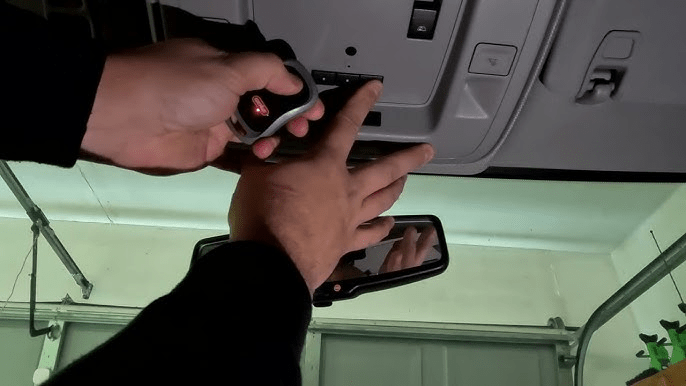
1. Locate the Homelink Buttons
- Homelink buttons are usually found on the visor or overhead console in Chevy Silverado models.
- Identify the three buttons used for programming garage doors.
2. Prepare for Clearing
- Turn the ignition to ON, but do not start the engine.
- Ensure the garage door is closed for safety.
3. Clear All Codes
- Press and hold the two outer Homelink buttons simultaneously.
- Hold for approximately 20 seconds until the indicator light begins to flash slowly, then release.
- This erases all previously programmed garage door codes.
Pro Tip: Some models show a solid light instead of flashing; check your owner’s manual for confirmation.
4. Reprogram Authorized Devices
- Press the desired Homelink button and release.
- Within 30 seconds, press and hold the garage door remote button until the Homelink light flashes rapidly.
- Test the button to ensure the garage door operates correctly.
5. Troubleshooting and Tips
- For newer garage door openers with rolling codes, press the “Learn” button on the garage motor and repeat programming.
- Keep your vehicle in the garage for testing to ensure proper range.
- Replace the garage remote battery if programming fails.
Advantages vs Disadvantages of Clearing Homelink Codes
| Advantage | Disadvantage |
|---|---|
| Improves security | Requires reprogramming all devices |
| Resolves remote conflicts | Time-consuming if multiple devices |
| Easy DIY process | Can temporarily disable access |
| Ensures reliable operation | Some models require rolling code sync |
Common Mistakes to Avoid
- Not Holding Buttons Long Enough: Can fail to erase codes.
- Ignoring Rolling Codes: Newer openers may need a garage motor sync.
- Skipping Safety Checks: Ensure the garage door reverses properly before driving.
- Not Testing Remotes: Always verify programmed devices function correctly.
FAQ Section
Q1: Can I clear the garage opener without starting the vehicle?
Yes, turn the ignition to ON without starting the engine.
Q2: How long does it take to clear all Homelink codes?
Typically 1–2 minutes, plus time to reprogram authorized devices.
Q3: Will clearing codes fix a non-responsive garage door opener?
Only if the issue is code-related. Mechanical or sensor problems need separate troubleshooting.
Q4: Can I erase a single programmed remote?
No, most Silverado Homelink systems erase all codes at once.
Q5: Do I need professional help?
Most users can clear and reprogram Homelink themselves; a dealer can assist with complex issues.
Q6: Can multiple vehicles share the same garage opener?
Yes, each vehicle must be programmed individually after clearing previous codes.
Conclusion
Knowing How To Clear Garage Door Opener On Chevy Silverado ensures security, proper operation, and easy troubleshooting. Following these steps helps drivers erase old codes, reprogram authorized devices, and maintain safe access to their garage.
Share this guide with friends or family to help them manage their Homelink system efficiently!



Leave a Reply