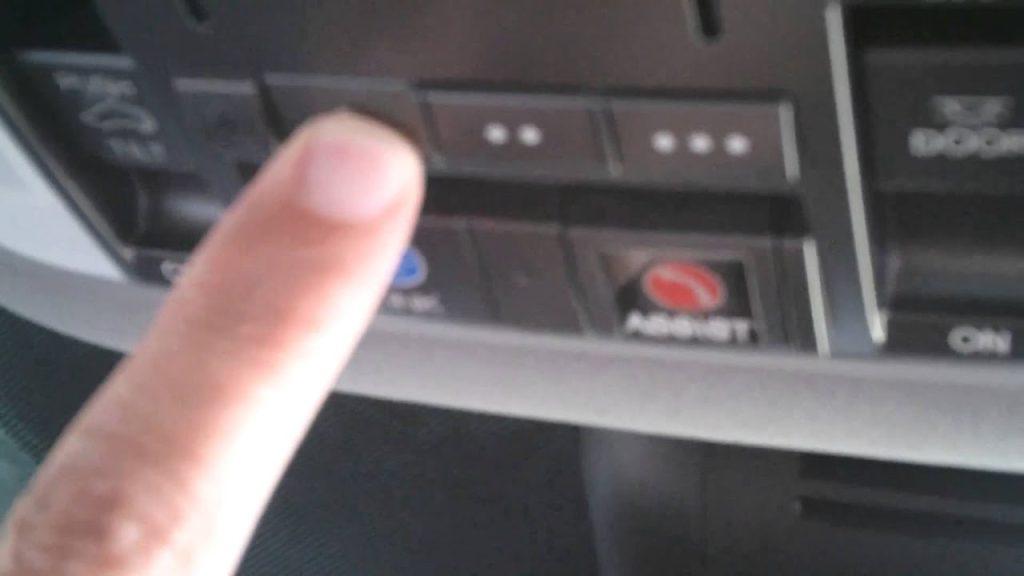
Struggling to sync your vehicle’s built-in remote with your home system after a long, exhausting day? Learning how to program 2023 Acura MDX garage door opener is actually much easier than you might think, and we are here to guide you through every simple step. Let’s get your car and home connected seamlessly so you can pull into your driveway and glide right in without fumbling for extra remotes in the dark.
How To Program 2023 Acura MDX Garage Door Opener: Where Do I Start?
Before we dive into the physical steps, let’s talk about why this matters. According to recent automotive tech studies, over 70% of new vehicle owners use integrated universal transceivers like HomeLink to manage their smart home access daily. It reduces interior clutter and adds a massive layer of convenience to your routine.
What Items Do You Need Before Programming?
To ensure a smooth setup without any frustrating interruptions, gather these items:
- Your 2023 Acura MDX parked in the driveway with the ignition turned to the ON position (the engine can be off, but the electronics must be active).
- The original hand-held garage door remote you want to sync.
- A sturdy step ladder to safely reach your garage door motor unit.
- A flashlight, just in case your garage lighting is dim.
How Do You Clear the Previous HomeLink Memory?
If you bought your SUV used or recently traded in another vehicle, the system might hold old data.
- Locate the three HomeLink buttons on your Acura’s overhead console or integrated into the rearview mirror.
- Press and hold the two outer buttons simultaneously.
- Keep holding them for about 20 seconds until the small indicator light flashes rapidly. Note: This erases all previously programmed codes. You will need to re-sync any other devices afterward.
How Do You Put the Garage Motor into Learning Mode?
Modern garage systems use rolling code technology for enhanced security. You must tell your motor to accept a new “friend.”
- Use your ladder to locate the “Learn” or “Smart” button on the back of your garage door opener motor (usually hanging from the ceiling).
- Press and release this button. The accompanying LED will glow solid or blink, indicating it is in pairing mode. Concrete Detail: You typically have exactly 30 seconds to complete the next step before the motor exits learning mode.
How Do You Sync the Remote with the Acura System?
Now, let’s bridge the gap between your old remote and your new car.
- Hold your original hand-held remote 1 to 3 inches away from the HomeLink button you wish to program.
- Press and hold both the hand-held remote button and the desired HomeLink button at the same time.
- Watch the HomeLink indicator light closely. It will start blinking slowly, then transition to a rapid flash after about 10 to 30 seconds.
- Once it flashes rapidly, release both buttons. The basic programming is complete!
How Do You Train the System for Rolling Codes?
If your garage door opener was manufactured after 1996, it uses rolling code technology. You must complete this training phase.
- Go back to your garage door motor on the ceiling.
- Press the “Learn” or “Smart” button on the motor once more.
- Return to your 2023 Acura MDX within 30 seconds.
- Firmly press and release the programmed HomeLink button twice.
- Test the button. Your garage door should now activate smoothly.
Why Won’t My Acura MDX Garage Door Opener Sync?
Even with the best guides, technology can sometimes be stubborn. Here is how to solve the most frequent roadblocks:
- The Light Blinks Rapidly but the Door Won’t Move: This usually means the rolling code training failed. Repeat the training step, ensuring you press the HomeLink button within the strict 30-second window.
- The Light Never Flashes: Your hand-held remote battery might be dead, or you are holding it too far away. Keep it strictly within the 1 to 3-inch range.
- Incompatible Frequency: Some older remotes operate on frequencies not supported by modern cars. Check if your remote uses a 300-390 MHz band.
- The Motor Light Blinks but Doesn’t Accept the Code: You might have pressed the Learn button too early. Ensure the motor LED is solid before pressing the car buttons.
What Are the Pros and Cons of the Acura HomeLink System?
To give you a complete picture, here is a quick breakdown of what to expect when using your vehicle’s integrated system.
| Feature | Advantages | Disadvantages |
|---|---|---|
| Convenience | No need to carry or lose extra remotes. | Initial setup requires a ladder and patience. |
| Security | Uses advanced rolling code encryption. | Clearing memory wipes all saved devices. |
| Aesthetics | Keeps your car’s interior completely clutter-free. | Buttons are not backlit on all trim levels. |
| Versatility | Can control gates, lights, and smart locks. | Not compatible with very old, fixed-code remotes. |
How Does Rolling Code Technology Work in Your Acura?
You might be wondering why the training phase is so strictly required. Rolling code technology, also known as Security+ or Intellicode, changes the access code every single time you use it. This prevents hackers from intercepting and copying your signal. The 2023 Acura MDX HomeLink system is fully equipped to handle this advanced encryption, but it requires the manual “handshake” with your motor to synchronize the next code in the sequence.
Expert Insights: Why Do Cars Need Universal Transceivers?
Why do automakers integrate these systems so deeply into modern vehicles? “The shift toward integrated home automation in vehicles represents a massive leap in user convenience,” says automotive technology analyst Mark Stevens. “Systems like HomeLink bridge the gap between mobile living and smart home ecosystems, turning your car into a true command center.”
For a deeper technical understanding of how radio frequency identification and universal transceivers work in automotive applications, you can explore the foundational concepts on Wikipedia’s page on HomeLink. It is fascinating to see how a simple radio signal has evolved to securely manage our daily lives.
FAQ: Frequently Asked Questions
Q1: Can I program 2023 Acura MDX garage door opener without a remote? A: Generally, no. You need the original working hand-held remote to clone its frequency initially. However, if your garage motor has a “Learn” button, some newer systems allow direct programming via a PIN code, though using the remote is the standard and most reliable method.
Q2: How many garage door openers can the 2023 Acura MDX store? A: The 2023 Acura MDX HomeLink system features three independent buttons. This means you can program up to three different devices, such as a main garage door, a side gate entry system, or even smart home lighting.
Q3: Why is my HomeLink light blinking rapidly during the first sync? A: If the light blinks rapidly during the syncing phase, it actually indicates a successful signal transmission between your old remote and the car. If the door doesn’t open afterward, it means you skipped the crucial rolling code training phase.
Q4: Does the 2023 Acura MDX support rolling code technology? A: Yes, absolutely. The 2023 model comes equipped with the latest version of HomeLink, which fully supports rolling code technology required by nearly all modern garage door openers manufactured after 1996.
Q5: What should I do if I buy a new house with a different garage door? A: You do not need to clear the entire system. Simply choose an unused HomeLink button in your Acura and repeat the programming steps for the new garage motor. You can keep the old code on another button if you still visit the old house.
Conclusion: Ready to Enjoy Your New Smart Setup?
Mastering how to program 2023 Acura MDX garage door opener transforms your daily commute, replacing fumbling for remotes with a seamless, high-tech experience. By following these precise steps, you ensure your vehicle and home communicate securely and efficiently.
If you found this guide helpful and finally got your garage door gliding open with a single tap, please share this article on your social media or send it to a fellow Acura owner who might need a hand!



Leave a Reply