Introduction
Are you struggling to connect your new 2024 Honda Odyssey’s built-in garage door opener to your home garage? You’re not alone—many drivers find this process confusing despite having a state-of-the-art vehicle. Learning how to program 2024 Honda Odyssey garage door opener correctly can save you time, frustration, and multiple trips in and out of your garage. In this comprehensive guide, we’ll walk you through every step with clear, actionable instructions that work for most garage door systems.
What Is HomeLink and Why Does Your 2024 Honda Odyssey Have It?
The 2024 Honda Odyssey comes equipped with HomeLink, a universal transceiver system that allows your vehicle to communicate with garage doors, gates, lights, and other compatible devices. This technology has been integrated into millions of vehicles worldwide since the 1990s.
According to Wikipedia, HomeLink works by learning and replicating the radio frequency signals from your existing garage door remote. The system operates on frequencies between 288-433 MHz, covering approximately 95% of all garage door openers manufactured after 1995.
Key Benefits of HomeLink in Your Honda Odyssey:
- Convenience: No need to carry separate remotes
- Security: Rolling code technology prevents signal theft
- Versatility: Controls up to three different devices
- Integration: Seamlessly built into your rearview mirror or overhead console
Before You Begin: Essential Preparation Steps
Successful programming requires proper preparation. Follow these prerequisites to avoid common mistakes:
Gather Required Items
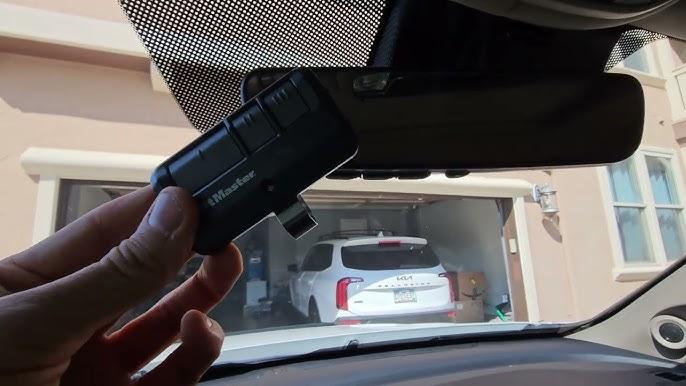
- Your original garage door remote control
- A ladder (if your garage door motor is mounted high)
- Fresh batteries for your remote (recommended)
- Access to your garage door opener motor unit
Identify Your Garage Door Opener Type
Not all garage door openers program the same way. Check your motor unit for one of these categories:
| Opener Type | Programming Method | Compatibility |
|---|---|---|
| Fixed Code | Simple button press | Easy to program |
| Rolling Code | Requires “Learn” button | Moderate difficulty |
| Smart/Internet-Enabled | May need app integration | Variable complexity |
Important: If your garage door opener was manufactured before 1995, it may not be compatible with HomeLink. Consider upgrading your opener for security and convenience benefits.
Safety Precautions
- Ensure no people or pets are near the garage door during testing
- Keep children away from the programming area
- Have someone assist you if possible—one person in the vehicle, one near the motor unit
Step-by-Step Guide: How to Program 2024 Honda Odyssey Garage Door Opener
Follow these detailed instructions carefully. The entire process typically takes 10-20 minutes.
Step 1: Clear Existing HomeLink Memory (If Necessary)
If you’ve previously programmed buttons or bought a used Odyssey, clear the memory first:
- Press and hold the two outer HomeLink buttons simultaneously
- Continue holding for approximately 20 seconds until the indicator light begins flashing rapidly
- Release both buttons when the light changes from solid to flashing
- Wait for the light to turn off completely
Note: This erases all previously programmed devices. Make sure you want to clear everything before proceeding.
Step 2: Position Your Vehicle Correctly
Proper positioning ensures strong signal transmission:
- Park your Honda Odyssey outside your garage, facing the door
- Maintain a distance of 1-3 feet from the garage door
- Turn the ignition to the “ON” position (engine can be running or off)
- Close all windows and doors to minimize interference
Step 3: Initiate Programming Mode
- Choose which HomeLink button you want to program (1, 2, or 3)
- Press and hold your chosen button
- While holding the HomeLink button, bring your original garage remote within 1-3 inches of the HomeLink buttons
- Press and hold the button on your garage remote that operates the door
- Continue holding both buttons until the HomeLink indicator light changes from slow to rapid flashing
- This typically takes 20-30 seconds
Step 4: Program the Garage Door Opener Motor Unit
This step varies based on your opener type:
For Rolling Code Systems (Most Common):
- Locate the “Learn” or “Smart” button on your garage door motor unit (usually colored yellow, purple, orange, or red)
- Press and release the Learn button—the indicator light will illuminate or blink
- You have 30 seconds to complete the next step
- Return to your vehicle and press the programmed HomeLink button three times, holding each press for 2 seconds
- Test the garage door by pressing the HomeLink button once
For Fixed Code Systems:
- After completing Step 3, simply test the HomeLink button
- The door should respond immediately without additional motor unit programming
Step 5: Test and Verify Functionality
Perform these tests to confirm successful programming:
- Press the HomeLink button—garage door should activate
- Test from different distances (close and far)
- Verify the door opens and closes completely
- Test all three cycles (open-close-open) to ensure consistency
Troubleshooting Tip: If the door only partially operates, reprogram using the steps above, ensuring you hold buttons for the full duration specified.
Common Problems and Solutions
Even with careful following of instructions, issues can arise. Here are solutions to frequent problems:
Problem: HomeLink Light Doesn’t Flash During Programming
Solution:
- Check vehicle battery strength
- Replace remote control batteries
- Move closer to the garage door motor unit
- Ensure ignition is in ON position
Problem: Door Responds Intermittently
Solution:
- Reprogram following all steps precisely
- Check for radio frequency interference from nearby devices
- Verify you’re within range (typically 50-100 feet maximum)
Problem: Programming Fails Repeatedly
Solution:
- Confirm your garage opener is compatible (post-1995 models)
- Try programming a different HomeLink button
- Consult your garage door opener manual for specific rolling code procedures
- Contact Honda dealership or garage door manufacturer for assistance
Problem: Only Works When Very Close to Garage
Solution:
- This may indicate weak signal transmission
- Check HomeLink antenna connection (consult dealer if needed)
- Consider installing a signal repeater/extender
Advanced Tips for Optimal Performance
Maximize Signal Strength
- Keep windshield clean around the HomeLink area
- Avoid placing metallic objects near the rearview mirror
- Program during daylight hours to reduce electronic interference
Security Best Practices
- Change your garage door opener codes annually
- Never share your HomeLink programming sequence publicly
- Consider upgrading to smart garage openers with encryption
Multiple Device Programming
Your 2024 Honda Odyssey can control up to three devices. Repeat the programming process for each additional device (gate, second garage, outdoor lights), using different HomeLink buttons for each.
Frequently Asked Questions
Q1: Can I program my 2024 Honda Odyssey garage door opener without the original remote?
A: Unfortunately, no. You need the original working remote to transmit the signal to HomeLink during programming. If you’ve lost your remote, contact your garage door manufacturer for a replacement before attempting programming.
Q2: How long does it take to program the Honda Odyssey HomeLink system?
A: The actual programming process takes 10-20 minutes. However, allow 30-45 minutes total including preparation, troubleshooting, and testing. First-time users may need extra time to locate the Learn button on their garage motor unit.
Q3: Will programming HomeLink void my Honda warranty?
A: No. Using the factory-installed HomeLink system as intended does not affect your vehicle warranty. However, modifications to the electrical system or improper installation of aftermarket components could potentially impact coverage.
Q4: Can I reprogram a HomeLink button that’s already been set up?
A: Yes. Simply follow the programming steps again for that specific button. The new programming will overwrite the previous device assignment. You don’t need to clear all memory unless you want to start fresh.
Q5: Why does my garage door work sometimes but not others after programming?
A: Intermittent operation usually indicates incomplete programming or signal interference. Try reprogramming, ensuring you hold buttons for the full duration. Also check for nearby electronic devices that might cause interference, such as LED lights, wireless routers, or baby monitors.
Q6: Is HomeLink compatible with all garage door brands?
A: HomeLink works with approximately 95% of garage door openers manufactured after 1995, including major brands like Chamberlain, LiftMaster, Genie, Craftsman, and Sommer. Older fixed-code systems and some proprietary smart openers may require additional adapters or professional installation.
Conclusion
Learning how to program 2024 Honda Odyssey garage door opener doesn’t have to be complicated. With the right preparation, clear instructions, and patience, you can successfully integrate your garage door with your vehicle’s HomeLink system in under 30 minutes. The convenience of opening your garage with a simple button press from your Odyssey makes this effort worthwhile.
Remember to test thoroughly, keep your original remote as backup, and consult your specific garage door opener manual if you encounter unique challenges. Most importantly, don’t hesitate to seek professional help if repeated attempts fail—some older or specialized systems require expert assistance.
Found this guide helpful? Share it with fellow Honda Odyssey owners on social media! Tag friends who might benefit from these step-by-step instructions. Your share could save someone hours of frustration and multiple trips to the dealership.
Have questions or success stories? Drop them in the comments below—we love hearing from our community of Honda enthusiasts!



Leave a Reply