Introduction
Are you struggling to sync your new 2023 Kia Telluride with your garage door? You’re not alone. Many owners find the HomeLink garage door opener programming process confusing at first. This comprehensive guide will walk you through every step, ensuring you can open your garage with just a button press from your car. Whether you’re a tech novice or an experienced driver, these clear instructions will save you time and frustration.
Understanding the HomeLink System in Your 2023 Kia Telluride
What Is HomeLink and Why Does It Matter?
The 2023 Kia Telluride comes equipped with the HomeLink wireless control system, a built-in feature that allows your vehicle to communicate with various radio-frequency devices. According to Wikipedia, HomeLink is one of the most widely used universal transmitters in vehicles, compatible with over 95% of garage door openers manufactured since 1982.
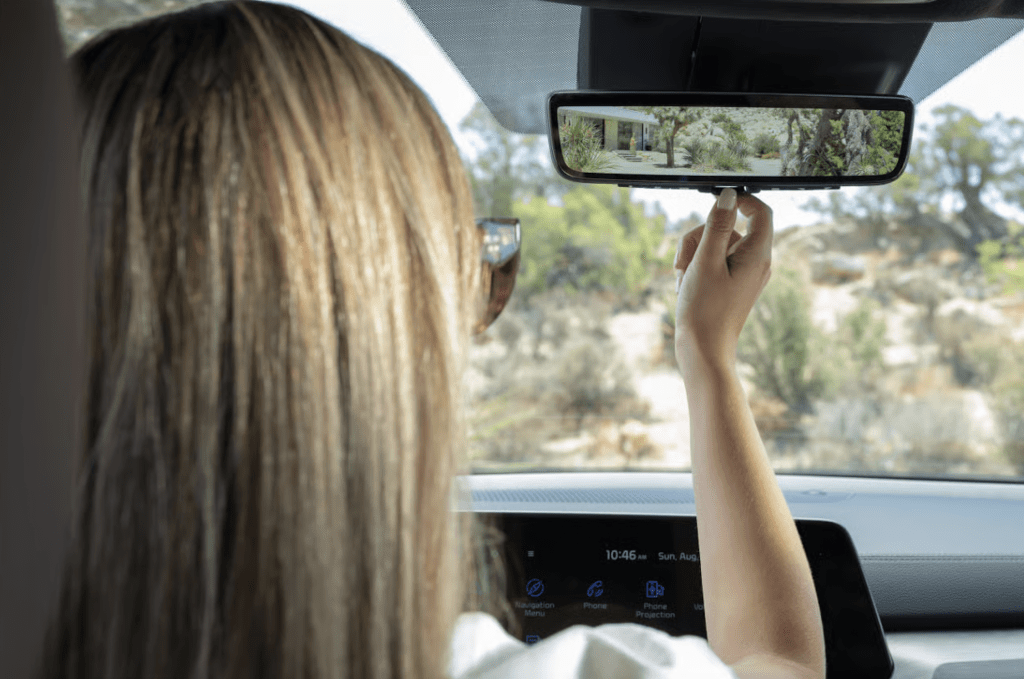
This technology eliminates the need for separate remote controls cluttering your dashboard. Instead, three programmable buttons located on your rearview mirror or overhead console can control:
- Garage doors
- Gate operators
- Security systems
- Home lighting
- Other compatible RF devices
Key Benefits of Using HomeLink
| Benefit | Description |
|---|---|
| Convenience | Control multiple devices from one location |
| Security | Rolling code technology prevents unauthorized access |
| Cost-effective | No need to purchase additional remotes |
| Integration | Seamlessly works with your vehicle’s existing systems |
Preparing for Programming: What You Need Before Starting
Essential Requirements
Before attempting to program your 2023 Kia Telluride garage door opener, gather these items:
- Your garage door opener remote (the original handheld unit)
- A ladder (if your garage door motor is mounted high)
- Clear access to both your vehicle and garage door motor unit
- Patience – the process typically takes 10–15 minutes
Important Safety Considerations
- Ensure your garage door is in good working condition before programming
- Keep children and pets away from the garage door during setup
- Have someone assist you if possible, especially when accessing the motor unit
- Make sure your vehicle battery is fully charged to prevent interruption
Step-by-Step Guide: How to Program 2023 Kia Telluride Garage Door Opener
Method 1: Standard Programming (For Most Garage Door Openers)
Step 1: Position Your Vehicle Park your 2023 Kia Telluride outside the garage, facing the door. Ensure you’re within 1–3 feet of the garage door opener motor unit. Turn the ignition to the “ON” position without starting the engine.
Step 2: Clear Existing Codes (If Necessary) If you’re reprogramming or replacing an old code:
- Press and hold the two outer HomeLink buttons simultaneously
- Continue holding for approximately 20 seconds until the indicator light begins to flash rapidly
- Release both buttons when the light changes from solid to flashing
Step 3: Initiate Learning Mode
- Choose which HomeLink button you want to program (Button 1, 2, or 3)
- Press and hold your chosen button
- The indicator light will begin to flash slowly after about 20 seconds
- Keep holding the button throughout the next steps
Step 4: Train the Remote While still holding the HomeLink button:
- Take your original garage door remote
- Point it 1–3 inches away from the HomeLink buttons on your mirror
- Press and hold the button on your garage remote that operates the door
- Hold both buttons until the HomeLink indicator light flashes rapidly (this may take 20–30 seconds)
- Release both buttons once rapid flashing occurs
Step 5: Test the Connection
- Press the programmed HomeLink button three times
- Your garage door should respond on the third press
- If successful, the door will open or close accordingly
Method 2: Programming Rolling Code Systems
Some modern garage door openers use rolling code technology for enhanced security. If Method 1 doesn’t work, try this approach:
Step 1: Locate the Learn Button Find the “Learn” or “Smart” button on your garage door opener motor unit. It’s usually located on the back or side of the unit and may be colored yellow, purple, orange, or red.
Step 2: Activate Learning Mode on the Motor
- Press and release the Learn button on your garage door motor
- You’ll have approximately 30 seconds to complete the next step
- An LED light on the motor will illuminate or blink
Step 3: Complete the Pairing
- Within 30 seconds, return to your Kia Telluride
- Press and hold the desired HomeLink button for 2 seconds, then release
- Press and hold the same button again for 2 seconds, then release
- Repeat this press-release cycle up to three times
- Watch for the garage door to move, indicating successful programming
Step 4: Verify Functionality Test the button multiple times to ensure consistent operation. The door should respond reliably each time.
Troubleshooting Common Issues
Problem: HomeLink Light Doesn’t Flash
Possible Solutions:
- Check your vehicle’s battery charge level
- Ensure the ignition is in the “ON” position
- Try a different HomeLink button
- Consult your owner’s manual for button location specifics
Problem: Garage Door Doesn’t Respond After Programming
Troubleshooting Steps:
- Reprogram using Method 2 (rolling code procedure)
- Verify you’re within range (1–3 feet from the motor unit)
- Check if your garage door opener requires a specific frequency (most operate at 315 MHz or 390 MHz)
- Reset the HomeLink system and start fresh
Problem: Intermittent Operation
Common Causes:
- Weak battery in your original garage remote
- Interference from other electronic devices
- Distance between vehicle and motor unit is too great
- Obstructions blocking the signal path
Advanced Tips for Optimal Performance
Maximizing Signal Strength
- Position matters: Park consistently in the same spot when using HomeLink
- Antenna orientation: Some garage door motors have adjustable antennas; point them toward your typical parking position
- Reduce interference: Keep other RF devices away from the garage door motor
Programming Multiple Devices
Your 2023 Kia Telluride’s HomeLink system can store up to three different devices. To program additional units:
- Follow the same steps outlined above
- Use a different HomeLink button for each device
- Label each button mentally (e.g., Button 1 = Home Garage, Button 2 = Workshop, Button 3 = Gate)
Maintenance Best Practices
- Test your HomeLink connection monthly
- Replace your garage door remote batteries annually
- Keep your vehicle’s software updated through Kia service centers
- Clean the HomeLink buttons regularly to maintain responsiveness
Frequently Asked Questions
Q1: Can I program my 2023 Kia Telluride to work with any garage door opener?
A: The HomeLink system in your 2023 Kia Telluride is compatible with approximately 95% of garage door openers manufactured since 1982. This includes major brands like Chamberlain, LiftMaster, Genie, Craftsman, and Sears. However, some older or proprietary systems may require additional steps or professional assistance.
Q2: How do I know if my garage door uses rolling code technology?
A: Most garage door openers manufactured after 1996 use rolling code technology. Check your opener’s manual or look for terms like “Security+,” “IntelliCode,” or “CodeDodger” on the motor unit. If your remote has a small LED that blinks when pressed, it likely uses rolling codes. When in doubt, try Method 2 first, as it works for both fixed and rolling code systems.
Q3: What should I do if I sell my 2023 Kia Telluride?
A: For security reasons, you should clear all HomeLink memory before selling your vehicle. To do this:
- Press and hold the two outer HomeLink buttons for 20 seconds
- Wait until the indicator light flashes rapidly
- Release the buttons when the light pattern changes This ensures the new owner cannot access your garage or other programmed devices.
Q4: Can I program my HomeLink without the original garage door remote?
A: Unfortunately, you typically need the original remote to program HomeLink. However, some alternatives exist:
- Contact your garage door opener manufacturer for a replacement remote
- Hire a professional garage door technician who can program directly from the motor unit
- Some newer openers allow programming via smartphone apps that can interface with HomeLink
Q5: Why does my garage door only work sometimes with HomeLink?
A: Intermittent operation usually indicates one of these issues:
- Weak batteries in either the vehicle or garage remote
- Signal interference from nearby electronics
- Incorrect programming procedure was followed
- Physical obstructions blocking the signal path Try reprogramming using the rolling code method and ensure both devices have fresh batteries.
Q6: Is it safe to leave my garage door connected to HomeLink?
A: Yes, HomeLink uses encrypted rolling code technology that changes the access code with each use, making it highly secure. This is actually safer than using a standard remote, as the codes cannot be easily intercepted or duplicated by thieves. Just remember to clear the memory if you sell your vehicle.
Conclusion
Programming your 2023 Kia Telluride garage door opener doesn’t have to be complicated. By following these detailed steps, you can enjoy the convenience of controlling your garage door directly from your vehicle. Remember to choose the appropriate method based on your garage door opener type, and don’t hesitate to troubleshoot if you encounter issues.
The HomeLink system represents a perfect blend of convenience and security, enhancing your daily driving experience. Once programmed correctly, you’ll wonder how you ever managed without this feature.
Did you find this guide helpful? Share it with fellow Kia Telluride owners on social media! Bookmark this page for future reference, and feel free to leave comments if you have additional questions or success stories to share.
Safe driving and happy garaging!



Leave a Reply