Introduction
Is there anything more frustrating than pulling into your driveway after a long day, pressing your garage button, and hearing… silence? You are not alone. Thousands of homeowners struggle with syncing their vehicles to their garage systems every year. If you are wondering how to program car to Genie garage door opener, you have come to the right place. This guide simplifies the technical jargon into clear, actionable steps so you can get back to enjoying the convenience of hands-free entry.
Whether you drive a Ford, Toyota, Honda, or BMW, the process generally follows similar logic, though button locations may vary. By the end of this article, you will have a fully functional link between your vehicle and your Genie opener, saving you time and hassle during rainstorms or cold winters.
Understanding Your Genie Garage Door Opener Model
Before we dive into the programming steps, it is crucial to identify which type of Genie opener you own. Genie has produced several models over the decades, and while most modern units use similar radio frequencies, the programming method can differ slightly.
Most Genie openers manufactured after 1995 use a “Learn” button located on the motor head unit. This button is typically colored purple, red/orange, or green. Identifying this color is the first step in ensuring you follow the correct protocol.
| Learn Button Color | Protocol Type | Common Models |
|---|---|---|
| Purple | Intellicode® (Rolling Code) | Genie SilentMax, PowerLift |
| Red/Orange | Intellicode® (Older Rolling Code) | Genie Pro Series |
| Green | Fixed Code (Legacy) | Older Genie Models (Pre-2000) |
Note: If your opener has a green learn button, it uses an older fixed-code technology. Most modern cars with HomeLink are compatible, but you may need a specific compatibility bridge if you experience interference.
For more detailed technical specifications on rolling code technology and security standards, you can refer to the general overview on Wikipedia.
Step-by-Step: How To Program Car To Genie Garage Door Opener
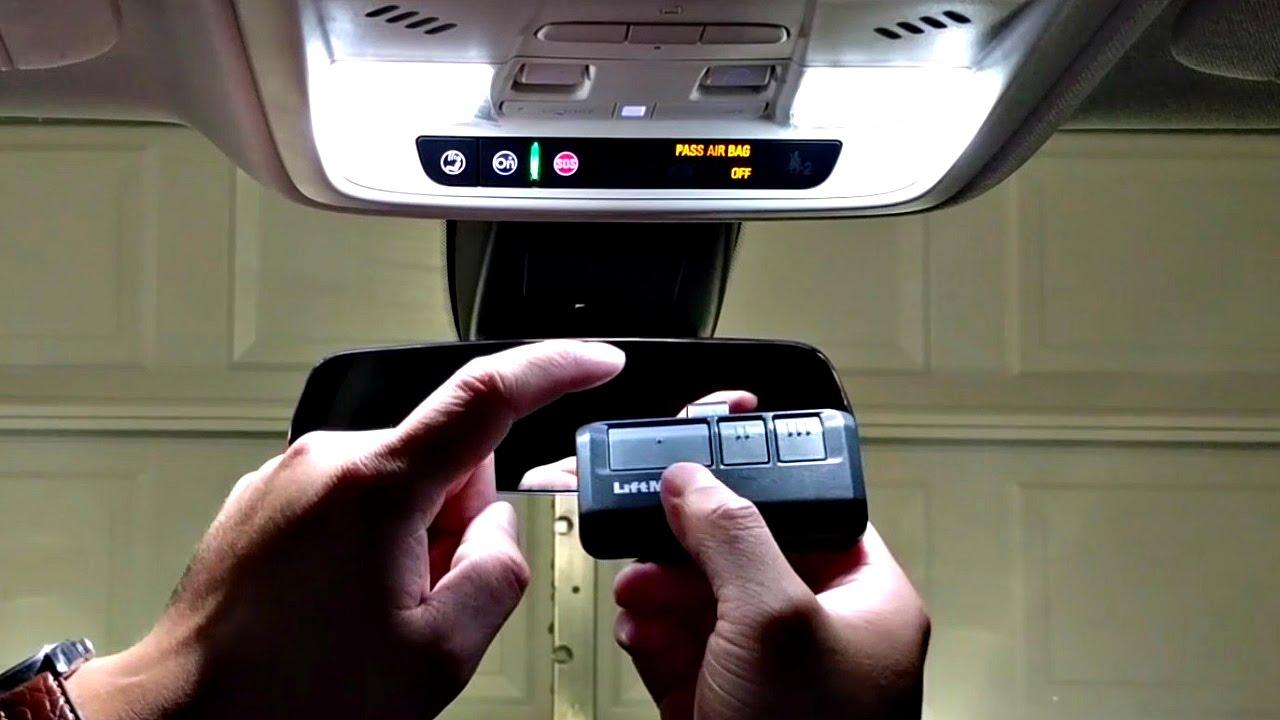
The most common way to connect your car to your garage is through built-in systems like HomeLink (found in Chrysler, Ford, GM, Honda, Hyundai, etc.) or Car2U (found in some Nissan and Infiniti models). Below is the universal method that works for 90% of vehicles equipped with these systems.
Step 1: Clear Previous Codes (If Necessary)
If your car’s garage buttons have been used before, you must clear the memory to prevent conflicts.
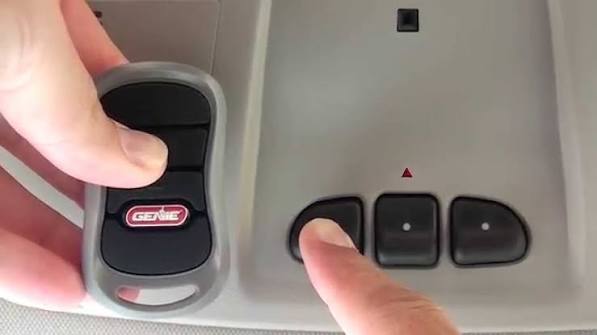
- Press and hold the two outer buttons on your car’s visor or console.
- Keep holding them until the indicator light begins to flash slowly (this usually takes 10–20 seconds).
- Release the buttons. The system is now reset.
Step 2: Initiate Learning Mode in Your Car
- Choose the button you wish to program.
- Press and hold this button. Do not release it yet.
- While holding the car button, proceed to Step 3.
Step 3: Activate the Genie “Learn” Button
- Locate your Genie garage door opener motor unit (hanging from the ceiling).
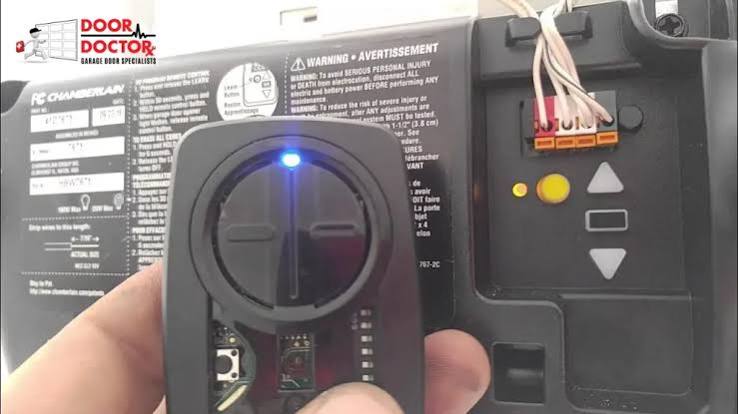
- Find the Learn Button (Purple, Red, or Green).
- Press and release the Learn Button quickly. The LED light on the motor unit will begin to blink or stay solid, indicating it is ready to receive a signal.
- Important: You usually have 30 seconds to complete the next step.
Step 4: Sync the Signals
- Return to your car. You are still holding the car button from Step 2.
- Watch the indicator light in your car. It will change from a slow flash to a rapid flash.
- Once the light flashes rapidly, release the car button.
- Press the programmed button again to test. The garage door should activate.
Pro Tip: If the door does not move, repeat the process. Ensure you are within 1–3 feet of the garage door opener motor during programming for the strongest signal reception.
Troubleshooting Common Sync Issues
Even with careful following of instructions, technology can sometimes be finicky. Here are the most common reasons why your car might not connect to your Genie opener and how to fix them.
The “Rolling Code” Mismatch
Modern Genie openers use rolling code technology for security, meaning the code changes every time you press the button. If your car sends a static code, they won’t talk to each other.
- Solution: Ensure your car’s system is set to “Rolling Code” mode. In many HomeLink systems, you must press and hold the programmed button for 2 seconds, release, and press again twice more in quick succession to finalize the rolling code sync.
Interference from LED Bulbs
A surprising number of sync failures are caused by LED light bulbs in the garage door opener unit. LEDs emit electromagnetic interference (EMI) that can block the radio signal from your car.
- Solution: Temporarily unscrew the LED bulbs from your Genie opener. Try programming the car again. If it works, you may need to buy shielded LED bulbs designed for garage openers or stick to incandescent bulbs.
Weak Car Battery
The transmitter in your car requires sufficient voltage to send a strong enough signal to reach the ceiling unit.
- Solution: If your car battery is old or weak, start the engine before attempting to program the remote. This ensures the electrical system is at peak performance.
Alternative Method: Using a Genie Universal Remote
If your car does not have a built-in system like HomeLink, or if the built-in system is malfunctioning, you can use a Genie Universal Remote as a bridge. This is a highly reliable fallback option.
- Purchase a Genie Universal Remote (compatible with Intellicode).
- Program the remote to your Genie opener using the Learn Button method described above.
- Clip the remote to your sun visor or keep it in your center console.
While this lacks the sleekness of a built-in button, it is often more reliable because dedicated remotes have stronger antennas than integrated car systems.
Safety First: Important Precautions
When working with garage door openers, safety must always be the priority. Garage doors are heavy mechanical objects under high tension.
- Keep Clear: Never stand directly under the garage door while testing the opener.
- Photo-Eye Sensors: Ensure the safety sensors near the floor are aligned and clean. If these are blocked, the door will not close, even if the car programming is successful.
- Manual Release: Know where your manual release cord is located. If the door gets stuck halfway, you can disengage the opener and lift the door manually.
According to the Consumer Product Safety Commission (CPSC), garage door-related injuries are preventable with proper maintenance and sensor alignment. Always test the reversal feature by placing a 2×4 piece of wood on the ground; the door should reverse immediately upon contact.
FAQ Section
1. Why won’t my HomeLink program to my Genie opener?
The most common reason is interference from LED bulbs in the opener unit. Try removing the bulbs and reprogramming. Also, ensure you are pressing the Genie “Learn” button within the 30-second window after initiating the car’s learning mode.
2. Can I program multiple cars to one Genie opener?
Yes. Genie openers can store multiple remote codes. Simply repeat the programming process for each vehicle. There is no limit to the number of remotes or cars you can sync, provided the memory capacity of the opener hasn’t been reached (which is rare in modern units).
3. What do I do if the Genie Learn button is not blinking?
If the Learn button LED does not light up or blink, check if the opener is plugged in and receiving power. If the unit has power but the light is dead, the logic board may be faulty, and you might need to contact Genie support or a professional technician.
4. Does programming my car erase other remotes?
No. Programming a new device (like your car) does not erase existing handheld remotes or keypads. However, if you hold the Learn button down for too long (usually 10+ seconds), it will wipe all memory. Only press and release it quickly.
5. My car button flashes but the door doesn’t move. What’s wrong?
This indicates the car is sending a signal, but the opener isn’t accepting it. This is often a “rolling code” sync issue. Try the “double-press” method: Press the car button, wait for the rapid flash, release, then press and hold again for 2 seconds, release, and press once more. This forces the rolling code to update.
Conclusion
Learning how to program car to Genie garage door opener is a straightforward process that can significantly enhance your daily convenience. By identifying your opener’s learn button color, clearing old codes, and following the precise timing steps, you can establish a secure and reliable connection in under five minutes.
Remember to troubleshoot potential interference from LED bulbs and ensure your safety sensors are aligned. With your car successfully synced, you can enjoy the seamless experience of entering your home without fumbling for keys or remotes.
Did this guide help you get your garage door working? Share this article with friends and family who might be struggling with their own garage sync issues! Let’s make life a little easier, one click at a time.
Leave a Reply