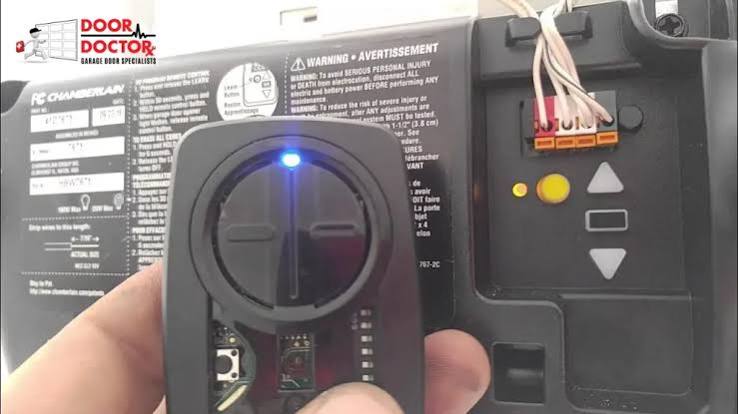
Have you ever pulled into your driveway, pressed your car’s built-in remote button, and watched in frustration as your garage door stayed firmly shut? It is a common annoyance that disrupts the convenience modern technology promises. If you are wondering how to program car to Chamberlain garage door opener, you are not alone; many homeowners face this connectivity hurdle.
This guide will walk you through the exact steps to sync your vehicle with your Chamberlain unit. We will cover everything from identifying your specific model to troubleshooting stubborn connection issues, ensuring you get back to effortless entry.
Why Won’t My Car Connect to My Chamberlain Opener?
Before diving into the buttons and lights, it is crucial to understand why the connection might fail. Chamberlain has updated its security protocols significantly over the last decade. The most common reason for failure is the Security+ 2.0 or MyQ technology used in newer openers.
Unlike older systems that used a simple fixed code, modern Chamberlain openers use rolling codes that change every time you press the button. This prevents hackers from intercepting your signal. However, this advanced security means your car’s universal remote (often branded as HomeLink, Car2U, or AutoLearn) must be compatible and programmed correctly to “talk” to the opener.
According to industry standards, if your Chamberlain opener was manufactured after 2011, it likely uses a yellow learn button or a purple smart button, which requires a specific programming sequence different from the older red or orange button models.
Step 1: Identify Your Chamberlain Model and Learn Button
The first step in learning how to program car to Chamberlain garage door opener is locating the “Learn” button on your motor unit. This button is usually found on the back or side of the opener hanging from your ceiling.
| Learn Button Color | Technology Type | Programming Method |
|---|---|---|
| Yellow | Security+ 2.0 | Requires a compatible universal remote or direct pairing. |
| Purple | Security+ 2.0 / MyQ | Similar to yellow; often requires a “smart” remote. |
| Red/Orange | Older Security+ | Standard universal remote compatibility. |
| Green | Very Old Models | Dip-switch settings (rare in modern cars). |
Note: If you have a yellow or purple button, you may need a specific universal remote compatible with Security+ 2.0 if your car’s built-in system is older.
For more detailed technical specifications on garage door opener frequencies and security types, you can refer to general radio frequency standards on Wikipedia.
Step 2: Clear Previous Codes from Your Car
If you have previously tried to program your car and failed, or if you bought a used vehicle, old codes might be interfering. Clearing the memory is a critical, often overlooked step.
- Sit in your car with the ignition on (or in accessory mode).
- Locate the two outer buttons on your car’s overhead console (usually the ones you want to program).
- Press and hold both buttons simultaneously.
- Keep holding them for about 10–20 seconds until the indicator light flashes rapidly or changes color.
- Release the buttons. Your car’s memory is now cleared.
Step 3: Program the Car Remote to the Chamberlain Opener
Now comes the core process. Follow these steps precisely. Timing is key here, so have a helper if possible.
For Most Modern Cars (HomeLink/Universal Systems)
- Position Your Car: Park your car outside the garage, close to the door but not blocking the sensor eyes. Ensure the garage door is closed.
- Activate Learning Mode on Opener:
- Locate the Learn button on your Chamberlain motor unit.
- Press and release the Learn button. The indicator LED next to it will turn on or blink, indicating it is ready to receive a signal. You typically have 30 seconds to complete the next step.
- Send Signal from Car:
- Return to your car quickly.
- Press and hold the desired button on your car’s overhead console.
- Do not release it yet. Watch the garage door opener light. It should flash or blink to confirm it received the signal.
- Once the opener light flashes, release the car button.
- Test the Connection:
- Press the car button again. The garage door should activate.
- If it does not work, repeat the process, ensuring you press the Learn button on the opener before holding the car button.
For Chamberlain Openers with Yellow/Purple Buttons (Security+ 2.0)
If the standard method above fails, your opener might require a “remote control” intermediary because of its high-security encryption.
- You may need to buy a Chamberlain Universal Remote (model 377LM or similar) that is explicitly labeled as compatible with Security+ 2.0.
- Program this handheld remote to the Chamberlain opener first using the Learn button.
- Then, program your car’s HomeLink system to mimic the handheld remote. This is done by holding the handheld remote 1–3 inches away from your car’s HomeLink buttons while pressing both simultaneously.
Troubleshooting Common Sync Issues
Even when following instructions, things can go wrong. Here are the most frequent hurdles and how to overcome them.
- Interference: LED light bulbs in your garage opener can emit interference that blocks signals. Try turning off the garage lights or switching to incandescent bulbs temporarily during programming.
- Battery Issues: Ensure your car battery is strong. A weak battery may not send a strong enough signal to reach the opener.
- Distance: During programming, park closer than usual. Once programmed, test from your normal stopping point.
- Incompatibility: Some very new Chamberlain MyQ hubs require app-based integration rather than direct radio frequency pairing with older car systems. Check if your car manufacturer offers a MyQ app integration.
Frequently Asked Questions (FAQ)
Can I program any car to a Chamberlain garage door opener?
Most vehicles manufactured after 1992 have a universal transmitter system (like HomeLink). However, compatibility depends on the frequency and security protocol. Older cars may require an external visor clip remote instead of built-in programming.
Why does my garage door close immediately after opening with the car remote?
This usually indicates a misalignment with the safety sensors. Check the small LED lights on the sensors near the floor. If one is blinking or off, realign them so they face each other directly. It can also happen if the travel limits on the opener need adjustment.
How many cars can I program to one Chamberlain opener?
Most Chamberlain openers can store up to 8–10 remote codes. This includes handheld remotes, keypads, and car-built-in systems. If you reach the limit, you must clear old codes to add new ones.
Do I need a Chamberlain MyQ hub to program my car?
No, you do not need a MyQ hub for basic remote operation. The MyQ hub is primarily for smartphone control and monitoring. Direct car-to-opener programming works via radio frequency without internet connectivity.
What if my car doesn’t have a built-in garage door button?
If your vehicle lacks a built-in system, you can purchase a universal visor clip remote. Look for one specifically labeled “Compatible with Chamberlain Security+ 2.0” if you have a newer opener. These are inexpensive and easy to install.
Conclusion
Learning how to program car to Chamberlain garage door opener transforms a daily chore into a seamless experience. By identifying your learn button color, clearing old codes, and following the precise timing steps, you can overcome most syncing issues. Remember, patience is key—especially with high-security Security+ 2.0 models.
If you found this guide helpful, please share it with friends or family who might be struggling with their garage door setup. Happy driving, and enjoy the convenience of hands-free entry!



Leave a Reply