Introduction
Is your new 2023 Hyundai Palisade sitting in the driveway while you still fumble for that old, bulky garage remote? You are not alone. Many new owners struggle with the initial setup of their vehicle’s built-in convenience features. Learning how to program garage door opener Hyundai Palisade 2023 models can save you time and declutter your console. This guide will walk you through the process simply and safely, ensuring you never have to roll down your window again.
Understanding the HomeLink System in Your Palisade
Before diving into the buttons, it is essential to understand what you are working with. The 2023 Hyundai Palisade comes equipped with the HomeLink wireless control system. This technology allows your vehicle to communicate with radio-frequency (RF) devices, such as garage doors, gate operators, and even home lighting systems.
Unlike older universal remotes that required complex dip-switch settings, modern HomeLink systems use a “learning” mode. They mimic the signal of your existing handheld remote. According to HomeLink’s official support documentation, this system is compatible with over 95% of garage door openers manufactured since 1982. This high compatibility rate means your Palisade is likely ready to sync without needing extra hardware.
Why Use HomeLink Instead of a Separate Remote?
- Convenience: No more digging through bags or sun visors.
- Security: Modern rolling-code technology prevents signal interception.
- Aesthetics: Keeps your car interior clean and minimalist.
- Reliability: Built-in antennas often have stronger reception than cheap aftermarket remotes.
Preparation: What You Need Before Starting
Programming your garage door opener is not difficult, but preparation prevents frustration. Ensure you have the following items ready before you sit in your driver’s seat.
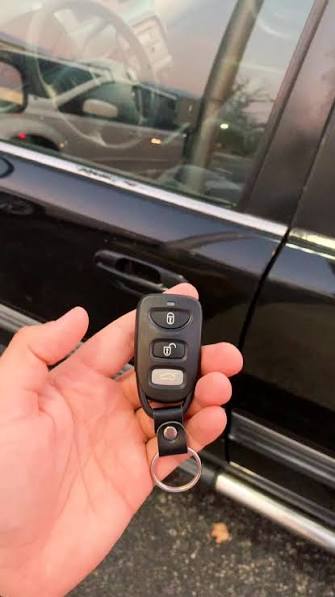
- Your Original Handheld Remote: You must have the working remote for your garage door. If you lost it, you will need to contact your garage door manufacturer for a replacement first.
- A Step Ladder (Optional): Helpful if your garage door motor unit is high up and requires pressing a “learn” button on the ceiling unit.
- Fresh Batteries: Ensure both your car battery and the handheld remote have strong power. Weak signals cause programming failures.
- Patience: The process usually takes 5–10 minutes. Rushing can reset the cycle.
Pro Tip: Park your Palisade outside the garage during the initial programming phase. This ensures you can easily access the garage door motor unit if needed and keeps your car safe if the door behaves unexpectedly.
Step-by-Step: How To Program Garage Door Opener Hyundai Palisade 2023
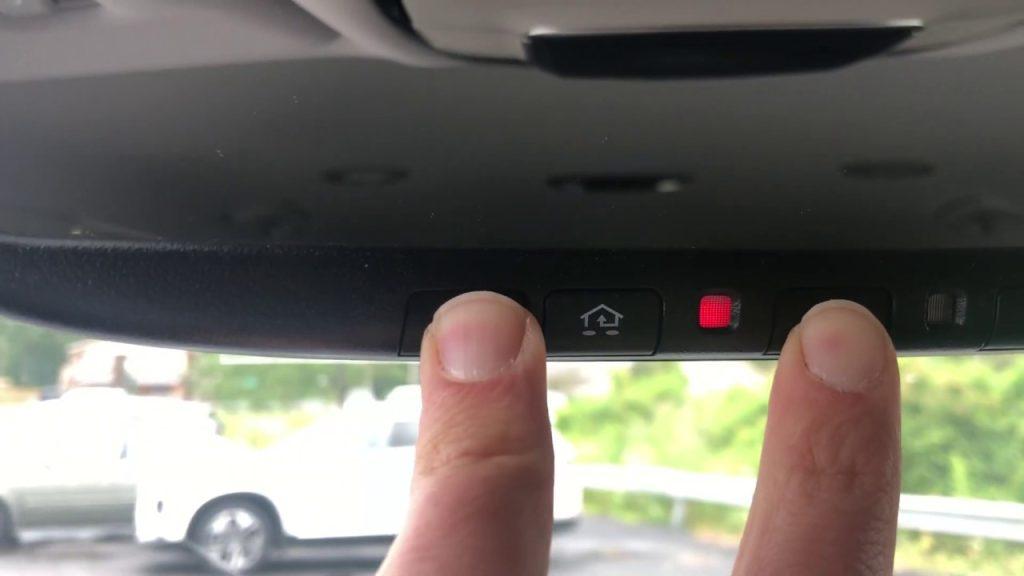
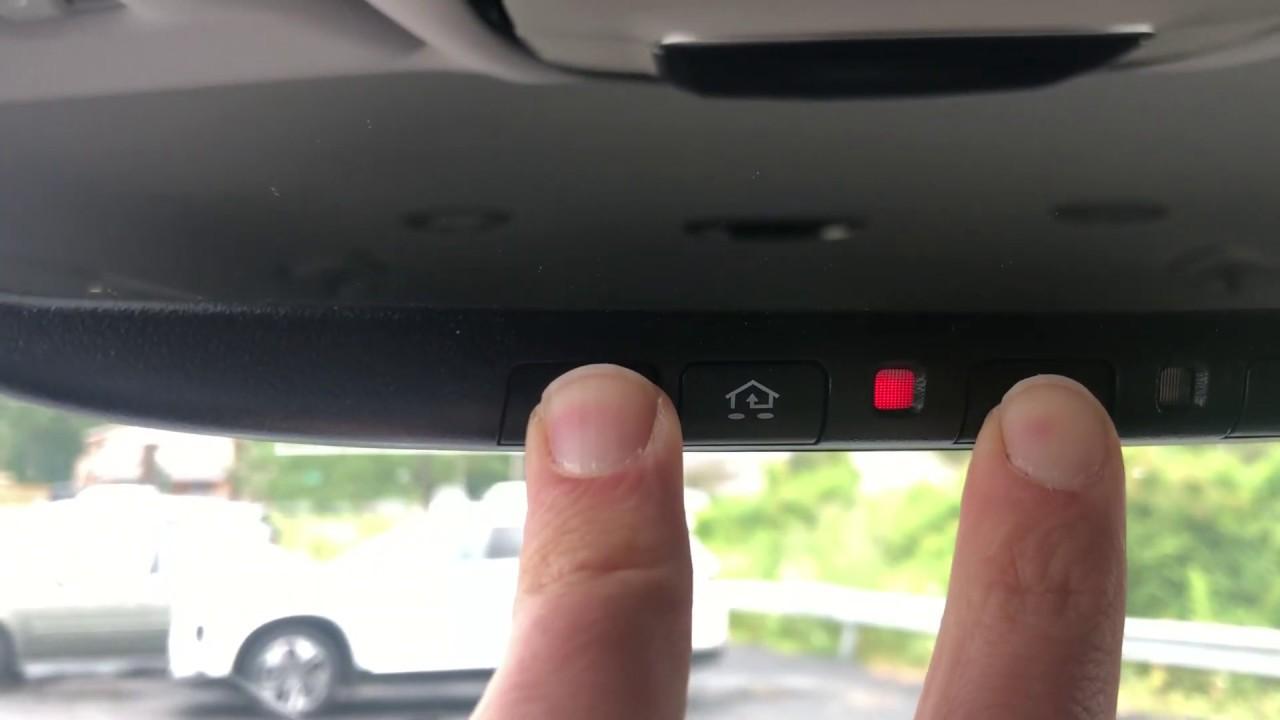
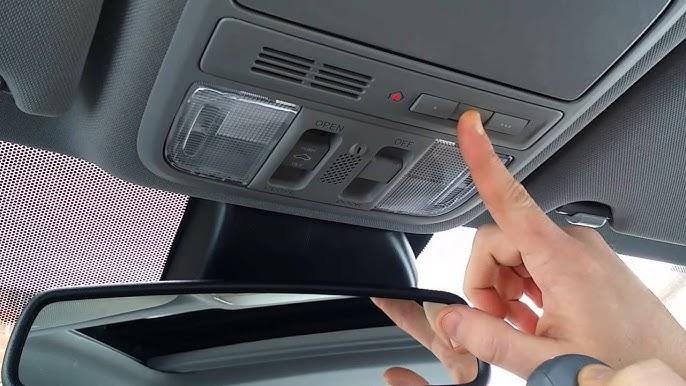
Follow these steps precisely. The HomeLink system in the 2023 Palisade is located on the overhead console, near the rearview mirror. There are typically three buttons. We will program one of them.
Step 1: Clear Previous Settings (If Applicable)
If your Palisade is pre-owned or you previously tried to program a device, clear the memory first.
- Press and hold the two outer HomeLink buttons simultaneously.
- Hold them for about 10 seconds until the indicator light flashes rapidly.
- Release the buttons. The memory is now cleared.
Step 2: Initiate Training Mode
- Choose the HomeLink button you wish to use (e.g., Button 1).
- Press and hold this button.
- While holding it, bring your handheld garage remote within 1–3 inches of the HomeLink button.
- Press and hold the button on your handheld remote that operates the garage door.
- Keep both buttons held down. Do not release them yet.
Step 3: Wait for the Signal Change
- Watch the HomeLink indicator light. It will start flashing slowly.
- Continue holding both buttons. The light will eventually change from a slow flash to a rapid flash.
- Once the light flashes rapidly, release both buttons. This indicates the Palisade has learned the frequency code.
Step 4: Test the Connection
- Press the programmed HomeLink button in your Palisade firmly.
- Observe your garage door.
- If it moves: You are done! Proceed to the “Rolling Code” section only if your door reverses immediately after closing.
- If it does not move: You may have a “Rolling Code” system, which requires an extra step.
Handling Rolling Code Systems
Most garage doors installed after 1996 use rolling codes for security. This means the code changes every time you press the button. If your door did not respond in Step 4, or if it moves but then immediately goes back up, you need to complete the synchronization at the motor unit.
- Locate the “Learn” or “Smart” button on your garage door opener motor unit (hanging from your garage ceiling). It is usually colored yellow, purple, or red.
- Press and release the “Learn” button. The indicator light on the motor unit will usually blink or turn solid. You typically have 30 seconds to complete the next step.
- Return to your Palisade.
- Press and hold the programmed HomeLink button for two seconds, then release.
- Repeat this press-and-release cycle three times.
- Test the door again. It should now operate smoothly.
Note: If you cannot reach the motor unit, consult your garage door opener’s manual. Some brands require specific sequences, such as holding the learn button longer.
Troubleshooting Common Issues
Even with careful following, issues can arise. Here is a quick comparison of common problems and solutions.
| Issue | Possible Cause | Solution |
|---|---|---|
| Light flashes slowly but never fast | Interference or distance | Move closer; ensure no other remotes are nearby. |
| Door moves but reverses immediately | Rolling code not synced | Perform the “Learn Button” step at the motor unit. |
| Nothing happens | Dead batteries | Replace batteries in the handheld remote. |
| Only works intermittently | Weak signal | Reprogram closer to the garage door motor. |
Expert Insight on Interference
LED light bulbs in garage door openers can sometimes cause radio frequency interference. If you recently switched to LED bulbs in your garage opener unit, try reverting to incandescent bulbs temporarily to see if programming improves. This is a known issue documented by various automotive tech forums.
Frequently Asked Questions (FAQ)
1. Can I program multiple garage doors to my 2023 Palisade?
Yes. The HomeLink system in the Hyundai Palisade has three independent channels. You can program up to three different devices, such as two garage doors and a gate operator, or three different garage doors.
2. Does programming HomeLink void my warranty?
No. Using the built-in HomeLink system is a standard feature supported by Hyundai. It does not involve modifying the vehicle’s electrical system, so your warranty remains intact. However, always refer to your owner’s manual for specific warranty terms.
3. What if I don’t have the original handheld remote?
You cannot program HomeLink without an existing working remote or access to the “Learn” button on the motor unit with a compatible keypad. If you lost your remote, contact your garage door manufacturer to buy a replacement universal remote first.
4. Is the HomeLink system secure?
Yes. The 2023 Palisade uses encrypted rolling code technology, similar to what banks use for digital tokens. This makes it extremely difficult for thieves to intercept and replicate your signal.
5. Can I program HomeLink if my garage door opener is very old?
HomeLink is compatible with most openers from 1982 onwards. If your opener is older than that, it may use a fixed code that is incompatible with modern security standards. In such cases, consider upgrading your garage door motor unit for better security and compatibility.
6. Why does the HomeLink light stay solid green?
A solid green light usually indicates that the button is already programmed and active. If you want to reprogram it, you must first clear the memory by holding the two outer buttons as described in Step 1.
Conclusion
Learning how to program garage door opener Hyundai Palisade 2023 models is a straightforward process that enhances your daily driving experience. By following the steps above, you can seamlessly integrate your home access with your vehicle. Remember, patience is key during the signal learning phase, and always verify rolling code requirements if the door does not respond initially.
Now that your Palisade is synced, enjoy the convenience of hands-free entry. If this guide helped you, please share it with fellow Hyundai owners on social media. Have questions or tips? Leave a comment below!
Leave a Reply