Introduction
There are few things more frustrating than standing in your driveway, pressing your remote repeatedly, only to realize your garage door won’t respond. Whether you’ve moved into a new home, lost a remote, or suspect unauthorized access, knowing how to reset code on Chamberlain garage door opener systems is an essential homeowner skill. This comprehensive guide walks you through every reset method with clear, safe instructions so you can regain secure access to your garage without unnecessary service calls.
Why You Might Need to Reset Your Chamberlain Code
Before diving into the technical steps, it helps to understand why a reset is necessary. Chamberlain openers use rolling-code technology (Security+ 2.0) that changes the transmission code after every use to prevent replay attacks. However, certain situations require a manual override:
- Lost or Stolen Remotes: If a remote is missing, resetting clears all old codes to prevent unauthorized entry.
- Moving Into a New Home: Previous owners or tenants may still have working remotes.
- System Glitches: Power surges or battery failures can desynchronize the opener and accessories.
- Upgrading Accessories: Adding a new keypad or Wi-Fi hub often requires clearing old memory first.
According to industry safety standards, regularly updating your garage access codes is as important as changing your front door locks. A reset ensures that only your designated devices control your home’s largest entry point.
How To Reset Code On Chamberlain Garage Door Opener: The Universal Method
For most Chamberlain models manufactured after 1993, the process centers around the “Learn” button. This button is typically located on the back or side of the motor unit hanging from your ceiling. It may be yellow, red/orange, purple, or green, depending on the manufacturing year.
Step-by-Step Factory Reset (Clear All Codes)
This method wipes all remotes, keypads, and vehicle integrations from the opener’s memory. Use this when you want a completely fresh start.
- Locate the Learn Button: Find the colored square button near the antenna wire on the motor head. You may need a stepladder and a flashlight.
- Press and Hold: Press and hold the Learn button for approximately 6–10 seconds.
- Watch the LED: The indicator light next to the button will turn on, then go out. When the light goes out, all codes have been erased.
- Release the Button: Release the button immediately after the light extinguishes.
- Test: Try your old remote. It should not work. This confirms the reset was successful.
⚠️ Safety Warning: Never attempt to adjust the opener’s travel limits or force settings during a code reset. These adjustments affect the auto-reverse safety sensors. If your door does not reverse properly when meeting resistance, consult a certified technician immediately. For background on these critical safety mechanisms, refer to the Garage door opener entry on Wikipedia.org.
How to Reprogram Remotes After a Reset
Once you’ve cleared the memory, you must reprogram each device individually. Here is the standard procedure for Security+ 2.0 (Yellow Learn Button) models:
- Press and release the Learn button on the motor unit. The LED will illuminate steadily for 30 seconds.
- Within those 30 seconds, press and hold the button on your remote that you wish to program.
- Hold until the motor unit’s lights flash or you hear two clicks. This usually takes 2–5 seconds.
- Release the remote button. Test by pressing it once; the door should activate.
| Remote Type | Programming Time | Indicator Signal | Notes |
|---|---|---|---|
| Security+ 2.0 (Yellow) | 2–5 sec hold | Light flashes / 2 clicks | Most common modern model |
| Security+ (Red/Orange) | 1–2 sec press | Light blinks once | Older rolling code models |
| DIP Switch (Green) | Match switches manually | No learn button | Pre-1993 models only |
Resetting Wireless Keypads and Smart Hubs
Many homeowners ask specifically about external accessories. The process differs slightly from handheld remotes.
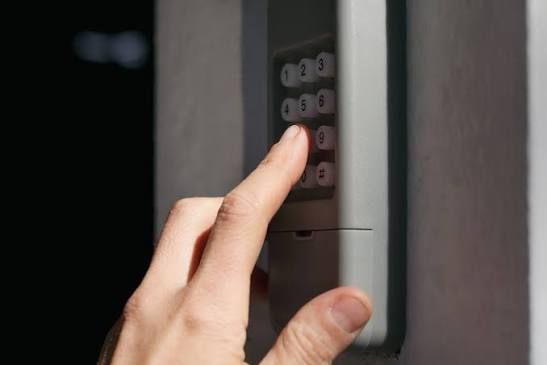
Wireless Outdoor Keypad
- Press the Learn button on the motor unit (LED stays lit for 30 seconds).
- Enter your desired 4-digit PIN on the outdoor keypad.
- Press and hold the ENTER button on the keypad.
- Release ENTER when the motor unit lights flash or click.
- Test by entering the new PIN and pressing ENTER.
MyQ Smart Garage Hub
If you use Chamberlain’s Wi-Fi integration, resetting the local opener codes does not automatically remove cloud access. You must also:
- Open the MyQ app.
- Navigate to Device Settings > Remove Device.
- Re-add the hub after completing the physical reset to ensure encrypted communication is re-established.
Troubleshooting: When the Reset Doesn’t Work
Even with perfect execution, issues can arise. Here are data-backed solutions for common failures:
- LED Won’t Turn Off During Reset: You may not be holding the button long enough. Count slowly to ten. On some models, the light blinks before turning off; wait for complete darkness.
- Remote Programs But Door Doesn’t Move: Check the photo-eye sensors at the floor level. If they’re misaligned or dirty, the opener disables movement even if the code is accepted. Clean lenses with a microfiber cloth and ensure both LEDs are solid (not blinking).
- Code Resets Itself Randomly: This often indicates a failing logic board capacitor or interference from nearby LED bulbs. Replace non-Chamberlain-certified LED bulbs in the opener fixture, as cheap drivers can emit RF noise that corrupts memory.
- Only One Remote Works After Reset: Ensure you’re reprogramming within the 30-second window. The LED timeout is strict. Repeat the Learn button press for each additional device.
FAQ: Common Questions About Chamberlain Code Resets
1. How often should I reset my Chamberlain garage door code?
Security experts recommend resetting your codes at least once per year, or immediately after losing a remote, ending a rental agreement, or experiencing a break-in attempt. Regular resets maintain the integrity of the rolling-code encryption.
2. Will resetting the code erase my MyQ smartphone access?
Yes, a factory reset clears all paired devices, including Wi-Fi hubs. You will need to re-pair your MyQ device through the app after the physical reset is complete. Always update your MyQ firmware before re-pairing to avoid compatibility issues.
3. Can I reset the code without accessing the motor unit?
No. For security reasons, Chamberlain designs require physical access to the Learn button for full resets. This prevents remote hackers from wiping your system. However, you can add new remotes using existing programmed remotes on some newer models without touching the motor head.
4. What if my Chamberlain opener doesn’t have a Learn button?
Openers without a Learn button typically use DIP switches (pre-1993). To reset these, you must manually change the switch positions inside both the remote and the motor unit to matching new patterns. Consider upgrading to a modern Security+ 2.0 system, as DIP switches lack rolling-code protection and are considered obsolete.
5. Does resetting fix a garage door that opens by itself?
Sometimes. Phantom openings can result from corrupted memory or neighbor frequency overlap. A full reset followed by reprogramming often resolves this. If the problem persists after resetting, the issue may be a faulty wall console wiring or logic board failure requiring professional diagnosis.
6. Is it safe to reset the code myself, or should I hire a pro?
Resetting codes is a safe DIY task that involves no electrical wiring or spring tension. However, if your door exhibits mechanical issues (grinding noises, uneven movement, or failed auto-reverse), stop immediately and contact a certified technician. Code resets address access problems, not mechanical ones.
Conclusion
Understanding how to reset code on Chamberlain garage door opener systems empowers you to maintain one of your home’s most critical security barriers. Whether you’re clearing old tenants’ access, recovering from a lost remote, or simply performing annual maintenance, the steps outlined above provide a safe, manufacturer-aligned path to restored functionality. Remember: a reset takes less than five minutes but delivers lasting peace of mind.
Found this guide helpful? Share it with friends, family, or neighbors who might be struggling with their own garage door woes! Tag us on social media or send this article via text—because everyone deserves secure, stress-free garage access. 🔐🏡



Leave a Reply