Introduction
There is nothing quite as frustrating as standing in your driveway, punching in your PIN, and watching your Genie keypad blink red instead of opening the door. Whether you have forgotten your code, moved into a new home, or are experiencing connectivity glitches, knowing how to reset Genie Intellicode garage door opener keypad systems is an essential skill for any homeowner. This comprehensive guide will walk you through the exact factory-approved methods to restore access safely and efficiently, ensuring your home remains secure while getting you back inside without delay.
Understanding Genie Intellicode Technology
Before diving into the reset process, it is vital to understand what makes these openers unique. Unlike older fixed-code systems, Genie Intellicode uses rolling-code technology that changes the access code every time the remote or keypad is used. This security feature prevents code grabbing but also means that a simple “hard reset” requires syncing the keypad with the opener’s receiver logic rather than just changing a battery.
According to industry standards documented on Wikipedia, rolling-code systems were widely adopted in the mid-1990s to address security vulnerabilities in earlier models. If your Genie unit was manufactured after 1995, it almost certainly utilizes this Intellicode architecture, requiring specific programming sequences rather than generic universal keypad instructions.
When Should You Reset Your Genie Keypad?
Not every malfunction requires a full reset. Identifying the root cause saves time and preserves your existing user codes. Consider resetting only if:
- You Forgot the PIN: The most common reason; a reset allows you to establish a new master code.
- New Home Ownership: Previous owners may still have active codes; a factory reset clears all unauthorized access.
- Keypad Desynchronization: The keypad lights up but the motor does not engage, indicating a lost signal link.
- After Power Surges: Electrical spikes can corrupt the keypad’s memory module.
- Replacing the Keypad Battery: While rare, some older Intellicode models require reprogramming after a complete power loss.
⚠️ Safety Warning: Always ensure the garage door area is clear of people, pets, and vehicles before testing the opener after a reset. The auto-reverse sensors should be tested immediately after programming to prevent injury.
Step-by-Step: How To Reset Genie Intellicode Garage Door Opener Keypad
This tutorial covers the standard procedure for most Genie Intellicode wireless keypads (models GK-R, G3T-R, and similar). Always verify your specific model number against the manual, as variations exist.
Phase 1: Preparation and Safety Check
- Locate the Learn Button on your garage door opener motor head. It is typically found under the light lens cover or on the rear panel near the antenna wire.
- Ensure the keypad has fresh batteries. Weak batteries are the #1 cause of failed programming attempts. Use high-quality alkaline batteries; avoid rechargeables as their voltage curve differs.
- Clear the area around the door threshold to ensure safe operation during testing.
Phase 2: Clearing Old Codes (Factory Reset)
If you need to wipe all previous codes (recommended for new homeowners):
- Press and hold the Learn Button on the motor head for approximately 10 seconds.
- Watch the LED indicator next to the button. It will illuminate, then turn off completely.
- Release the button once the light goes out. All remotes and keypads are now erased from the system’s memory.
- Note: If you only want to add a new keypad without deleting existing remotes, skip this phase and proceed directly to Phase 3.
Phase 3: Programming the New PIN
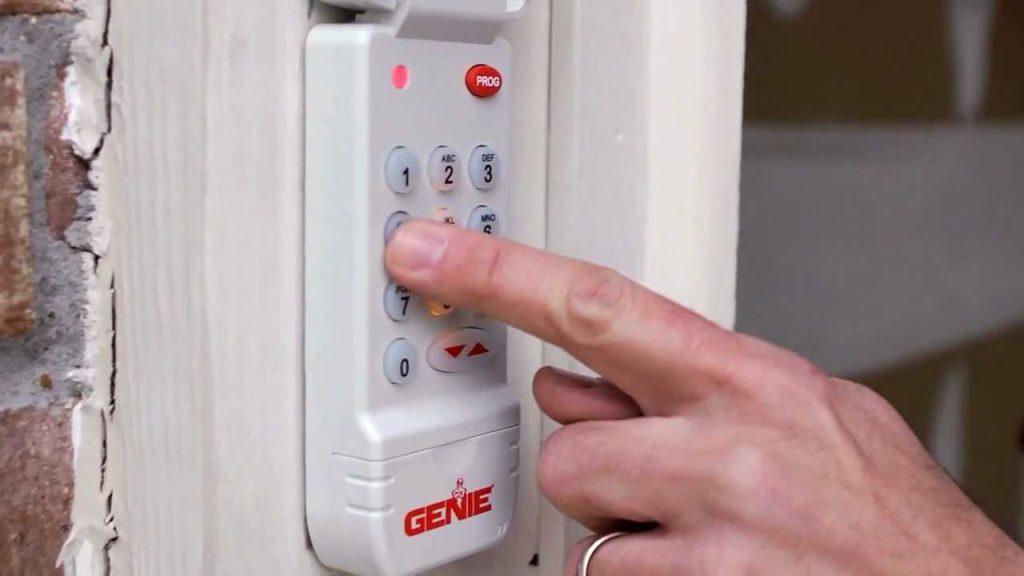
- On the wireless keypad, press and release the Program Button (usually labeled “PRGM” or located inside the battery compartment). The keypad LED should begin blinking blue.
- Enter your desired 4-digit PIN. Choose a code that is memorable but not easily guessable (avoid birthdays or sequential numbers like 1234).
- Press the Up/Down Arrow Button (or the main send button, depending on model) to transmit the signal.
- Immediately go to the motor head and press the Learn Button once briefly. The LED will flash or change color to indicate reception.
- Return to the keypad and press the Up/Down Arrow Button again to confirm synchronization.
- The keypad LED should stop blinking and remain solid or turn off, indicating successful pairing.
Phase 4: Verification Testing
Test the new PIN at least three times from varying distances (5 feet, 15 feet, and maximum range). Verify that the door reverses properly when obstructed by placing a 2×4 board flat on the floor under the door path—the door should reverse within 2 seconds of contact.
Troubleshooting Common Reset Failures
Even with perfect execution, issues arise. Use this diagnostic table to identify solutions:
| Symptom | Probable Cause | Recommended Fix |
|---|---|---|
| LED blinks red during programming | Incorrect PIN format or timeout | Restart sequence; enter PIN within 30 seconds of pressing Program |
| Motor doesn’t respond after sync | Signal interference or dead zone | Reposition antenna wire vertically; check for nearby LED bulbs causing RF noise |
| Code works intermittently | Low battery or corroded contacts | Replace batteries; clean contact points with isopropyl alcohol |
| Learn button LED won’t activate | Logic board failure or capacitor issue | Consult certified Genie technician; do not attempt internal repair |
| Keypad accepts code but door jitters | Limit switch misalignment | Adjust travel limits per manufacturer specifications |
Expert Insight: According to Genie technical support documentation, approximately 40% of “failed keypad” service calls are actually caused by incompatible LED light bulbs installed in the opener fixture. These bulbs emit radio frequency interference that blocks Intellicode signals. Always use Genie-approved LED bulbs or traditional incandescent bulbs rated for garage door openers.
Maintaining Your Genie System Post-Reset
A successful reset is just the beginning. Proper maintenance extends the life of both your keypad and opener:
- Battery Schedule: Replace keypad batteries annually, preferably before winter when cold temperatures reduce battery efficiency.
- Weather Protection: Install a keypad visor or silicone cover if your unit is exposed to direct rain or snow. Moisture ingress causes circuit corrosion over time.
- Annual Sensor Test: Monthly testing of auto-reverse safety sensors is recommended by the Consumer Product Safety Commission. Place an object in the door’s path and verify reversal occurs.
- Lubrication Routine: Apply lithium-based grease to rollers, hinges, and springs every six months. Avoid WD-40, which attracts dust and degrades components.
- Firmware Updates: Newer Genie models with Wi-Fi connectivity may receive security patches. Check the Aladdin Connect app quarterly for updates.
Frequently Asked Questions (FAQ)
Q1: Can I reset my Genie Intellicode keypad without accessing the motor head?
No. For security reasons, Genie Intellicode systems require physical interaction with the Learn Button on the motor unit to authorize new devices. This prevents unauthorized individuals from adding keypads remotely. If your motor head is inaccessible due to ceiling height or obstruction, consider installing a wall-mounted console extension or hiring a professional technician.
Q2: How many PIN codes can a Genie Intellicode keypad store?
Most standard Genie wireless keypads store one primary PIN. However, certain premium models (like the GK-RX) support up to three separate user codes plus a temporary guest code. Check your specific model’s specification sheet to confirm capacity. Each additional code follows the same programming sequence using different button combinations during setup.
Q3: Why does my newly programmed keypad work for a week then stop functioning?
This pattern typically indicates either premature battery drain due to a stuck button or environmental damage. Inspect the keypad for physical damage, water intrusion, or debris under buttons. Also verify that no new electronic devices (baby monitors, Wi-Fi routers, ham radios) have been installed near the garage since programming, as they may cause intermittent RF interference.
Q4: Is there a difference between resetting Intellicode and older Genie DIP-switch models?
Absolutely. Pre-1995 Genie openers use physical DIP switches that must match between remote and opener. Intellicode systems use digital rolling codes programmed via the Learn Button. Attempting to apply DIP-switch procedures to an Intellicode unit will fail. Verify your opener’s manufacturing date and technology type before proceeding.
Q5: What should I do if the Learn Button LED never illuminates?
First, disconnect power to the opener for 30 seconds and reconnect to perform a soft reboot. If the LED still fails to light, test the outlet with another device to rule out electrical supply issues. Persistent failure suggests a faulty logic board or burned-out LED indicator. At this point, contact a licensed Genie dealer for diagnosis, as internal component replacement requires specialized tools and knowledge.
Q6: Can weather affect keypad reset success rates?
Yes. Extreme cold (below 20°F) reduces battery output and slows LCD response times. High humidity can cause temporary condensation inside the keypad housing. For best results, perform resets during moderate temperature conditions (50–80°F). If emergency reset is needed in harsh weather, warm the keypad indoors for 15 minutes before attempting programming outside.
Conclusion
Mastering how to reset Genie Intellicode garage door opener keypad systems empowers you to maintain home security and convenience without costly service calls. By following the structured phases outlined above—from preparation through verification testing—you can confidently resolve access issues while adhering to safety best practices. Remember that regular maintenance and understanding your specific model’s nuances are just as important as the reset procedure itself.
Did this guide help you regain access to your garage? Share it with friends, family, or neighbors who might be struggling with their own Genie openers! Tag us on social media with your success stories or remaining questions—we love hearing from fellow DIY homeowners keeping their spaces safe and functional. Safe lifting, and happy programming!



Leave a Reply