Introduction
There are few things more frustrating than standing in your driveway, pressing buttons frantically, and realizing you have forgotten the code to your own garage. Whether you have moved into a new home, lost a remote, or simply want to upgrade your security after a tenant moved out, knowing how to reset password on Genie garage door opener systems is an essential homeowner skill. This comprehensive guide will walk you through every method safely and efficiently, ensuring your home remains secure without the need for expensive service calls.
We understand that garage door technology can feel intimidating, but modern Genie openers are designed with user-friendly reset protocols. By following this expert-approved tutorial, you will regain access and peace of mind in under ten minutes.
Understanding Your Genie System Before Resetting
Before diving into button combinations, it is vital to identify which type of “password” you need to reset. Genie systems typically utilize three distinct security layers, and confusing them is the most common reason users fail to complete the reset process.
- Wireless Keypad PIN: The numeric code entered on the exterior wall-mounted pad.
- Remote Control Programming: The digital handshake between your car visor remote and the overhead motor.
- Smart App Credentials: Login information for Aladdin Connect or legacy Genie apps.
According to industry safety standards outlined by organizations like Wikipedia’s overview of automatic garage door operators, modern openers utilize rolling code technology (Intellicode) to prevent code grabbing. This means when you reset your password, you are not just changing a number; you are generating a new encrypted frequency sequence. Understanding this ensures you follow the correct synchronization steps rather than simply trying random codes.
How to Reset the Wireless Keypad PIN
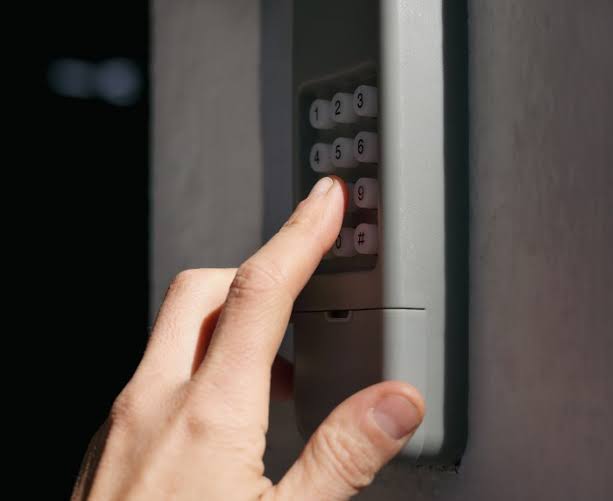
The wireless keypad is what most homeowners refer to when searching for how to reset password on Genie garage door opener. This is the primary entry point for family members and guests.
Step-by-Step Keypad Reset Instructions
- Locate the Learn Button: Find the “Learn” or “Program” button on your keypad. On most Genie models, this is hidden behind the battery cover or located near the bottom edge.
- Enter Current PIN (If Known): Type your existing 4-digit PIN and press the “Send” or “Arrow” button. If you do not know the current PIN, skip to the factory reset section below.
- Initiate Programming Mode: Press and hold the “Program” button until the round LED light turns blue (or begins flashing, depending on the model). Release the button.
- Enter New PIN: Key in your desired new 4-digit PIN. Avoid sequential numbers like “1234” or repeating digits like “1111,” as these compromise security.
- Confirm the Change: Press the “Send” button. The LED should flash green or turn off completely, indicating successful programming.
- Test Immediately: Wait 30 seconds, then enter the new PIN to verify operation before closing the door.
Expert Tip: Always test the keypad with the garage door open first. This prevents the door from reversing unexpectedly if the programming sequence was incomplete.
Factory Reset for Forgotten PINs
If you cannot recall the old code, you must clear the keypad’s memory entirely:
- Open the keypad cover and locate the program button.
- Press and hold the program button for approximately 10–15 seconds until the LED blinks rapidly.
- Release the button; the keypad is now wiped.
- Follow the standard programming steps above to set a brand-new PIN.
Reprogramming Remote Controls and Transmitters
Sometimes the issue is not the keypad but the remote itself. Resynchronizing your transmitter is often part of the broader password reset ecosystem.
| Feature | Intellicode (Rolling Code) | Fixed Code (Legacy) |
|---|---|---|
| Security Level | High (Billions of combinations) | Low (Easily copied) |
| Reset Method | Learn button sync | DIP switch matching |
| Indicator Light | Blue/Red LED feedback | No LED feedback |
| Compatibility | Post-1995 Genie Models | Pre-1995 Genie Models |
Syncing an Intellicode Remote
- Access the motor head unit (use a sturdy ladder; never stand on the door rail).
- Locate the square “Learn Code” button, usually near the antenna wire.
- Press the Learn button once. The red LED will begin blinking.
- Within 30 seconds, press the button on your remote you wish to program.
- The LED will stop blinking and stay solid, confirming the link.
- Press the remote button a second time to finalize. Test operation.
Resetting Smart Hub and Wi-Fi Credentials
For users with Genie Aladdin Connect or integrated smart home systems, resetting the digital password differs from hardware resets.
- App Password Reset: Use the “Forgot Password” link on the login screen. Verification emails typically arrive within 2 minutes. Check spam folders if delayed.
- Wi-Fi Reconnection: If you changed your home router password, the opener loses connectivity. Press and hold the Wi-Fi button on the smart hub for 5 seconds until the blue light flashes, then use the app to re-enter your new network credentials.
- Device Removal: When selling a home, always remove the opener from your account via the app settings to revoke all digital access tokens.
Critical Safety Precautions During Reset
Safety must precede convenience. Garage doors are heavy mechanical systems, and improper handling during reset procedures can lead to injury or property damage.
- Disconnect Power for Hardware Work: If you need to open the motor housing, unplug the unit first to prevent accidental activation.
- Never Bypass Safety Sensors: Do not tape over or misalign photo-eye sensors to “force” a reset. These prevent the door from crushing objects or people.
- Secure Ladders: Ensure your ladder is on flat ground and fully extended before reaching the motor unit.
- Keep Children Away: Reset procedures require focus; ensure pets and children are in a separate area to avoid distraction-related accidents.
Troubleshooting Common Reset Failures
Even with perfect execution, issues arise. Here are solutions to the most frequent problems encountered when learning how to reset password on Genie garage door opener:
- LED Won’t Turn On: Replace the keypad batteries. Weak batteries cause partial signals that fail to save new codes. Use fresh alkaline batteries, not rechargeables.
- Code Accepted But Door Doesn’t Move: The keypad may be programmed, but the motor’s receiver memory is full. Clear unused remotes from the motor unit by holding the Learn button for 10 seconds until the LED goes out, then reprogram only active devices.
- Intermittent Operation: Check for radio frequency interference. LED bulbs in the opener fixture can disrupt signals. Switch to Genie-approved LED bulbs or incandescent equivalents.
- Keypad Lights Flash Red: This indicates an error state. Remove batteries for 60 seconds to perform a hard reboot, then retry programming.
Frequently Asked Questions (FAQ)
How often should I reset my Genie garage door password?
Security experts recommend resetting your PIN at least once per year, or immediately after losing a remote, ending a rental agreement, or experiencing a break-in attempt. Regular rotation minimizes the risk of unauthorized access from compromised codes.
Can I reset my Genie opener without the original remote?
Yes. You can program new remotes directly using the Learn button on the motor unit. However, if you lack any functioning remote and the keypad is also locked out, you may need to perform a full factory reset on the motor head, which clears all devices and requires reprogramming everything from scratch.
Why does my new PIN work sometimes but not others?
Inconsistent operation usually points to weak batteries, signal interference, or a failing keypad circuit board. Start by replacing batteries with high-quality alkalines. If the problem persists, inspect the keypad for moisture damage or corrosion on the internal contacts.
Does resetting the password erase my programmed travel limits?
No. Resetting the PIN or reprogramming remotes only affects access credentials. Travel limits, force settings, and safety sensor alignments are stored separately in the motor’s logic board and remain intact during standard password resets.
What if my Genie model doesn’t have a visible Learn button?
Older Genie models (pre-1995) use DIP switches instead of electronic learning. Match the switch positions inside the remote to those on the motor unit. If your unit has neither a Learn button nor DIP switches, it may predate consumer-resettable security; consult a certified Genie dealer for retrofit options.
Can weather affect keypad reset success?
Extreme cold can reduce battery voltage temporarily, causing failed programming attempts. If resetting in winter, warm the keypad and batteries indoors for 15 minutes before installation. Moisture from rain or snow can also short-circuit contacts; ensure the keypad seal is intact and consider installing a protective weather cover.
Conclusion
Mastering how to reset password on Genie garage door opener systems empowers you to maintain both convenience and security without relying on costly technician visits. From simple PIN changes to full system reprogramming, each step builds your confidence as a capable homeowner. Remember: regular resets, fresh batteries, and adherence to safety protocols are the pillars of reliable garage door operation.
Your home’s security is worth the ten minutes it takes to update your access codes. Don’t wait until you’re locked out—take control today.
Found this guide helpful? Share it on Facebook, Pinterest, or Nextdoor to help neighbors secure their homes too. Tag us with your success stories or questions—we love hearing from our community of empowered homeowners! Stay safe, stay secure, and keep those doors opening smoothly.



Leave a Reply