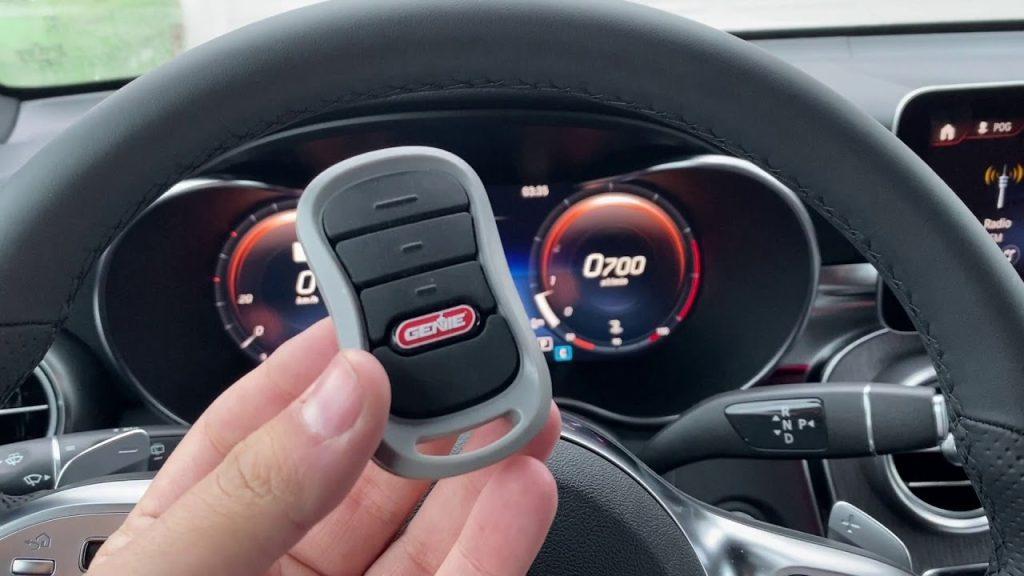
Introduction
There is nothing quite as frustrating as sitting in your driveway, pressing a button repeatedly, and watching your garage door refuse to budge. If you are searching for how to set Genie garage door opener to car, you are likely dealing with a new vehicle, a replaced battery, or a system reset that has erased your previous settings. We understand that this disruption to your daily routine is annoying, but the good news is that reprogramming your vehicle’s built-in transmitter is usually a quick, DIY-friendly process. This guide will walk you through every method safely and accurately so you can get back to seamless home access without calling a technician.
Understanding Your Vehicle’s Transmitter System
Before diving into buttons and lights, it is critical to identify which technology your vehicle uses. Genie openers are compatible with two primary in-car systems: HomeLink and Car2U. Knowing the difference prevents wasted time and ensures you follow the correct protocol.
- HomeLink: The industry standard found in most vehicles manufactured after 2005. It typically features three buttons on the overhead console, visor, or rearview mirror. HomeLink uses rolling code technology that changes the signal every time you press the button, enhancing security.
- Car2U: Found primarily in older Ford, Lincoln, and Mercury vehicles (roughly 2007–2014). These systems often have only one or two buttons and require a slightly different synchronization sequence.
Expert Note: According to Wikipedia, HomeLink was originally developed by Prince Corporation and is now owned by Gentex. It operates on radio frequencies between 288–390 MHz, making it universally compatible with major garage door brands like Genie, Chamberlain, and LiftMaster.
Quick Comparison: HomeLink vs. Car2U
| Feature | HomeLink | Car2U |
|---|---|---|
| Button Count | Usually 3 | Usually 1 or 2 |
| Vehicle Era | 2005–Present | 2007–2014 (Ford/Lincoln) |
| Programming Style | Hold two buttons, then train | Specific hold-and-release sequence |
| Rolling Code Support | Yes (Standard) | Yes (But requires extra step) |
| Indicator Light | Solid/Flashing LED | Flashing LED patterns |
Preparation: Safety and Equipment Check
Before you learn how to set Genie garage door opener to car, ensure your environment is safe and ready. Skipping these checks is the #1 reason programming fails.
- Clear the Door Path: Ensure no people, pets, or objects are near the garage door. The door will move during testing.
- Fresh Batteries: If using a handheld Genie remote as a “trainer,” replace its battery before starting. A weak signal causes incomplete syncing.
- Ignition On: Most vehicles require the ignition to be in the “ON” or “ACC” position. Some newer EVs require the car to be fully powered on.
- Locate the Learn Button: Find the “Learn” or “Program” button on your Genie motor head. It is usually located under the light lens or on the back panel. On Genie Intellicode models, this button is often red, purple, or green.
- Ladder Safety: Use a stable step ladder if the motor head is high. Never stand on the garage door tracks or springs.
Method 1: Programming HomeLink to Genie (Rolling Code)
This is the most common method for modern vehicles. Follow these steps precisely; timing matters.
Step 1: Clear Previous Codes (Recommended)
If this is a used car or you are unsure of existing programming, clear the HomeLink memory first. Press and hold the two outer HomeLink buttons simultaneously for 10–20 seconds until the indicator light flashes rapidly. Release immediately. Note: This erases ALL HomeLink buttons, not just one.
Step 2: Train HomeLink to Your Handheld Remote
- Sit in the driver’s seat with the ignition ON.
- Hold your Genie handheld remote 1–3 inches away from the HomeLink button you wish to program.
- Simultaneously press and hold the handheld remote button AND the target HomeLink button.
- Watch the HomeLink indicator light. It will flash slowly at first, then rapidly/solidly when trained. This takes 5–30 seconds.
- Release both buttons once the light changes.
Step 3: Sync HomeLink to the Genie Motor
- Go to the Genie motor unit. Press and release the “Learn” button. The LED will illuminate or blink, indicating it is in pairing mode. You typically have 30 seconds to complete the next step.
- Return to your vehicle. Press and hold the programmed HomeLink button for 2 seconds, then release.
- Repeat the press-hold-release cycle two more times (three total presses). This sends the rolling code handshake.
- Test the button. The door should activate.
Troubleshooting Tip: If the door doesn’t respond after three presses, hold the HomeLink button continuously for up to 20 seconds while standing near the motor. Some older Genie Intellicode units require an extended hold to accept the new rolling code.
Method 2: Programming Car2U Systems
Car2U requires patience. Do not rush the timing.
- Turn ignition ON. Press and hold the two outer Car2U buttons for 20 seconds until the light blinks. Release to enter programming mode.
- Within 30 seconds, hold your Genie handheld remote 1–3 inches from the Car2U button.
- Press and hold the Car2U button. The light will blink slowly, then rapidly. Release when rapid blinking begins (max 60 seconds).
- Press the “Learn” button on the Genie motor.
- Within 30 seconds, press the programmed Car2U button once firmly. Wait 2 seconds. Press again. The door should move.
Method 3: Direct Programming Without a Handheld Remote
Lost your original remote? Many newer Genie openers (Intellicode 2 & 3) allow direct vehicle-to-motor pairing.
- Press the “Learn” button on the Genie motor. The LED activates.
- Within 30 seconds, go to your vehicle and press and hold the desired HomeLink/Car2U button.
- Hold until the vehicle’s indicator light flashes or the garage door moves (up to 60 seconds).
- Release and test.
Note: This method works best with Genie models manufactured after 2012. Older dip-switch models may require a handheld remote as a bridge.
Common Programming Failures and Fixes
Even professionals encounter hiccups. Here are data-backed solutions based on Genie service bulletins:
- Light Flashes But Door Doesn’t Move: The frequency mismatch is common. Verify your Genie model supports 315 MHz or 390 MHz. Check the label on the motor housing.
- Works Intermittently: Replace the handheld remote battery even if it seems fine. Low voltage corrupts the training signal. Also, check for LED bulb interference—some cheap LED bulbs emit RF noise that blocks signals. Switch to Genie-approved LED bulbs.
- HomeLink Won’t Enter Training Mode: Disconnect the vehicle battery for 5 minutes to reset the module. Reconnect and retry. Caution: This may reset other vehicle settings.
- Door Reverses Immediately: The safety sensors may be misaligned. Check that both sensor LEDs are solid (not blinking). Clean lenses with a soft cloth.
FAQ: How To Set Genie Garage Door Opener To Car
Q1: Can I program multiple cars to the same Genie opener?
Yes. Genie Intellicode openers support up to 30+ transmitters, including multiple vehicles, keypads, and handheld remotes. Each vehicle must be programmed individually using the Learn button. There is no limit to the number of cars, only total devices.
Q2: Why does my HomeLink work outside but not inside the garage?
This indicates RF interference. Common culprits include LED light bulbs, Wi-Fi routers mounted near the motor, or nearby power lines. Try turning off garage lights during programming. If it works, replace bulbs with Genie-compatible LEDs. Repositioning the router 3+ feet from the motor also helps.
Q3: Do I need to reprogram after changing the Genie opener battery?
No. The rolling code is stored in the motor’s non-volatile memory. However, if you replace the vehicle’s battery or disconnect it for extended periods, some older HomeLink modules may lose programming. Always test after vehicle battery service.
Q4: Is there a universal remote that works with all Genie models?
Genie’s Universal Remote (Model GUR-3) is designed to work with virtually all Genie, Chamberlain, and LiftMaster openers from 1993–present. It includes adapters for older dip-switch models. For in-car systems, HomeLink remains the most universal option.
Q5: How do I know if my Genie opener uses Intellicode or fixed code?
Check the manufacture date and label. Fixed-code openers (pre-1995) use dip switches visible inside the remote and motor. Intellicode (1995–present) uses a Learn button and has no visible switches. If your remote has a sliding switch bank, it’s fixed code. If it has a single button and a Learn button on the motor, it’s Intellicode. Programming steps differ significantly.
Q6: Can I use my smartphone instead of HomeLink?
Yes, if your Genie opener supports Aladdin Connect (Wi-Fi enabled models from 2017+). Download the Aladdin app, connect the opener to Wi-Fi, and control via phone. For non-Wi-Fi models, consider adding a Genie Aladdin Connect Retrofit Kit. This bypasses HomeLink entirely and offers remote monitoring.
Conclusion
Learning how to set Genie garage door opener to car empowers you to maintain seamless, secure home access without costly service calls. Whether you use HomeLink, Car2U, or direct pairing, the key is preparation, precise timing, and understanding your specific equipment. Remember to prioritize safety, verify compatibility, and troubleshoot methodically if issues arise. With these steps, your garage door will respond reliably every time you pull into the driveway.
Found this guide helpful? Share it with friends, family, or neighbors who struggle with garage door programming! Tag us on social media or forward this link to someone who needs a stress-free solution. Your share could save someone hours of frustration—and we’d love to see your success stories! 🏡🚗



Leave a Reply