Are you experiencing issues with your Craftsman garage door opener? Is it not functioning as smoothly as it once did? Fear not! In this comprehensive guide, we’ll delve into the process of adjusting your Craftsman garage door opener to ensure optimal performance and smooth operation. Whether you’re dealing with issues related to alignment, sensitivity, or functionality, we’ve got you covered with step-by-step instructions and expert tips.
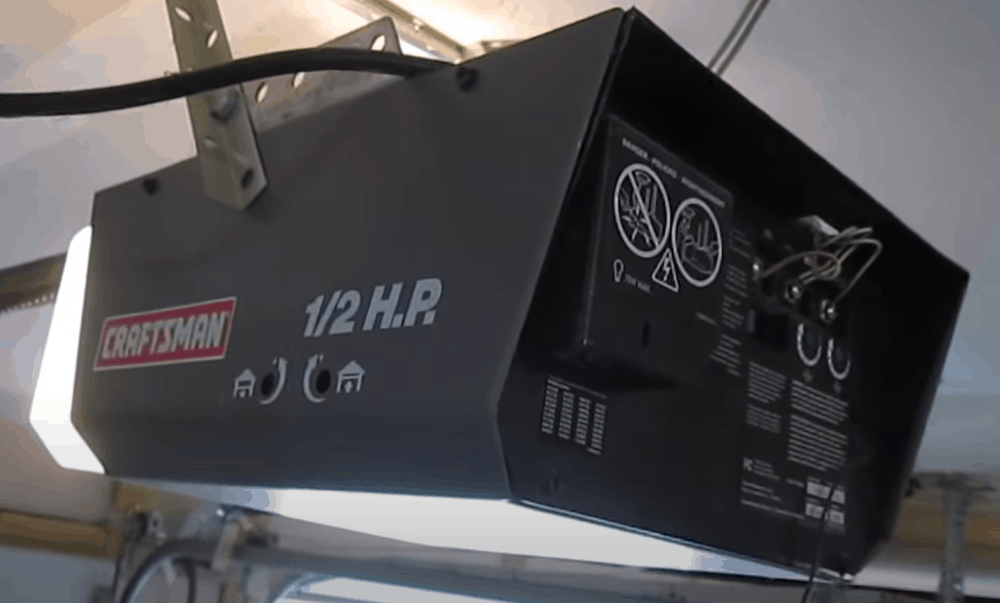
Understanding the Need for Adjustment
Before we delve into the adjustment process, it’s essential to understand why adjustments may be necessary for your Craftsman garage door opener. Several factors can contribute to the need for adjustment, including:
- Misalignment: Over time, the components of your garage door opener may become misaligned, affecting its performance and causing issues such as uneven opening or closing.
- Sensitivity Settings: The sensitivity settings of your garage door opener may need to be adjusted to ensure smooth operation and prevent issues such as the door reversing unexpectedly.
- Wear and Tear: Normal wear and tear can impact the performance of your garage door opener, necessitating adjustments to maintain its functionality.
Step-by-Step Guide to Adjustment
Now that we’ve identified the common reasons for adjustment let’s walk through the process of adjusting your Craftsman garage door opener:
1. Assess the Current State
Begin by observing the behavior of your garage door opener. Note any issues such as uneven movement, excessive noise, or failure to open or close properly.
2. Check for Misalignment
Inspect the alignment of the garage door opener tracks, ensuring that they are parallel and properly aligned. Use a level to verify alignment and make adjustments as needed.
3. Adjust Sensitivity Settings
Locate the sensitivity adjustment controls on your Craftsman garage door opener. Follow the manufacturer’s instructions to adjust the settings, increasing or decreasing sensitivity as necessary to achieve smooth operation.
4. Lubricate Moving Parts
Apply lubricant to the moving parts of your garage door opener, including the tracks, rollers, and hinges. Lubrication helps reduce friction and ensures smooth operation.
5. Test and Fine-Tune
After making adjustments, test your garage door opener to ensure that it operates smoothly and without issues. Fine-tune the settings as needed to achieve optimal performance.
Expert Tips for Optimal Adjustment
- Regularly inspect and maintain your Craftsman garage door opener to prevent issues and prolong its lifespan.
- Consult the owner’s manual for your specific model of garage door opener for detailed instructions and recommendations.
- If you’re unsure about making adjustments yourself, consider hiring a professional garage door technician to assess and adjust your opener.
Read too: Mastering Quantum Garage Door Opener Programming: A Comprehensive Guide
Conclusion
By following the steps outlined in this guide and implementing expert tips, you can master the art of adjusting your Craftsman garage door opener. Whether you’re dealing with misalignment, sensitivity issues, or general wear and tear, proper adjustment is key to maintaining smooth and reliable operation.



Leave a Reply