If you have more than one garage or multiple entry points, you might be asking yourself how many garage door openers can you program LiftMaster to operate. Many homeowners want a single remote to control all doors without confusion or interference. Understanding LiftMaster’s programming limits and setup process is crucial for smooth operation and safety.
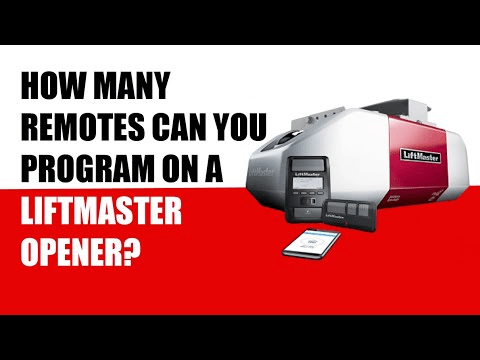
LiftMaster Remote Types and Their Capacities
LiftMaster offers several remote types, each with specific capacities:
- 3-Button Remote (Typical Home Use): Can program up to three garage door openers or gate operators.
- 4-Button Remote: Suitable for larger homes or properties, supports up to four doors or gates.
- MyQ Smart Remotes and App: Provides app-based control, allowing more flexible programming and remote access.
- Read too: Mastering the Art of Adjusting a Chamberlain Garage Door Opener for Smooth Operation and Safety`
Tip: Assign each button to a single door to avoid confusion and maintain safety.
Step-by-Step Guide to Programming Multiple Doors
Programming LiftMaster remotes is straightforward but varies slightly by model. Here’s a general method:
- Locate the Learn Button on your LiftMaster garage door opener. It is usually near the antenna wire on the motor unit.
- Press the Learn Button until the LED light blinks (typically 6–30 seconds depending on the model).
- Press the Remote Button you want to program and hold it for 2–3 seconds.
- Test the Door to ensure successful programming. The door should operate immediately.
- Repeat for additional doors using separate buttons on the remote.
Safety Tip: Program one door at a time to prevent signal interference.
Factors Affecting Multi-Door Programming
- Interference: Other wireless devices can affect remote range if doors are close together.
- Opener Model Compatibility: Older LiftMaster openers may support fewer remotes or require special steps.
- Number of Remote Buttons: Limits the number of doors controlled physically (max 3–4 buttons).
- Smart Integration: Using the MyQ app allows for more doors than physical buttons, giving remote monitoring capabilities.
Advantages and Limitations of Multi-Door Programming
| Feature | Advantages | Limitations |
|---|---|---|
| Single Remote, Multiple Doors | Convenience, fewer remotes to carry | Risk of button confusion if not labeled |
| Smart App Integration | Control from anywhere, alerts | Requires Wi-Fi and possibly subscription features |
| Dedicated Buttons per Door | Clear control, easy for guests | Limited by number of physical buttons |
FAQ (H2)
Q1: How many doors can a LiftMaster 3-button remote control?
A: Up to three doors or gates, with each button controlling one door.
Q2: Can multiple remotes interfere with each other?
A: Only if programmed incorrectly or operating on the same frequency. Clearing old codes prevents interference.
Q3: Can a LiftMaster remote control non-LiftMaster openers?
A: Generally no. LiftMaster remotes are compatible with LiftMaster, Chamberlain, and Craftsman openers. Universal remotes may be needed for other brands.
Q4: How do I clear all programmed doors on a LiftMaster remote?
A: Press and hold the Learn button on the opener until the LED turns off (about 6–10 seconds), which erases all previous codes. Reprogram desired doors afterward.
Q5: Is it safe to use one button for multiple doors?
A: No, this can be a safety hazard. Each door should have a dedicated button.
Q6: Can the MyQ app control more doors than the physical remote?
A: Yes, the MyQ app allows digital control for multiple doors beyond physical button limits, but check your opener’s model limit.
Tips for Optimal Multi-Door Use
- Label Each Button: Prevents confusion over which door each button operates.
- Check Remote Range: Ensure the remote works at all locations around your property.
- Use Smart Controls: MyQ systems allow control beyond physical buttons and add convenience.
- Keep Firmware Updated: For smart devices, this prevents glitches and improves reliability.
For more information about remote control technology, see Remote Control – Wikipedia.
Conclusion
Understanding how many garage door openers you can program LiftMaster ensures safe and convenient operation of multiple doors. Standard 3- or 4-button remotes work for most residential setups, while MyQ smart systems offer additional flexibility for larger properties. Proper labeling, careful programming, and smart integration create a reliable multi-door system. Share this guide to help others optimize their garage door setup.



Leave a Reply