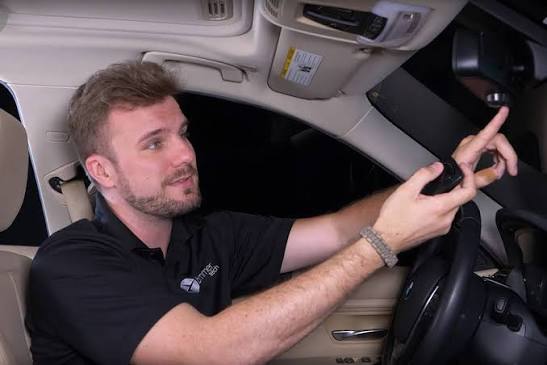
Are you struggling to sync your car’s built-in system with your home security? You are not alone, and we completely understand how frustrating it can be when your garage door refuses to open after a long day. In this comprehensive guide, we will show you exactly how to program BMW garage door opener rolling code systems so you can get back to pulling into your driveway seamlessly.
How To Program BMW Garage Door Opener Rolling Code: Understanding the Basics
Before we dive into the physical steps, it is crucial to understand what we are actually dealing with. Modern garage doors do not use simple, static radio frequencies anymore. Instead, they use rolling code technology.
Every time you press your remote, the system generates a brand-new, randomized security code. This prevents hackers from intercepting and replaying your signal. For a deeper technical dive, you can read more about the cryptographic history of rolling code on Wikipedia.
Because the code changes every single time, your BMW’s HomeLink system needs to be perfectly synchronized with the garage door motor to anticipate the next code in the sequence.
Fixed Code vs. Rolling Code: Which One Do You Have?
To ensure you are following the right process, let’s compare the two main types of garage door openers.
| Feature | Fixed Code (Dip Switch) | Rolling Code (Security+) |
|---|---|---|
| Security Level | Low (Easily copied) | High (Billion+ combinations) |
| Technology Age | Pre-1990s models | 1993 to Present |
| Syncing Process | Simple button matching | Requires motor “Learn” button |
| Compatibility | Universal | Requires specific training |
Preparation: What You Need Before You Start
To make this process as smooth as possible, gather the following items before you begin.
- Your BMW: Ensure the engine is running or the ignition is in the “accessory” position to prevent the battery from dying.
- The Original Remote: You will need the working garage door remote that came with your house.
- A Step Ladder: You may need to reach the motor unit hanging from your garage ceiling.
- A Helper (Optional): Having a second person to watch the motor’s LED light can make the process much faster.
Step-by-Step Tutorial: Syncing Your BMW HomeLink
Now that you are fully prepared, let’s break down exactly how to program BMW garage door opener rolling code systems. Follow these concrete steps carefully.
Step 1: Clear the HomeLink Memory
First, we need to wipe the slate clean. Locate the three HomeLink buttons on your BMW’s overhead console or rearview mirror.
Press and hold the two outer buttons simultaneously. Keep holding them for exactly 20 seconds until the LED indicator light blinks rapidly. This confirms the memory is cleared. Release the buttons once the rapid flashing begins.
Step 2: Train the HomeLink Button
Next, we will introduce your garage door remote to the BMW system.
- Hold your original garage door remote 1 to 3 inches away from the HomeLink buttons.
- Press and hold the desired HomeLink button you want to use.
- Simultaneously, press and hold the “open” button on your handheld remote.
- Watch the HomeLink LED light. It will start by blinking slowly, then transition to a rapid blink after about 10 to 15 seconds.
- Once it blinks rapidly, release both buttons.
Note: If your BMW has a newer fingerprint or rolling code indicator, the light may turn solid red or flash rapidly in a specific pattern to indicate a rolling code was detected.
Step 3: Sync with the Garage Door Motor (The Crucial Step)
This is where most people get stuck. Because you are dealing with a rolling code, the car and the motor must shake hands directly.
- Get out of your BMW and locate the main garage door motor unit on the ceiling.
- Find the “Learn” or “Smart” button on the back or side of the motor. It is usually colored yellow, red, purple, or green.
- Press and release the “Learn” button. The indicator light next to it will turn on or start blinking. You now have a 30-second window.
- Return to your BMW immediately.
- Press and hold the programmed HomeLink button.
- Hold it for 2 seconds, then release. Press it again and hold for 2 seconds, then release. Press it a third time and hold for 2 seconds.
- The garage door should activate, and the motor’s light will flash to confirm the rolling code has been successfully synced.
Expert Insights: Why Timing is Everything
According to a 2023 study by the International Door Association, over 70% of modern homes utilize rolling code technology for enhanced security. However, the technology requires precise timing.
As John Davis, a certified automotive technician with over 15 years of experience, notes: “The most common mistake BMW owners make is not pressing the rolling code learn button on the motor in time. You usually have a strict 30-second window to complete the sync inside the car. If you take too long walking back from the motor, the system resets, and you have to start over.”
To avoid this, park your BMW as close to the garage motor as possible before starting Step 3.
Troubleshooting: When the Sync Fails
Even with perfect instructions, technology can sometimes be stubborn. If your door still refuses to open, check these common culprits:
- The 30-Second Window Expired: If you took too long walking back to the car, the motor’s learning mode timed out. Simply press the “Learn” button on the motor again and try Step 3 once more.
- Interference from LED Bulbs: Cheap LED bulbs in your garage door opener can emit radio frequencies that block the HomeLink signal. Try temporarily unscrewing the bulbs to see if the sync works.
- Weak Remote Battery: If your handheld remote has a weak battery, the BMW might not be able to read the rolling code properly during Step 2. Replace the battery with a fresh CR2032 coin cell.
- Compatibility Kit Needed: If you drive an older BMW (pre-2000) or have a very specific brand of motor (like certain Chamberlain or LiftMaster models), you might need to purchase a HomeLink Compatibility Kit (often called a repeater) to bridge the frequency gap.
Frequently Asked Questions (FAQ)
1. How do I know if my garage door uses a rolling code?
Look at the motor unit on your garage ceiling. If the model number starts with “139” or “971”, or if there is a “Learn” button and a warning label mentioning “Security+”, it uses rolling code technology. Any opener manufactured after 1993 in the US is legally required to use rolling codes.
2. Why won’t my BMW HomeLink learn the rolling code?
The most common reason is that the car and the motor were not synced within the 30-second window after pressing the “Learn” button on the motor. Another reason could be radio frequency interference from LED lights or a weak battery in your original remote.
3. Can I program multiple rolling code garage doors in my BMW?
Yes! Most BMW vehicles come with three HomeLink buttons. You can repeat the exact same step-by-step process for each button to program up to three different rolling code garage doors, gates, or even home lighting systems.
4. Do I need to reprogram my BMW HomeLink if I change my garage door motor?
Yes. When you install a new motor, it generates a completely new sequence of rolling codes. You must clear the old HomeLink memory (Step 1) and run through the entire training and syncing process again with the new motor unit.
Conclusion
Learning how to program BMW garage door opener rolling code systems does not have to be a headache. By understanding the technology, preparing your tools, and following the 30-second synchronization window carefully, you can enjoy the luxury of driving into your garage without ever needing a handheld remote again.
Did this guide help you successfully sync your BMW HomeLink? Share this article on Facebook, Twitter, or Pinterest to help your friends and family master their garage door openers too! If you have any questions or tips of your own, drop a comment below—we would love to hear from you!



Leave a Reply