Introduction
There is nothing more frustrating than pulling into your driveway after a long day, only to realize your garage door keypad isn’t responding. You are locked out of your own home, and the manual release seems like a hassle. If you are wondering how to program clicker keypad for garage door opener, you are not alone; this is one of the most common home maintenance queries in the US.
Whether you have just bought a new universal keypad or reset your system, this guide will walk you through the process with empathy and precision. We understand that technology can be confusing, so we have broken down the steps to get your door opening smoothly again.
Why You Need to Know How To Program Clicker Keypad For Garage Door Opener
Before we dive into the buttons and wires, it is important to understand why this skill is essential. According to home improvement statistics, garage door malfunctions rank among the top three most requested repair services in American households. A functioning keypad is not just about convenience; it is about security.
When you move into a new home or lose a remote, reprogramming the keypad ensures that only authorized users have access. Furthermore, modern openers use rolling code technology, which changes the access code every time the door is used to prevent code grabbing. Understanding this mechanism helps you appreciate why the programming process requires specific timing.
For a deeper technical understanding of how these mechanisms evolved, you can refer to the Garage door opener entry on Wikipedia.
Preparation: Check Your Compatibility
Before you start pressing buttons, you must ensure your “Clicker” (universal keypad) is compatible with your motor unit. Most universal keypads work with major brands like Chamberlain, LiftMaster, Craftsman, and Genie, but the method varies slightly based on the color of the “Learn” button on your motor.
Identify Your “Learn” Button Color: Open your garage door motor housing and look for a square or rectangular button. It is usually colored:
- Purple or Yellow: These are newer, Security+ 2.0 models (most common for universal clickers).
- Red/Orange or Green: These are older models (often fixed-code or early rolling code).
Note: If your motor is from 1993 or earlier and lacks a Learn button, a universal keypad will likely not work without an external receiver.
Step-by-Step: How To Program Clicker Keypad For Garage Door Opener
Follow these concrete steps to sync your device. We recommend having a sturdy ladder ready, as you will need to access the motor unit hanging from the ceiling.
Step 1: Clear the Old Memory
To ensure a clean slate, you must erase existing codes.
- Locate the “Learn” or “Smart” button on the motor head.
- Press and hold this button for approximately 6 to 10 seconds (until the LED light next to it turns off or blinks).
- Release the button. This clears all previously paired remotes and keypads. Warning: You will need to reprogram all your car remotes after this step.
Step 2: Set Your Personal PIN
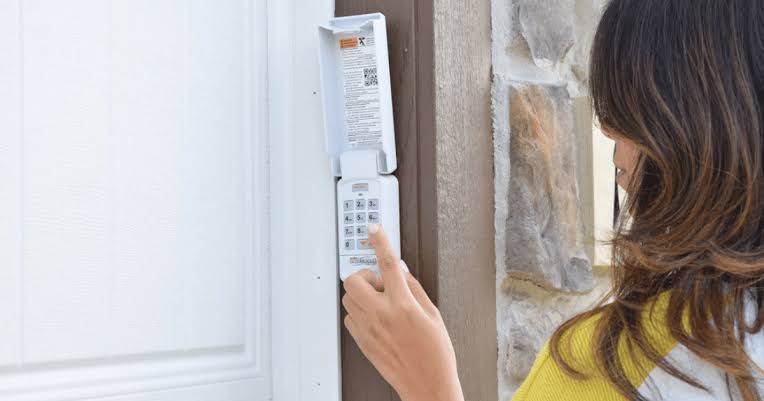
- On your new Clicker Keypad, enter your desired 4-digit PIN (e.g.,
1-2-3-4). - Press and hold the
#orEnterbutton. - The keypad lights will blink. This signals the keypad is in “broadcast mode.”
Step 3: Sync with the Motor
- Go back to the motor unit on the ceiling.
- Press the “Learn” button once (do not hold it). The LED light should blink or turn on.
- Within 30 seconds, return to the keypad.
- Enter your 4-digit PIN again and press
Enter. - You should hear the motor click or see the lights blink, confirming the pairing is successful.
Step 4: Test the Operation
Press your PIN followed by Enter. The door should activate immediately. If it does, you have successfully learned how to program clicker keypad for garage door opener.
Troubleshooting Common Issues
Even with precise steps, technology can be finicky. Use this table to diagnose why your keypad might not be syncing.
| Symptom | Potential Cause | Solution |
|---|---|---|
| Motor Light Blinks | The motor is in “Lock Mode.” | Press and hold the Lock button on the wall console for 2 seconds to disable it. |
| Keypad Flashes But No Action | Frequency Mismatch. | Ensure your Clicker is set to the correct frequency (usually 315MHz or 390MHz). Check the dip switches if applicable. |
| Door Reverses Immediately | Safety Sensor Misalignment. | Check the photo-eye sensors at the bottom of the tracks. Ensure the LED lights are solid, not blinking. |
| No Lights on Keypad | Dead Battery. | Replace the 9V or 12V battery (CR2032 coin cell for slim models). |
Universal Clicker vs. OEM Keypad: Which is Better?
When deciding on a replacement, you often choose between a brand-specific (OEM) keypad and a Universal Clicker.
- Universal Clicker (e.g., Clicker Universal Keypad):
- Pros: Works with almost all major brands (Chamberlain, LiftMaster, Genie, Craftsman). Cost-effective (~$25-$30).
- Cons: Can be bulkier; programming sometimes requires dip-switch matching on very old units.
- OEM Keypad (e.g., Chamberlain 940EST):
- Pros: Guaranteed compatibility; sleek design; often features backlit keys.
- Cons: More expensive (~$45-$60); only works with that specific brand ecosystem.
Expert Insight: For 90% of US households with motors installed after 1996, the Universal Clicker is the most efficient choice due to its versatility and ease of replacement.
FAQ Section
1. How do I reset my clicker keypad to factory settings? To reset, remove the battery cover and take out the battery. While the battery is out, press and hold the Enter or Program button on the keypad for 20 seconds to drain residual power. Reinsert the battery. Your PIN is now erased.
2. Why does my keypad work only when I am very close to the door? This usually indicates a battery issue or radio frequency interference. First, replace the battery with a high-quality alkaline brand (avoid cheap carbon-zinc batteries). If the issue persists, check for LED bulbs in your garage door opener; some non-dimmable LEDs cause radio interference that blocks keypad signals.
3. Can I program a Clicker keypad to a Genie opener? Yes. Most modern universal clickers are compatible with Genie Intellicode systems. You will follow the same steps: press the “Learn” button on the Genie motor (usually a square button) and then enter your PIN on the keypad within the 30-second window.
4. How often should I change my garage door keypad PIN? Security experts recommend changing your access code every 6 to 12 months, or immediately if you suspect the code has been compromised (e.g., a contractor or neighbor saw you enter it).
5. My keypad lights up, but the door won’t close. What is wrong? If the door opens but refuses to close (or reverses), the issue is likely the safety reversal system, not the keypad programming. Check the small LED lights on the safety sensors located near the floor on both sides of the door. If they are blinking or off, the sensors are misaligned or obstructed.
Conclusion
Mastering how to program clicker keypad for garage door opener is a valuable DIY skill that saves you the cost of a service call and restores security to your home. By following the steps above—identifying your Learn button, clearing old codes, and syncing the new PIN—you can ensure smooth operation for years to come.
Remember, if you encounter persistent issues, it may be time to inspect your logic board or sensors.
Did this guide help you regain access to your garage? Please share this article with friends and family on social media who might be struggling with their garage doors!



Leave a Reply