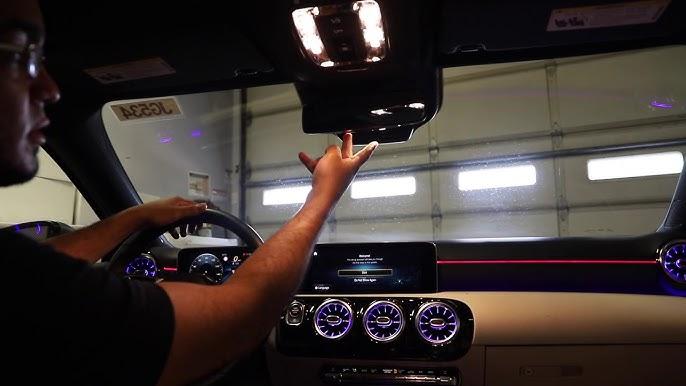
Struggling to sync your Mercedes GLE 350 with your garage door? You’re not alone. Many Mercedes owners face confusion when trying to how to program garage door opener Mercedes GLE 350, but the process is simpler than you think. This comprehensive guide will walk you through every step, ensuring your vehicle connects seamlessly with your garage system.
Understanding HomeLink in Your Mercedes GLE 350
Before diving into the programming process, it’s essential to understand what you’re working with. The Mercedes GLE 350 comes equipped with HomeLink, a built-in universal transceiver that can control up to three different garage doors, gates, or home automation devices.
HomeLink technology has been integrated into Mercedes vehicles since the early 2000s and continues to evolve with each model year. According to Wikipedia, HomeLink is compatible with over 95% of garage door openers manufactured after 1982, making it one of the most versatile systems available.
Why Use HomeLink Instead of a Separate Remote?
- Convenience: No need to carry multiple remotes
- Security: Encrypted signals prevent unauthorized access
- Integration: Seamlessly works with your vehicle’s existing systems
- Reliability: Built-in system reduces the risk of losing or damaging separate remotes
Preparing for Programming: What You’ll Need
Before starting the programming process, gather these essential items:
- Your Mercedes GLE 350 with the engine running or ignition in accessory mode
- Your existing garage door remote (the handheld unit)
- A ladder (if your garage door opener motor is mounted high)
- Patience and about 10-15 minutes of uninterrupted time
Important Safety Note: Ensure your garage door area is clear of obstacles and people before beginning the programming process. Always keep children and pets away from the garage door during testing.
Step-by-Step Guide: How to Program Garage Door Opener Mercedes GLE 350
Step 1: Clear Existing HomeLink Memory (If Necessary)
If you’re replacing an old garage door or if HomeLink was previously programmed, you should clear the memory first:
- Press and hold the two outer HomeLink buttons simultaneously
- Continue holding for approximately 20 seconds
- Watch for the indicator light to flash rapidly, then turn off
- Release both buttons once the light changes
Note: This step is only necessary if reprogramming. Skip this if setting up HomeLink for the first time.
Step 2: Position Your Vehicle Correctly
Proper positioning ensures optimal signal transmission:
- Park your GLE 350 outside the garage, facing the garage door opener motor
- Maintain a distance of 1-3 feet from the garage door
- Keep the engine running or ignition in accessory position
- Ensure all windows are closed to prevent interference
Step 3: Begin the Programming Sequence
Follow these precise steps for successful programming:
- Press and hold your chosen HomeLink button (Button 1, 2, or 3)
- While holding the HomeLink button, press and hold your garage door remote button
- Continue holding both buttons until the HomeLink indicator light changes from slow blinking to rapid flashing
- This typically takes 20-30 seconds
- Release both buttons once you see the rapid flash
Step 4: Test the Connection
After programming, verify that the connection works:
- Press the programmed HomeLink button once
- Observe if the garage door responds
- If successful, the door should open or close accordingly
- Test it 2-3 times to ensure consistent operation
Step 5: Program Additional Devices (Optional)
Your Mercedes GLE 350 can store up to three different devices:
- Repeat Steps 1-4 for each additional device
- Use different HomeLink buttons for each device
- Label each button mentally (e.g., Button 1 = Home Garage, Button 2 = Vacation Home)
Troubleshooting Common Programming Issues
Even with careful following of instructions, you might encounter problems. Here are solutions to common issues:
| Problem | Possible Cause | Solution |
|---|---|---|
| HomeLink won’t program | Weak remote battery | Replace remote battery and retry |
| Intermittent operation | Signal interference | Reprogram closer to the opener |
| No response from garage | Wrong frequency | Check compatibility with your opener |
| Rapid flashing doesn’t occur | Timing issue | Hold buttons longer (up to 60 seconds) |
Advanced Troubleshooting Tips
For Rolling Code Systems: Many modern garage door openers use rolling code technology for enhanced security. If your initial programming doesn’t work:
- Locate the “Learn” or “Smart” button on your garage door opener motor
- Press this button once (the indicator light should illuminate)
- Within 30 seconds, press and hold your programmed HomeLink button
- Hold for 2-3 seconds, then release
- Test the operation again
For Older Fixed-Code Systems: If you have an older garage door opener (pre-1995):
- The standard programming method should work without additional steps
- If issues persist, consult your garage door opener manual for dip switch settings
- Consider upgrading to a newer opener for better compatibility
People Also Ask: Common Questions About Mercedes GLE 350 Garage Door Programming
How long does it take to program a garage door opener in a Mercedes GLE 350?
The entire process typically takes 10-15 minutes for first-time users. Once you’re familiar with the steps, subsequent programming can be completed in under 5 minutes. Factors affecting timing include your familiarity with the process, the type of garage door opener, and whether you need to troubleshoot any issues.
Can I program my Mercedes GLE 350 to open multiple garage doors?
Yes, your Mercedes GLE 350’s HomeLink system can store up to three different devices. Each button (1, 2, and 3) can be programmed independently to control different garage doors, gates, or home automation devices. This makes it perfect for homeowners with multiple properties or those who want to control both their garage door and gate.
What if my garage door opener isn’t compatible with HomeLink?
While HomeLink is compatible with over 95% of garage door openers, some older or specialized systems may require additional equipment. In such cases:
- Contact HomeLink customer support for compatibility verification
- Consider purchasing a HomeLink compatibility bridge module
- Consult with your garage door manufacturer for alternative solutions
- Upgrade to a newer garage door opener system
Do I need professional help to program my Mercedes GLE 350 garage door opener?
No, programming your Mercedes GLE 350’s garage door opener is designed to be a DIY-friendly process. However, if you encounter persistent issues after following the troubleshooting steps, consider:
- Consulting your Mercedes dealership
- Contacting a certified HomeLink installer
- Reaching out to your garage door opener manufacturer
Will programming affect my vehicle’s warranty?
Programming your HomeLink system will not void your vehicle’s warranty. This is a standard feature designed for owner use. However, always follow the manufacturer’s instructions carefully to avoid any potential issues. If you’re concerned, document the process and keep records of your programming attempts.
How do I know if my programming was successful?
Successful programming is indicated by several signs:
- The HomeLink indicator light stops flashing and remains steady
- Your garage door responds consistently to button presses
- The operation is reliable across multiple tests
- No error messages appear in your vehicle’s display
If you experience intermittent operation, try reprogramming while positioned closer to the garage door opener motor.
Pro Tips for Optimal Performance
To ensure your Mercedes GLE 350 garage door programming works flawlessly:
Regular Maintenance:
- Test your HomeLink system monthly
- Replace garage door remote batteries annually
- Keep your vehicle’s software updated through regular service visits
Best Practices:
- Program during daylight hours for better visibility
- Keep a backup remote in case of HomeLink issues
- Document which button controls which device
- Inform family members about the programmed buttons
Security Considerations:
- Change your garage door opener codes periodically
- Don’t share your HomeLink programming details publicly
- Consider additional security measures for valuable items in your garage
Conclusion
Learning how to program garage door opener Mercedes GLE 350 doesn’t have to be complicated. With the right preparation and following our step-by-step guide, you can successfully sync your vehicle with your garage door system in under 15 minutes. The HomeLink system offers convenience, security, and reliability that enhances your daily driving experience.
Remember, patience is key during the programming process. If you encounter any issues, refer back to our troubleshooting section or consult your vehicle’s manual for model-specific information. Most importantly, enjoy the convenience of controlling your garage door directly from your Mercedes GLE 350!
Found this guide helpful? Share it with fellow Mercedes owners on social media or bookmark it for future reference. Your feedback helps us create better content for the Mercedes community!



Leave a Reply