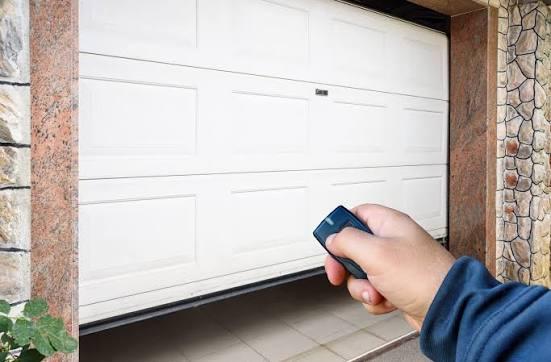
Struggling to get your car and home to sync perfectly can be incredibly frustrating after a long, exhausting day. If you are wondering how to set garage door opener in Subaru Forester, you are not alone, and we are here to help! This comprehensive guide will walk you through the exact steps to program your vehicle’s built-in system so you can pull into your driveway with zero hassle.
How To Set Garage Door Opener In Subaru Forester: The Steps
Before you begin, it is essential to understand that most modern Subaru Forester models utilize the HomeLink system. This universal transceiver is typically built into the overhead console or integrated directly into the rearview mirror.
To ensure a flawless connection, please gather your original handheld garage door remote and ensure it has fresh batteries. You may also want to pull your vehicle directly into the driveway to maintain a clear line of sight with the overhead motor unit.
Step 1: Clear the Previous Codes
If you bought your Subaru used or are reprogramming a button, you must clear the old memory first. Press and hold the two outer HomeLink buttons simultaneously.
Keep holding them for exactly 20 seconds. Watch the indicator light closely. Once the LED light begins to flash rapidly, release the buttons. Your system is now wiped clean and ready for new programming. Do not skip this step, or your car will experience signal interference.
Step 2: Position Your Handheld Remote
Sit in the driver’s seat and turn the ignition to the “ON” or “ACCESSORY” position. You do not need to start the engine. Take your original handheld remote and hold it 1 to 3 inches away from the HomeLink buttons on your overhead console.
Step 3: Sync the Frequencies
Choose the specific HomeLink button you wish to program. Simultaneously press and hold both your handheld remote button and your chosen HomeLink button.
Hold them down patiently. The HomeLink LED indicator will initially flash slowly. Keep holding until the light changes to a rapid, solid flash. This rapid flash indicates that the frequency has been successfully captured. Release both buttons.
Step 4: The “Rolling Code” Synchronization
Most modern homes use rolling code technology for security. To finalize the connection, exit your vehicle and approach the garage door motor unit mounted on the ceiling.
Locate the “Learn” or “Smart” button on the motor housing (usually near the antenna wire). Press this button firmly. You will typically have 30 seconds to complete the next step. Quickly return to your Forester and press your newly programmed HomeLink button three times in a row. This finalizes the handshake between your car and your home.
Rolling Code vs. Fixed Code: What Subaru Owners Need to Know
Understanding your home’s security system is vital when figuring out how to set garage door opener in Subaru Forester. A common point of confusion for beginners is the difference between older and newer garage systems.
According to historical data on garage door opener technology, manufacturers shifted toward rolling codes in the mid-1990s to prevent thieves from “grabbing” and replicating radio signals.
Below is a quick comparison to help you identify which system you have at home:
| Feature | Fixed Code Systems (Pre-1996) | Rolling Code Systems (Modern) |
|---|---|---|
| Security Level | Low (Static Signal) | High (Dynamic Signal) |
| Programming Steps | Usually ends at Step 3 | Requires Step 4 (Motor Unit Sync) |
| Indicator Behavior | Solid light after capture | Rapid flash, then requires 3 presses |
| Common Brands | Older Stanley, Moore-o-Matic | LiftMaster, Chamberlain, Genie |
If your HomeLink light stays solid after Step 3 but the door doesn’t open, you definitely have a rolling code system and must perform Step 4.
Troubleshooting Common HomeLink Programming Issues
Even with the best instructions, technology can sometimes be stubborn. Automotive integration specialist Mark Evans notes, “The most common mistake DIYers make is rushing the rolling code synchronization or holding the remote too far away during the initial capture.”
If your Forester isn’t opening the door, try these proven troubleshooting steps:
- Check Remote Batteries: A weak battery in your handheld remote will broadcast a weak frequency, causing the HomeLink system to fail during the capture phase.
- Eliminate Interference: LED bulbs installed inside the garage motor unit can sometimes cause radio frequency (RF) interference. Try unscrewing the bulbs temporarily if your signal keeps dropping.
- The “Unplug” Method: If the system refuses to sync, unplug the garage door motor from the ceiling power outlet for 60 seconds. Plug it back in and restart the programming sequence from Step 1.
- Distance Matters: Ensure your Forester is parked outside the garage during programming. The metal tracks and concrete walls of a closed garage can block the initial frequency handshake.
Real-World Case Study: Syncing the Forester in Winter
Let’s look at a real-world scenario. Sarah, a Subaru Forester owner from Denver, Colorado, struggled to program her system during a freezing January week. Her HomeLink buttons would capture the signal but refused to trigger the door.
The issue wasn’t the car; it was the temperature. The battery in her handheld remote had weakened due to the extreme cold, broadcasting a degraded signal. After bringing her handheld remote inside to warm up for 15 minutes and swapping in a brand-new battery, the HomeLink system synced on the very first attempt. Always account for environmental factors when dealing with radio frequencies!
Frequently Asked Questions
1. Can I program my Subaru Forester to open a gate instead of a garage?
Yes, absolutely! The HomeLink system in your Forester operates on the same radio frequencies as most community gates, estate doors, and even outdoor lighting systems. Simply follow the exact same step-by-step process outlined above, using the handheld remote provided by your community or gate manufacturer.
2. Why is my HomeLink light blinking but the door won’t open?
A slow blink usually means the system is actively searching for a signal, while a rapid blink means it has successfully captured the frequency. If the light is solid but the door remains shut, you are likely dealing with a rolling code system that requires the manual “Learn” button synchronization at the physical motor unit on your ceiling.
3. Do I need a ladder to program the garage door from my Forester?
For Step 4 (the rolling code synchronization), yes, you will likely need a step ladder to reach the “Learn” or “Smart” button on the overhead motor unit. However, for Steps 1 through 3, you can remain comfortably seated inside the driver’s seat of your Forester.
4. How many devices can I program into my Subaru’s HomeLink system?
Most Subaru Forester models come equipped with a 3-button HomeLink console. This allows you to program up to three distinct devices. You can use one for your primary garage, one for a detached workshop or gate, and a third for your home’s exterior security lights.
5. Will programming a new garage door erase my existing HomeLink settings?
No, programming a single button will not erase the other buttons on your console. However, performing Step 1 (holding the two outer buttons for 20 seconds) performs a factory reset and will wipe all previously saved devices from your vehicle’s memory. Only perform Step 1 if you want to start completely fresh.
Conclusion
Mastering how to set garage door opener in Subaru Forester transforms your daily routine, offering unmatched convenience and a touch of modern luxury every time you return home. By understanding your HomeLink system, following our precise timing steps, and knowing how to troubleshoot minor signal issues, you save yourself the time and expense of a dealership visit.
Your driveway experience should be seamless, secure, and entirely stress-free.
Did you find this guide helpful? Share this article on your favorite social media platforms like Facebook, X (Twitter), or Reddit to help fellow Subaru owners conquer their HomeLink programming struggles today!



Leave a Reply