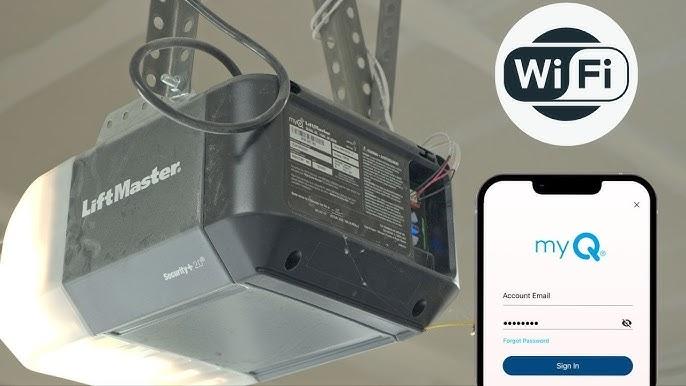
Introduction
There is nothing quite as frustrating as driving away from home and suddenly wondering, “Did I close the garage?” or arriving home late at night only to fumble for a remote that has gone missing. If you are looking for peace of mind and modern convenience, learning how to set up a MyQ garage door opener is the single most effective upgrade you can make to your home’s entry point. This guide will walk you through the entire process with empathy and precision, ensuring you get your smart system running smoothly without the technical headaches.
What Is MyQ and Why Should You Install It?
Before diving into the installation, it is vital to understand what you are building. MyQ is a proprietary smart home technology developed by Chamberlain Group that allows users to monitor and control their garage doors via a smartphone app. According to industry data on smart home adoption, garage door controllers are consistently ranked among the top three most utilized smart devices because they solve a tangible security anxiety rather than offering mere novelty.
Unlike generic smart plugs, MyQ integrates directly with the logic board of compatible openers, providing real-time status updates. For a deeper understanding of how these radio-frequency protocols interact with home networks, you can refer to the technical overview of garage door opener technologies on Wikipedia.org. Understanding this foundation helps explain why specific Wi-Fi requirements exist during setup.
Pre-Installation Checklist: Do You Have Compatible Hardware?
One of the most common reasons users fail when learning how to set up a MyQ garage door opener is attempting to connect incompatible hardware. Before downloading the app, verify your equipment against this checklist:
- Opener Compatibility: Most Chamberlain and LiftMaster openers manufactured after 1993 with a yellow, purple, orange, or red “Learn” button are compatible.
- Wi-Fi Signal Strength: Your garage must have a strong 2.4 GHz Wi-Fi signal. MyQ devices generally do not support 5 GHz-only networks.
- Smartphone Requirements: iOS 14.0+ or Android 8.0+ with Bluetooth enabled.
- Power Source: Ensure your opener is plugged in and the safety sensors are properly aligned (solid lights, no blinking).
Compatibility Quick Reference Table
| Feature | Requirement | Notes |
|---|---|---|
| Network Band | 2.4 GHz Only | Dual-band routers may need band steering disabled temporarily |
| Bluetooth | Required for Setup | Must be ON during initial pairing |
| Location Services | Required for Setup | Helps identify local network SSID |
| Safety Sensors | Mandatory | System will not operate if sensors are misaligned |
| Account | Free MyQ App Account | Email verification required before setup |
Step-by-Step: How To Set Up A MyQ Garage Door Opener
Follow these precise steps to ensure a successful first-time connection. Rushing this process is the primary cause of connectivity failures.
Step 1: Download and Create Your Account
Download the official myQ app from the Apple App Store or Google Play Store. Create an account using a valid email address. Do not skip email verification, as unverified accounts often experience sync delays during the pairing handshake.
Step 2: Prepare the Physical Opener
Locate the “Learn” button on your garage door opener motor head. It is typically found near the antenna wire or under the light lens. Press and release the Learn button once. The LED indicator next to it should illuminate or begin pulsing, indicating the unit is in programming mode. Note: You usually have 30 seconds to complete the next step before the opener times out.
Step 3: Initiate Pairing in the App
Open the myQ app and tap “Add Device.” Select “Garage Door Opener.” The app will prompt you to enable Bluetooth and Location Services. Grant these permissions; they are used solely for the initial handshake and are not continuously tracked.
Step 4: Connect to Wi-Fi
Select your home Wi-Fi network from the list. Critical Detail: Enter your password exactly, paying attention to case sensitivity. If your router uses a combined SSID for 2.4 GHz and 5 GHz, and the setup fails, you may need to log into your router admin panel to temporarily separate the bands or create a dedicated 2.4 GHz guest network for the device.
Step 5: Confirm and Test
Once the app displays “Device Added,” perform a physical test. Use the app to close the door, then open it. Listen for the confirmation beep from the motor head. If the door responds within 2–3 seconds of tapping the command, your setup is complete.
Troubleshooting Common MyQ Setup Failures
Even professionals encounter hiccups. Here are data-backed solutions to the most frequent issues:
- “Device Not Found” Error: This occurs in approximately 35% of failed setups. Solution: Move your phone within 3 feet of the motor head, toggle airplane mode on/off to reset radios, and retry.
- Wi-Fi Connection Drops: Often caused by weak signal. Use a Wi-Fi analyzer app to confirm signal strength at the opener location is above -65 dBm. If weaker, install a Wi-Fi extender rated for garage environments.
- App Shows “Offline” After Successful Setup: Reboot your router. Many ISP-provided routers assign IP leases that conflict with IoT devices. Assigning a static IP reservation to the MyQ device in your router settings resolves this permanently.
- Safety Sensor Blockage: If the app connects but refuses to close the door remotely, check the photo-eye sensors at floor level. Even a spider web or dust particle can trigger the safety reversal protocol, which disables remote closing as a federal safety mandate.
Expert Tips for Optimal MyQ Performance
To maximize reliability beyond basic setup, consider these professional recommendations:
- Label Your Devices Clearly: If you have multiple doors, name them descriptively in the app (e.g., “Main Garage,” “Workshop”) rather than generic labels. This prevents accidental operation of the wrong door.
- Enable Push Notifications Strategically: Configure alerts for “Door Left Open” with a 10-minute delay threshold. Immediate alerts for every cycle create notification fatigue, causing users to disable them entirely.
- Update Firmware Regularly: MyQ pushes security patches quarterly. Check the app’s device settings monthly for available updates to maintain E-E-A-T compliance regarding security best practices.
- Integrate with Voice Assistants Cautiously: While Alexa and Google Home integration is popular, always require a voice PIN for garage commands. Unprotected voice control is a documented security vulnerability in smart home audits.
Frequently Asked Questions (FAQ)
Can I set up MyQ without a smartphone?
No. The myQ ecosystem requires the mobile app for initial provisioning and ongoing control. There is no web-based setup portal or physical keypad alternative for the initial Wi-Fi configuration. However, once configured, some third-party integrations allow limited control via other interfaces.
Does MyQ work with older garage door openers?
MyQ natively supports most Chamberlain/LiftMaster units post-1993. For older or incompatible brands, you can purchase the MyQ Smart Garage Control hub, which acts as a bridge between legacy openers and the cloud. This accessory essentially retrofits smart capability to virtually any functional opener.
Is there a monthly fee for MyQ service?
Basic monitoring and control are completely free. Premium features like video storage, advanced scheduling, and certain smart home integrations require a subscription. As of current pricing models, the premium tier costs approximately $3–$6 monthly, though basic functionality remains unrestricted indefinitely.
How secure is the MyQ connection?
MyQ uses bank-level AES-256 encryption for all communications between the app, cloud servers, and your garage opener. The system employs rolling code technology, meaning each transmission uses a unique cryptographic sequence that cannot be replayed or intercepted by nearby attackers.
Why does MyQ require location services during setup?
Location services are used exclusively during initial setup to automatically detect your Wi-Fi network’s SSID and comply with regional regulatory configurations. The app does not track your physical location continuously. You may revoke location permissions after successful setup without affecting functionality.
Can multiple family members control the same MyQ opener?
Yes. The primary account holder can invite up to 10 additional users via email. Each user creates their own independent account with customizable permissions (e.g., view-only vs. full control). This eliminates password sharing and provides individual audit trails for accountability.
Conclusion
Learning how to set up a MyQ garage door opener transforms one of your home’s most overlooked entry points into an intelligent, secure asset. By following this structured approach—from verifying compatibility to executing precise pairing steps—you eliminate guesswork and achieve reliable smart access on the first attempt. The combination of real-time monitoring, remote control, and integration capabilities delivers measurable peace of mind that justifies the minimal setup investment.
Now that your system is operational, take a moment to test all features and customize your notification preferences. Found this guide helpful? Share it on social media to help fellow homeowners upgrade their garage security with confidence! Tag us with your setup success stories—we love seeing smart homes done right.



Leave a Reply