Have you ever stood in your driveway, remote in hand, wondering why your garage door won’t budge during a power outage? It is a frustrating scenario that leaves many homeowners asking, is there a battery in a garage door opener? The answer is not always a simple yes or no, as it depends heavily on the age and model of your unit. Understanding this distinction can save you from being locked out or stuck inside when the lights go down.
Understanding the Power Source of Your Garage Door
To answer the question accurately, we must first distinguish between the primary power source and the backup system. Most residential garage door openers are hardwired into your home’s electrical system. They plug into a standard 120-volt outlet or are directly wired into your home’s circuitry. This main power source is what drives the motor to lift and lower the heavy door during normal operation.
However, the role of a battery varies significantly depending on whether you have an older model or a modern smart opener.
Traditional Openers vs. Modern Smart Openers
In traditional units manufactured before the mid-2010s, batteries were rarely included as a standard feature for backup purposes. If these units lost power, they simply stopped working. Homeowners had to rely on the manual emergency release cord—a red rope hanging from the trolley—to disconnect the opener and lift the door by hand.
In contrast, modern garage door openers, especially those marketed as “smart” or “Wi-Fi enabled,” often come with built-in battery backup systems. Manufacturers like LiftMaster, Chamberlain, and Genie have recognized the need for reliability during storms and blackouts. According to industry standards, these backup batteries ensure that you can still operate your door via remote or wall control even when the grid is down.
Does My Garage Door Opener Have a Backup Battery?
If you are trying to determine if your specific unit has a battery, there are several visual and functional clues you can look for. Not all openers are created equal, and assuming you have a battery when you do not can lead to dangerous situations during an emergency.
Visual Inspection Checklist
- Look for a Battery Compartment: Check the main motor unit (the box mounted on your garage ceiling). Newer models often have a distinct compartment on the side or back labeled “Battery Backup.”
- Check for Indicator Lights: Many modern openers have an LED light that indicates the status of the backup battery. A green light usually means the battery is charged, while a flashing red or amber light may indicate a low charge or failure.
- Consult the Manual: The quickest way to know for sure is to check the user manual. Look for sections titled “Battery Backup,” “Emergency Operation,” or “Power Failure.”
- Model Number Search: If you cannot find the manual, locate the model number on the motor unit. A quick online search for “[Model Number] specs” will tell you if a battery is supported.
The Role of the Remote Control Battery
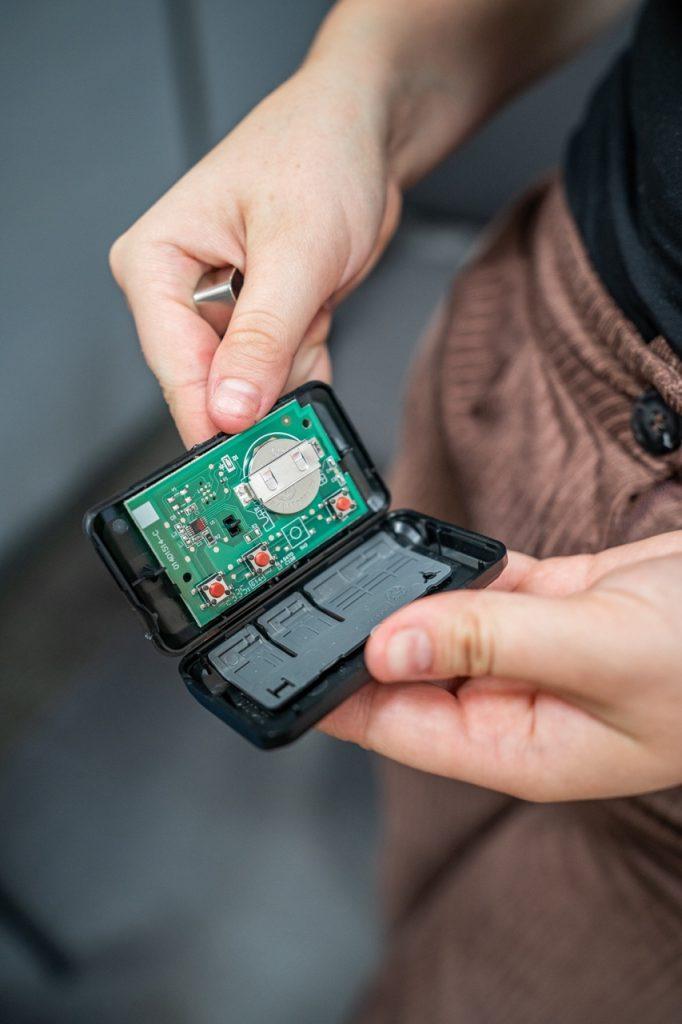
It is important to clarify a common misconception. When people ask, “is there a battery in a garage door opener,” they sometimes confuse the motor unit with the remote control. Yes, your handheld remote and keypad definitely contain batteries (usually CR2032 coin cells or 9-volt batteries). However, these batteries only power the signal transmission, not the motor itself. If the main unit loses electricity, a fresh remote battery will not help unless the motor unit also has its own backup power source.
Why You Need a Battery Backup System
Having a battery backup is no longer just a luxury; it is becoming a necessity for many homeowners. Here is why investing in an opener with a battery backup—or retrofitting one—is a smart move.
Reliability During Power Outages
Storms, hurricanes, and severe weather events frequently cause power outages. Without a backup battery, your garage door becomes a heavy, immovable object. This can trap your car inside, preventing you from evacuating or getting to work. Conversely, it can leave your home vulnerable if you cannot secure the garage door properly after a storm.
Safety and Security
A functioning garage door is a critical component of home security. If you cannot close your garage door due to a power failure, your home is exposed. A battery backup ensures that you can close and lock the door, maintaining the security perimeter of your house even when the electricity is out.
Convenience for Daily Life
Beyond emergencies, battery backups provide peace of mind. You do not have to worry about manually lifting a heavy door every time there is a brief flicker in the power supply. This is particularly beneficial for elderly homeowners or those with physical limitations who may struggle with the manual release mechanism.
How Long Does a Garage Door Battery Last?
One of the most common follow-up questions is regarding the lifespan and performance of these batteries. Understanding the limitations helps you manage expectations and maintain your system properly.
| Feature | Standard Lead-Acid Backup | Lithium-Ion Backup (Newer Models) |
|---|---|---|
| Lifespan | 3–5 years | 5–7 years |
| Charge Time | 24 hours for full charge | 10–12 hours for full charge |
| Operation Cycles | ~20 cycles per charge | ~50+ cycles per charge |
| Maintenance | Requires periodic testing | Low maintenance |
| Cost | Lower initial cost | Higher initial cost |
Note: Data based on general manufacturer specifications from major brands like LiftMaster and Genie.
Most backup batteries are designed to provide enough power for approximately 20 to 50 open-and-close cycles, depending on the weight of the door and the efficiency of the motor. Once the power is restored, the system automatically recharges the battery. However, like all batteries, they degrade over time and will eventually need replacement.
Step-by-Step: How to Test and Replace Your Battery
If you have confirmed that your opener has a backup battery, regular maintenance is crucial. A dead battery is useless in an emergency. Follow these steps to ensure your system is ready.
Testing the Battery
- Unplug the Opener: Locate the power cord of your garage door opener and unplug it from the wall outlet. Alternatively, turn off the circuit breaker that powers the garage.
- Operate the Door: Use your wall control button or remote to open and close the door.
- Observe Performance: The door should operate normally, though perhaps slightly slower than usual. If it does not move, or if it moves sluggishly and stops, the battery is likely dead or weak.
- Restore Power: Plug the unit back in or turn the breaker on. The opener should beep or flash lights to indicate it is recharging.
Replacing the Battery
If the test fails, it is time for a replacement. Always consult your specific model’s manual before proceeding, as procedures vary.
- Purchase the Correct Battery: Use only the battery type recommended by the manufacturer. Using an incompatible battery can damage the opener or create a fire hazard. Common types include 12V sealed lead-acid batteries.
- Locate the Battery Compartment: On most units, this is accessible without removing the entire cover. Look for a latch or screws on the side of the motor housing.
- Disconnect the Old Battery: Carefully unplug the connector from the old battery. Note the polarity (positive and negative terminals).
- Install the New Battery: Connect the new battery, ensuring the polarity matches. Secure it in the compartment.
- Test Again: Unplug the main power again to verify the new battery works.
- Recharge: Plug the unit back in and allow it to charge for at least 24 hours before relying on it for extended use.
For more detailed technical specifications on electrical safety and battery types, you can refer to general electrical standards on Wikipedia.
Frequently Asked Questions (FAQ)
1. Can I add a battery backup to an old garage door opener?
Yes, in many cases, you can. Major manufacturers sell universal battery backup kits that are compatible with many of their older models. However, compatibility is not guaranteed for all brands. Check with the manufacturer of your specific opener to see if a retrofit kit is available. If not, replacing the entire unit might be more cost-effective.
2. How do I know if my garage door opener battery is bad?
Most modern openers have indicator lights. A solid green light usually means good, while a flashing red or yellow light indicates a problem. Additionally, if the door operates slowly during a power outage test, or if the unit beeps continuously, the battery likely needs replacement.
3. Do all smart garage door openers have batteries?
Not all. While many smart openers support battery backups, some require you to purchase the battery module separately. Always read the product description carefully. Look for phrases like “Battery Backup Included” versus “Battery Backup Compatible.”
4. Can I use a car battery for my garage door opener?
Technically, some DIY enthusiasts have rigged external 12V car batteries to their openers. However, this is not recommended by manufacturers. Car batteries are not designed for the deep-cycle discharge required by garage door openers and can pose safety risks, including acid leaks and fire hazards. Stick to manufacturer-approved sealed lead-acid or lithium-ion backup batteries.
5. How often should I replace the backup battery?
As a general rule, you should replace the backup battery every 3 to 5 years. Even if it seems to be working, the capacity degrades over time. Proactive replacement ensures you are never caught off guard during a storm.
Conclusion
So, is there a battery in a garage door opener? For modern units, the answer is increasingly yes. These backup systems provide essential reliability, security, and peace of mind during power outages. For older units, the answer is likely no, but retrofitting options exist.
Don’t wait for a storm to find out if your system works. Take a few minutes today to inspect your garage door opener, check the indicator lights, and perform a simple power-cut test. If you don’t have a backup, consider upgrading to a model that includes one. Your future self will thank you when the next blackout hits.
Found this guide helpful? Share it with your neighbors on Facebook or Twitter to help them stay prepared too!



Leave a Reply