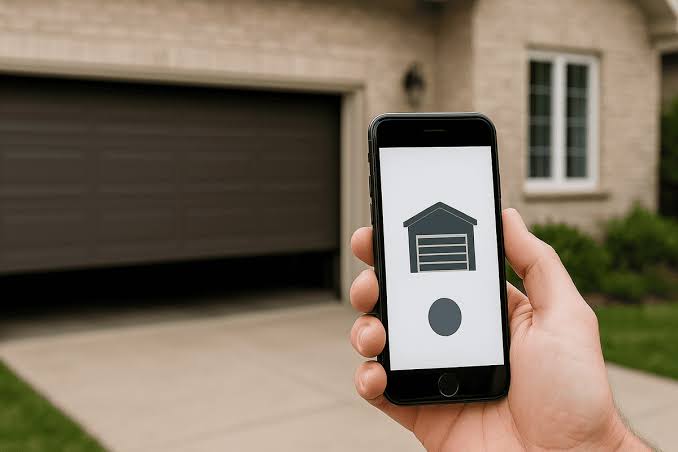
Have you ever pulled into your driveway only to realize you left the garage door wide open? Or perhaps you are miles away from home, worrying if you secured it properly before leaving for vacation? You are not alone in this anxiety. Many homeowners ask, “Is there a garage door opener app for iPhone?” The short answer is yes, but it requires more than just downloading a single universal app.
In this guide, we will explore how modern technology allows you to control your garage door directly from your iOS device. We will break down the hardware requirements, review top-rated applications, and provide step-by-step instructions to transform your standard garage into a smart, secure entry point.
Understanding the Technology Behind Smart Garage Control
Before diving into specific apps, it is crucial to understand that your iPhone cannot communicate with a traditional garage door opener out of the box. Standard openers use radio frequencies (usually 315 MHz or 390 MHz) that smartphones do not possess.
To bridge this gap, you need a smart garage controller. This is a small hardware device that connects to your existing garage door opener motor and links to your home Wi-Fi network. Once installed, this hardware acts as a translator, allowing your iPhone to send commands via the internet to open or close the door.
According to recent studies on home automation adoption, over 60% of smart home users prioritize security devices like cameras and smart locks. Garage door controllers have rapidly joined this list due to their convenience and peace of mind. For a deeper technical understanding of how wireless communication protocols work in home automation, you can refer to this Wikipedia article on Home Automation.
Top Garage Door Opener Apps for iPhone in 2026
Not all apps are created equal. Some require proprietary hardware, while others work with various brands. Here are the most reliable options available for iOS users.
1. myQ (by Chamberlain/LiftMaster)
The myQ app is arguably the most popular choice because Chamberlain and LiftMaster manufacture a significant portion of garage door openers in the US.
- Compatibility: Works seamlessly with most Chamberlain, LiftMaster, and Craftsman openers manufactured after 1993.
- Key Features: Real-time status updates, scheduling, and integration with Apple HomeKit (on newer models).
- User Experience: The interface is clean, intuitive, and offers a history log of every time the door was opened or closed.
2. Tailwind
Tailwind is a favorite among tech enthusiasts who want a solution that works with almost any brand.
- Compatibility: Universal compatibility with most major brands including Genie, Sommer, and older Chamberlain units.
- Key Features: Geofencing (opens the door automatically when you arrive home), no monthly subscription fees for basic features.
- User Experience: Known for its reliability and fast response times.
3. Meross Smart Garage Door Opener
Meross offers a budget-friendly hardware kit paired with a robust app.
- Compatibility: Works with most sectional garage doors.
- Key Features: Voice control via Siri Shortcuts, multi-user access, and detailed operation records.
- User Experience: The app is straightforward, though some users note it takes a few seconds longer to connect compared to myQ.
Comparison Table: Key Features at a Glance
| Feature | myQ App | Tailwind App | Meross App |
|---|---|---|---|
| Hardware Cost | Moderate | Higher | Budget-Friendly |
| Subscription | Free (Basic) / Paid (Video) | None | None |
| Apple HomeKit | Yes (Select Models) | No | Via Siri Shortcuts |
| Geofencing | Limited | Excellent | Good |
| Ease of Install | Easy | Moderate | Moderate |
How to Set Up Your iPhone Garage Door App
Setting up a smart garage system might seem daunting, but it is generally a plug-and-play process. Follow these steps to get started.
Step 1: Check Compatibility Before buying anything, locate the model number of your current garage door opener. It is usually found on the back or side of the motor unit hanging from your ceiling. Verify that this model is compatible with the smart controller you intend to buy.
Step 2: Install the Smart Controller Most controllers come with a mounting bracket and sensors.
- Unplug your garage door opener from the power source.
- Mount the smart controller near the motor unit.
- Connect the wires to the “terminal” screws on your opener (usually labeled for wall controls).
- Attach the door position sensor to the track and the door itself. This tells the app whether the door is open or closed.
Step 3: Connect to Wi-Fi Plug your opener back in. Download the corresponding app (e.g., myQ or Tailwind) from the Apple App Store. Create an account and follow the in-app instructions to connect the device to your home Wi-Fi network. Note: Ensure your garage has a strong Wi-Fi signal. If not, consider a Wi-Fi extender.
Step 4: Test and Configure Once connected, test the open and close functions from the app. Set up notifications so your iPhone alerts you whenever the door is operated. If you use Apple HomeKit, add the accessory to your Home app for voice control via Siri.
Security Considerations for Smart Garages
When you ask, “Is there a garage door opener app for iPhone,” security should be a primary concern. After all, you are giving digital access to one of the main entry points of your home.
Modern smart garage apps use bank-level encryption (AES-128 or higher) to protect your data. However, user behavior plays a significant role in security.
- Use Two-Factor Authentication (2FA): Always enable 2FA in your app settings. This ensures that even if someone guesses your password, they cannot access your garage without your phone.
- Keep Firmware Updated: Manufacturers regularly release updates to patch security vulnerabilities. Enable automatic updates in your app settings.
- Monitor Activity Logs: Regularly check the history log in your app. If you see an opening time that doesn’t match your activity, investigate immediately.
Troubleshooting Common Issues
Even the best technology encounters glitches. Here are solutions to common problems iPhone users face.
Issue: App Says “Door Offline”
- Solution: Check your Wi-Fi router. If the internet is down, the app cannot communicate with the garage. Restart your router and the smart controller.
Issue: Delayed Response
- Solution: This is often due to weak Wi-Fi signal in the garage. Try moving your router closer or installing a mesh Wi-Fi node in the garage area.
Issue: Sensor Misalignment
- Solution: If the app shows the wrong status (e.g., says closed when it’s open), check the physical sensor on the door track. Ensure the magnet and sensor are aligned within 1/2 inch of each other.
Frequently Asked Questions (FAQ)
1. Can I use my iPhone as a remote without buying extra hardware?
No. iPhones do not have the radio frequency transmitters required to talk to standard garage door openers. You must purchase a smart garage controller hub that connects to your Wi-Fi.
2. Do I need a monthly subscription for these apps?
Most basic features, such as opening and closing the door and receiving status alerts, are free. However, some brands like myQ charge a monthly fee for advanced features like video monitoring from integrated cameras.
3. Will these apps work if my power goes out?
If the power goes out, your Wi-Fi router will likely stop working, meaning you cannot control the door via the app. However, most garage door openers have a manual release cord that allows you to open the door physically during a power outage.
4. Is it safe to let family members use the app?
Yes. Most apps allow you to invite multiple users. You can grant them full access or restrict them to view-only status. This is ideal for dog walkers, cleaners, or teenage drivers.
5. Can I integrate the garage app with other smart home devices?
Absolutely. Many smart garage controllers integrate with Amazon Alexa, Google Assistant, and Apple HomeKit. This allows you to create routines, such as turning on the hallway lights when the garage door opens.
6. What happens if my internet is slow?
Smart garage commands are small data packets, so they do not require high bandwidth. However, high latency (lag) can cause a delay between tapping the button and the door moving. A stable connection is more important than a fast one.
Conclusion
So, is there a garage door opener app for iPhone? Yes, and it is one of the most impactful upgrades you can make to your home. By combining a reliable smart controller with a user-friendly iOS app, you gain unparalleled convenience and security. You will never again have to drive back home just to check if the door is closed.
Whether you choose the ecosystem-rich myQ, the universal Tailwind, or the budget-friendly Meross, the key is ensuring proper installation and robust Wi-Fi coverage. Take control of your home entry today.
Found this guide helpful? Share it with your friends on Facebook or Twitter who might still be struggling with their old garage remotes!



Leave a Reply