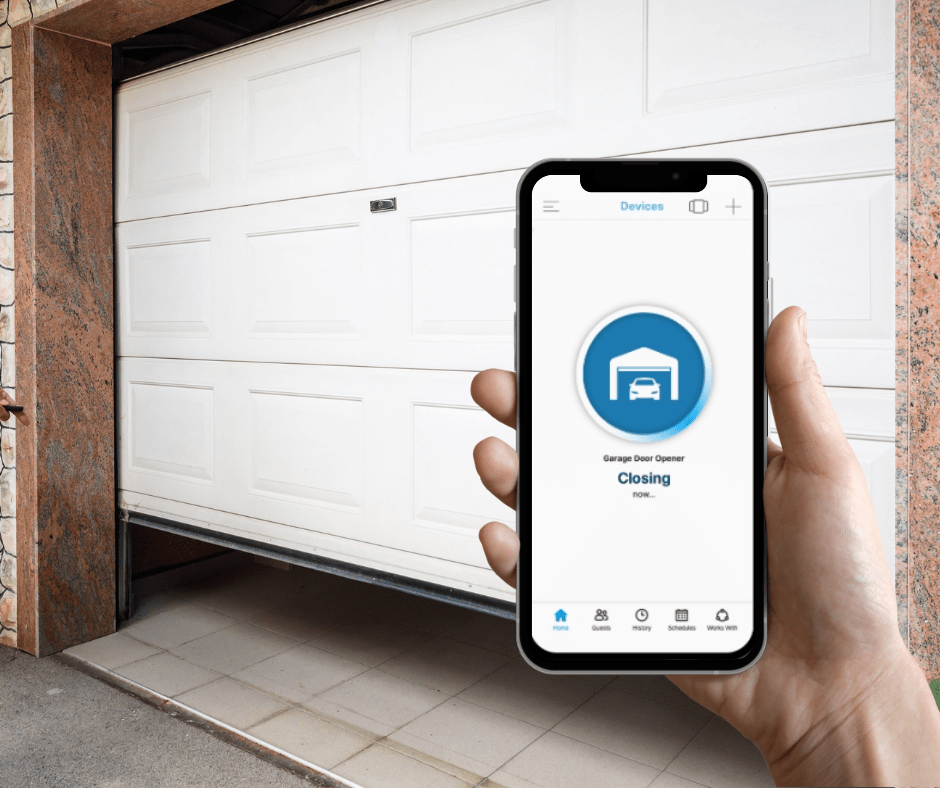
Have you ever pulled into your driveway in the pouring rain, only to realize you left your garage door remote inside the house? You are not alone in this everyday frustration. Many modern homeowners frequently ask, is there a garage door opener app for Android that can solve this problem safely, reliably, and without breaking the bank? The short answer is a resounding yes, and the technology is more accessible than ever.
Is There a Garage Door Opener App for Android? How They Work
If you are wondering is there a garage door opener app for Android that seamlessly integrates with your existing setup, the answer lies in smart home technology. Modern garage door opener apps do not magically lift the door on their own; instead, they act as a secure digital bridge between your Android smartphone and your garage door motor.
These apps typically communicate with a small hardware hub (often called a smart garage controller) plugged into your existing garage door opener. This hub connects to your home’s Wi-Fi network, allowing you to send encrypted commands from your phone to the garage, no matter where you are in the world.
This technology is a prime example of the broader Internet of Things (IoT) ecosystem, where everyday physical devices are embedded with sensors and network connectivity to exchange data. According to recent smart home adoption statistics, over 45% of US households now use at least one smart home device, with smart garage controllers being among the fastest-growing categories due to their unmatched convenience and security benefits.
Top Smart Garage Door Opener Apps for Android
Not all apps are created equal. When searching for the best solution, compatibility with your specific garage door brand is the most critical factor. Below is a comparison of the most trusted Android garage door apps on the market today.
| App Name | Best For | Key Features | Estimated Hardware Cost |
|---|---|---|---|
| myQ (by Chamberlain) | Chamberlain & LiftMaster owners | Real-time alerts, Amazon Key in-garage delivery, guest access. | $30 – $100 |
| Tailwind | Universal compatibility | GPS-based auto-open/close, no monthly fees, IFTTT support. | $80 – $120 |
| Meross Smart Garage | Budget-conscious users | Works with Alexa/Google Assistant, simple setup, secure encryption. | $40 – $60 |
| Nexx Garage | Advanced smart home users | HomeKit support (via bridge), detailed activity logs, robust API. | $90 – $130 |
Note: Always verify your garage door opener’s model number and manufacturing year (post-1993 is generally required for safety sensor compatibility) before purchasing any smart hub.
Step-by-Step Guide: Setting Up Your Android Garage App
Installing a smart garage door system is easier than most people think. Follow this concrete, step-by-step tutorial to get your Android app up and running in under 30 minutes.
Step 1: Verify Your Wi-Fi Network
Ensure your garage has a stable Wi-Fi signal. Most smart garage hubs only support 2.4 GHz Wi-Fi networks, not 5 GHz. If your router is far away, you may need a simple Wi-Fi extender to ensure the signal strength is at least -70 dBm in the garage.
Step 2: Download the Official App
Open the Google Play Store on your Android device and download the official app for your chosen hardware (e.g., myQ, Meross, or Tailwind). Avoid third-party, unofficial apps, as they pose significant security risks.
Step 3: Mount the Smart Hub
Unplug your garage door opener from the wall outlet. Mount the smart hub to the ceiling or wall near the motor unit. For optimal sensor performance, mount the hub at least 6 feet (1.8 meters) above the floor and within 3 feet of the motor unit.
Step 4: Connect the Sensors
Attach the included door position sensor to the garage door track using the provided adhesive tape or screws. Connect the wiring from the smart hub to the garage door opener’s terminal screws (usually labeled “1” and “2” or “common” and “normally open”).
Step 5: Power Up and Pair
Plug the garage door opener back in. Open the Android app, create an account, and follow the in-app prompts to pair the hub via Bluetooth or Wi-Fi. You will be asked to scan a QR code located on the back of the hub.
Step 6: Test the System
Stand clear of the garage door and tap “Close” or “Open” in the app. Verify that the physical door moves and that the app status updates in real-time.
Pros and Cons of Using a Smartphone Garage Opener
Before making the switch, it is helpful to weigh the advantages and potential drawbacks of relying on your Android device for garage access.
✅ The Pros:
- Unmatched Convenience: Open or close your door from anywhere, whether you are at work or on vacation.
- Peace of Mind: Receive instant push notifications if the door is left open, allowing you to close it remotely.
- Guest Access: Grant temporary, scheduled access to dog walkers, delivery drivers, or family members without handing over a physical remote.
- Voice Control: Easily integrate with Google Assistant or Amazon Alexa for hands-free operation.
❌ The Cons:
- Internet Dependency: If your home Wi-Fi goes down, remote app functionality is temporarily lost (though local Bluetooth may still work on some models).
- Initial Setup Effort: Requires basic familiarity with wiring and Wi-Fi configuration.
- Potential Subscription Fees: Some premium features, like video camera integration or extended activity history, may require a monthly subscription.
Security Considerations for Smart Garage Apps
Because your garage is a direct entry point to your home, security is paramount. Reputable garage door apps use AES 128-bit or 256-bit encryption, the same standard used by major financial institutions, to protect your data in transit.
Furthermore, modern systems utilize “rolling codes,” meaning the digital signal sent from your phone changes every single time you use it, preventing hackers from intercepting and replaying the signal. To maximize your security, always enable Two-Factor Authentication (2FA) within the app settings and use a strong, unique password for your account. Never share your primary login credentials; instead, use the app’s built-in “Guest Access” feature to invite others securely.
Frequently Asked Questions (FAQ)
1. Can I open my garage door with my Android phone without Wi-Fi?
Yes, but with limitations. Some advanced smart hubs (like certain Tailwind or Bluetooth-enabled models) allow you to open the garage door when your phone is within a short Bluetooth range (typically 30–50 feet), even if your home Wi-Fi is down. However, remote access from outside the house always requires an active internet connection.
2. Are garage door opener apps safe from hackers?
When you use reputable, name-brand apps (like myQ or Meross) and enable Two-Factor Authentication (2FA), they are highly secure. They use end-to-end encryption and rolling codes. The biggest security risk usually comes from using weak passwords or unofficial, third-party apps, which should be avoided.
3. Do I need a new garage door opener to use an Android app?
No, you do not need to replace your entire garage door motor. In most cases, you only need to purchase a smart garage door controller (hub) that wires into your existing opener, provided your opener was manufactured after 1993 and has standard safety sensors.
4. Which is the best free garage door opener app for Android?
The apps themselves (like myQ or Meross) are free to download and use for basic open/close functionality and notifications. However, you must purchase the compatible physical hardware hub. Beware of any app claiming to turn your phone into a universal garage remote without hardware; these are almost always scams or malware.
5. Will a garage door app work with my existing Android tablet?
Absolutely. As long as your Android tablet is running a supported version of the Android operating system (typically Android 8.0 or higher) and has access to the Google Play Store, you can install and use the garage door app just as you would on a smartphone.
Conclusion
So, is there a garage door opener app for Android? Absolutely. Upgrading your traditional garage door with a smart Android app is one of the most practical and rewarding smart home investments you can make. It eliminates the stress of forgotten remotes, provides real-time security alerts, and seamlessly integrates into your daily digital routine.
By choosing a reputable brand, following the setup steps carefully, and enabling strong security practices, you can enjoy total peace of mind and ultimate convenience.
Found this guide helpful? Don’t keep the convenience to yourself! Share this article with your friends and family on Facebook, Twitter, or WhatsApp, and help them upgrade their smart home experience today.



Leave a Reply