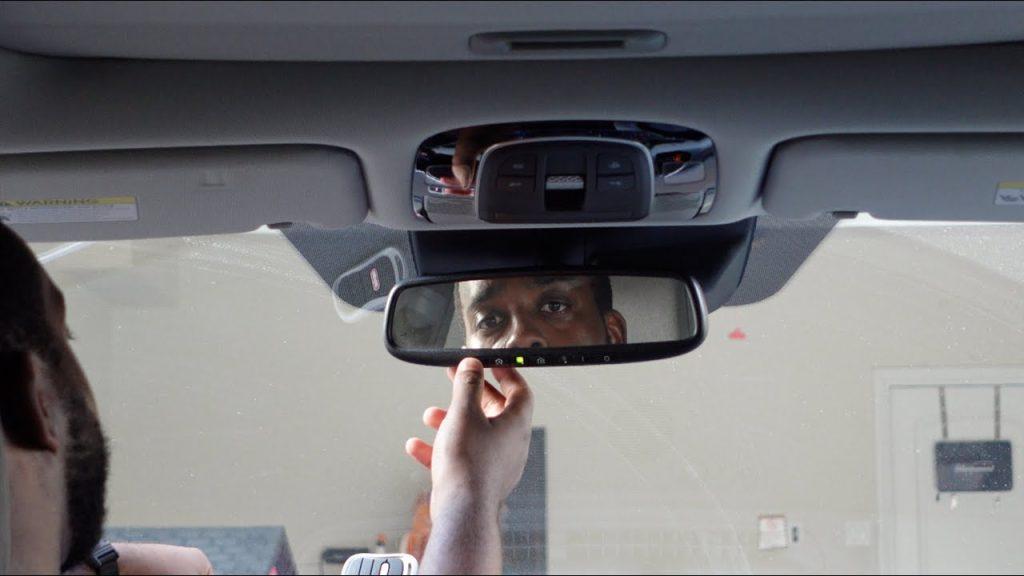
We have all been there: pulling into the driveway in the pouring rain, only to realize you have to fumble around your visor for a tiny, clunky remote just to open the garage. If you recently bought a new vehicle or moved into a new home, you might be wondering how to get rid of that extra clicker. Fortunately, learning how to program a garage door opener in car is actually much simpler than it sounds, and we are here to walk you through it step-by-step so you can enjoy hands-free entry in no time.
How To Program A Garage Door Opener In Car: What You Need First
Before we dive into the buttons and blinking lights, it helps to understand what kind of system your vehicle uses. Most modern cars come equipped with a built-in system like HomeLink, Car2U, or a Universal Garage Door Opener. These are typically found on the rearview mirror, the overhead console, or the driver-side visor.
If your car does not have a built-in system, you can still use a universal visor-mounted remote. However, the built-in systems are far more convenient and aesthetically pleasing.
Comparison: Built-In vs. Universal Visor Remotes
| Feature | Built-In System (e.g., HomeLink) | Universal Visor Remote |
|---|---|---|
| Convenience | High (integrated seamlessly into the car) | Medium (clipped to the visor) |
| Aesthetics | Sleek and factory-looking | Visible and can look cluttered |
| Cost | Included in your vehicle’s trim | $20 to $40 to purchase separately |
| Power Source | Car’s electrical system (no batteries) | Requires replaceable coin batteries |
According to a recent survey by the International Door Association (IDA), over 60% of homeowners prefer vehicle-integrated remote control systems for daily convenience. “Integrating your garage remote into your vehicle not only declutters your visor but also enhances home security by eliminating the risk of losing a standalone remote,” notes a certified garage door technician from the Door Dealers Association of America.
How Do I Know If My Car Has a Built-In Garage Door Opener?
If you are not sure whether your vehicle has this feature, look closely at your rearview mirror or the overhead console near your interior lights. You are looking for three small, rectangular buttons. They might be blank, or they might have icons like a radio, a house, or a floating star.
If you see these buttons, congratulations! You have a built-in system. If you do not see them, check your owner’s manual, as some cars have it hidden in the sunglasses compartment or the driver-side visor.
Step-by-Step Guide: How To Sync Your Car to the Garage Door
Now that we know what you are working with, let us get to the actual process. This is the most common method for standard fixed-code or older garage door openers.
Step 1: Clear the Old Memory Before starting, you need to wipe the system clean. Press and hold the outer two buttons (usually buttons 1 and 3) on your car’s system simultaneously. Hold them down for about 20 seconds until the indicator light flashes rapidly. This usually means the memory is cleared.
Step 2: Position Your Remote and Car Sit in your driver’s seat and turn the ignition to the “ON” or “ACC” position (you do not necessarily need to start the engine, but it ensures steady power). Hold your original garage door remote 1 to 3 inches away from the buttons you want to program on your car’s visor or mirror.
Step 3: Transmit the Signal Press and hold the button on your original handheld remote. While holding that down, press and hold the desired button on your car’s system. Keep both buttons pressed. Watch the indicator light on your car’s system; it will start by flashing slowly and then switch to a rapid flash after about 10 to 20 seconds.
Step 4: Test the Connection Release both buttons. Point your car’s built-in system toward the garage door motor and press the newly programmed button. If the door moves, you are done! If not, proceed to the next section regarding rolling codes.
What If My Garage Door Opener Uses Rolling Code Technology?
If your garage door opener was manufactured after 1993, it likely uses rolling code technology. This means the security code changes every single time you use the remote, making it nearly impossible for thieves to copy your signal.
To learn more about how this encryption works to keep your home safe, you can read about the Rolling Code system on Wikipedia.
If your car’s indicator light flashes rapidly but the door does not move, you likely have a rolling code opener. Here is how to sync it:
- Program the car first: Follow Steps 1 through 3 above until the car’s light flashes rapidly.
- Locate the “Learn” or “Smart” button: Go to your actual garage door motor hanging from the ceiling. Look for a colored button (usually orange, red, purple, or yellow) on the back or side of the motor unit.
- Press the Learn button: Press and release this “Learn” button on the motor. The indicator light on the motor will blink or glow.
- Return to your car: You have exactly 30 seconds to go back to your car. Press and hold the programmed button on your car’s system for two seconds, then release it.
- Press it again: Press the same button a second time and hold it for two seconds. If the garage door moves, the rolling codes are now successfully synced!
Troubleshooting: Why Won’t My Car Program to the Garage?
Sometimes, technology does not cooperate on the first try. If you are stuck, check these common culprits:
- Distance Issues: When programming, make sure your handheld remote is only 1 to 3 inches away from the car’s buttons. If it is too far, the car cannot pick up the signal.
- Dead Batteries: Check the battery in your handheld remote. A weak battery might transmit enough signal to open the door from the driveway, but not enough to program the car from inside.
- Frequency Incompatibility: Most modern systems work seamlessly, but some very old openers (pre-1993) operate on frequencies that modern car systems cannot read. If you have an ancient opener, you may need to buy a universal compatibility converter.
- Erased Memory: If your car battery died recently, the built-in system might have lost its memory. You will just need to repeat the programming steps.
Frequently Asked Questions
1. Can I program any car to any garage door opener? Most cars equipped with HomeLink or similar universal systems can program to about 95% of garage door openers in the US and Canada. However, if your opener is extremely old (manufactured before 1993) or uses a very specific European frequency, you might need an additional universal receiver or a non-compatible adapter.
2. How much does it cost to program a garage door opener in a car? If your car already has a built-in system, it is completely free! You just need your time and your original remote. If you need to buy a universal visor remote or a compatibility converter, expect to spend between $20 and $50 at a local hardware store.
3. Why did my car’s garage door button stop working? If it used to work but suddenly stopped, the most common reasons are a dead battery in your handheld remote (which erased the car’s memory during a reprogramming attempt), a recent car battery replacement that wiped the system’s memory, or a power outage at your home that reset the garage motor’s logic board.
4. Do I need the original remote to program my car? In most cases, yes. You need the working handheld remote to transmit the signal to the car. However, if you have a newer motor with a “Learn” button, some vehicles allow you to program directly to the motor without the original remote by following the “Smart Button” method on the motor itself. Check your vehicle’s manual for “remote learn” procedures.
5. Can I program multiple garage doors to my car? Absolutely. Most built-in systems have three separate buttons. You can program one for your main garage door, one for a side gate, and one for a vacation home or a parent’s house. Just repeat the step-by-step process for each individual button.
Conclusion
Learning how to program a garage door opener in car is a fantastic weekend project that pays off every single day. Not only does it free up space on your visor and eliminate the anxiety of losing a tiny remote, but it also gives you a sleek, factory-integrated look. By following these clear steps, you can easily sync your vehicle to your home in just a few minutes.
If you found this guide helpful and finally got your garage door working smoothly, please share this article on your social media or send it to a friend who is struggling with their new car! Have you tried programming your car yet? Let us know how it went in the comments below.



Leave a Reply