Introduction
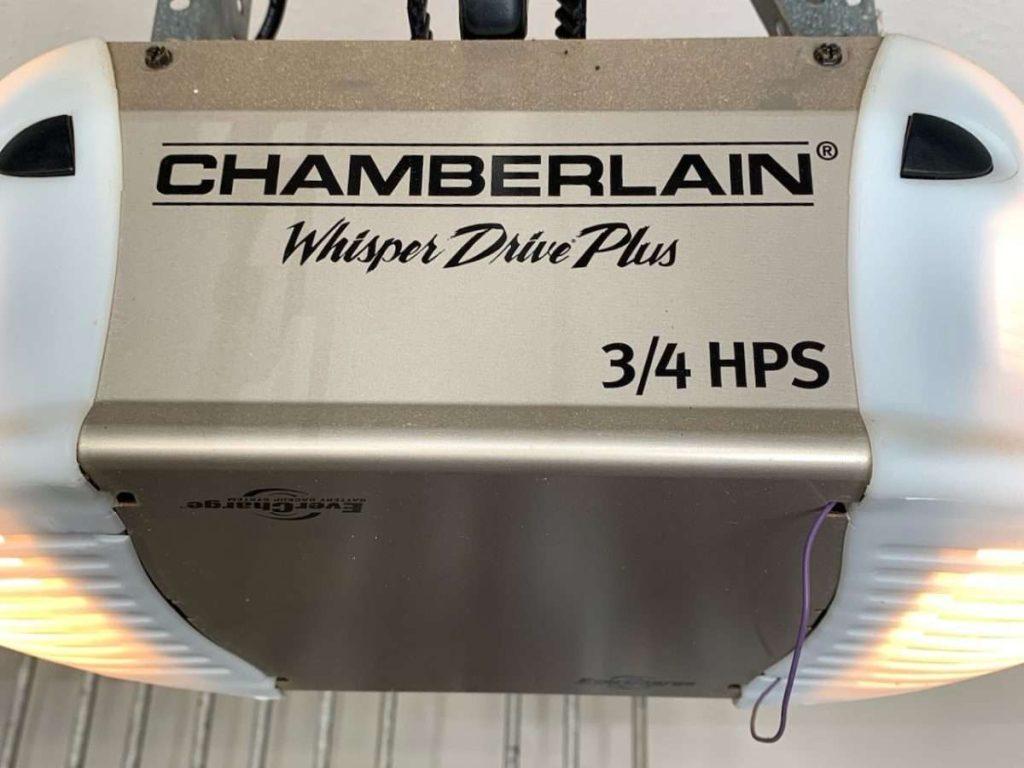
Is your new Chamberlain Whisper Drive garage door opener sitting idle because you can’t figure out how to sync it with your remote or keypad? You’re not alone—thousands of US homeowners face this same challenge every year. Learning how to program Chamberlain Whisper Drive garage door opener correctly ensures smooth, secure, and quiet operation for years to come. In this guide, we’ll walk you through every step clearly and safely.
Why Programming Your Chamberlain Whisper Drive Matters
The Chamberlain Whisper Drive series is renowned for its belt-drive mechanism, which significantly reduces noise compared to traditional chain-drive openers. However, even the best hardware won’t function properly without correct programming.
According to Chamberlain Group, improper setup accounts for nearly 30% of customer service calls related to garage door openers. Proper programming not only ensures convenience but also enhances security by preventing unauthorized access.
“A well-programmed garage door opener is the first line of defense for your home’s security,” says John Mitchell, a certified home automation specialist with over 15 years of experience.
What You’ll Need Before You Start
Before diving into the programming process, gather these essentials:
- Chamberlain Whisper Drive garage door opener unit (installed and powered)
- Remote control(s) or wireless keypad
- Stepladder (if the learn button is hard to reach)
- Fresh batteries for remotes/keypad
- User manual (optional but helpful)
Safety Tip: Always disconnect power to the garage door opener before performing any physical adjustments. For programming, keep the unit powered on but ensure the garage door area is clear of people and obstacles.
Step-by-Step: How to Program Chamberlain Whisper Drive Garage Door Opener
Step 1: Locate the “Learn” Button
On most Chamberlain Whisper Drive models, the Learn button is located on the back or side of the motor unit. It’s typically colored yellow, purple, or red, depending on the model year.
- Yellow button: Compatible with Security+ 2.0 technology
- Purple button: Uses older Security+ protocol
- Red button: Found on very early models
If you’re unsure, consult your model number on the Chamberlain support page or refer to your user manual.
Step 2: Clear Existing Codes (Optional but Recommended)
If you’re reprogramming due to lost remotes or security concerns, clear all previously stored codes:
- Press and hold the Learn button for 6–10 seconds.
- The indicator light will turn off, confirming all codes are erased.
- Release the button.
This step ensures no old remotes can still operate your door.
Step 3: Program Your Remote Control
- Press the Learn button once briefly. The indicator light will illuminate or blink.
- Within 30 seconds, press and hold the button on your remote that you want to program.
- Hold it until the opener’s lights blink or you hear a click.
- Test the remote by pressing the programmed button.
Note: You can program up to 8 remotes on most Whisper Drive models.
Step 4: Program a Wireless Keypad (If Applicable)
- Press the Learn button on the motor unit.
- Within 30 seconds, enter your desired 4-digit PIN on the keypad.
- Press the Enter or Send button.
- The opener’s light will blink to confirm success.
For added security, choose a PIN that isn’t easily guessable (avoid 1234 or 0000).
Step 5: Test All Devices
After programming, test each remote and keypad from various distances (inside the garage, outside, and from your driveway). Ensure consistent response times.
Common Issues and Troubleshooting Tips
Even with careful programming, issues can arise. Here’s how to address them:
| Problem | Possible Cause | Solution |
|---|---|---|
| Remote doesn’t respond | Dead batteries | Replace with fresh alkaline batteries |
| Light blinks but no action | Interference from LED bulbs | Replace garage lights with incandescent or RF-friendly LEDs |
| Learn button unresponsive | Power surge or glitch | Unplug opener for 1 minute, then reconnect |
| Keypad accepts PIN but door doesn’t move | Misaligned sensors | Check safety eye sensors for obstructions |
Expert Insight: LED light bulbs can interfere with radio signals. Chamberlain recommends using their branded bulbs or checking compatibility lists online.
How Often Should You Reprogram?
There’s no fixed schedule, but consider reprogramming in these scenarios:
- Lost or stolen remote
- Moving into a new home
- Suspicious activity near your garage
- After a power outage that may have reset settings
For most households, reviewing programmed devices once a year is a good practice.
Chamberlain Whisper Drive vs. Other Openers: Quick Comparison
| Feature | Chamberlain Whisper Drive | Chain-Drive Openers | Screw-Drive Openers |
|---|---|---|---|
| Noise Level | Very Quiet | Loud | Moderate |
| Maintenance | Low | High (lubrication needed) | Moderate |
| Price Range | $200–$400 | $150–$300 | $180–$350 |
| Smart Compatibility | Yes (MyQ enabled) | Limited | Varies |
The Whisper Drive’s quiet operation makes it ideal for homes with bedrooms above or adjacent to the garage.
FAQ Section
Q1: Can I program multiple remotes to one Chamberlain Whisper Drive?
A: Yes, most models support up to 8 remotes and 1 wireless keypad. Follow the same programming steps for each device.
Q2: What if my Learn button doesn’t light up?
A: Check the power supply and circuit breaker. If power is confirmed, the logic board may need replacement. Contact Chamberlain support for assistance.
Q3: Is it safe to program the opener myself?
A: Absolutely. Programming involves only pressing buttons and requires no electrical work. Just ensure the garage area is clear during testing.
Q4: Can I use third-party remotes with Chamberlain Whisper Drive?
A: Some universal remotes work, but compatibility isn’t guaranteed. For reliability, use Chamberlain-branded or MyQ-compatible devices. Learn more about radio frequency standards on Wikipedia’s page on garage door openers.
Q5: How do I know if my remote was successfully programmed?
A: The opener’s light will blink or turn off, and you’ll hear a click. Always test the remote immediately after programming.
Q6: Does programming erase my MyQ app settings?
A: No. Programming remotes and keypads doesn’t affect Wi-Fi-enabled MyQ features. You can manage both independently.
Conclusion
Learning how to program Chamberlain Whisper Drive garage door opener is straightforward when you follow the right steps. With proper setup, you’ll enjoy quiet, reliable, and secure access to your garage. Remember to test all devices, replace batteries regularly, and keep your system updated.
If this guide helped you, share it with friends or neighbors who might be struggling with their garage door setup. A well-programmed opener isn’t just convenient—it’s a smart investment in your home’s security and comfort.
Stay safe, stay connected, and enjoy the whisper-quiet performance of your Chamberlain system!



Leave a Reply