Introduction
There is nothing quite as frustrating as pulling into your driveway after a long day, only to realize you cannot get your new vehicle’s integrated system to communicate with your home. If you are struggling with this exact issue and searching for how to set garage door opener in VW Atlas, please know that you are not alone; this is one of the most common questions new Volkswagen owners ask. The good news is that the VW Atlas utilizes the universal HomeLink system, which is designed to be user-friendly once you understand the specific programming sequence. This guide will walk you through every step with empathy and precision, ensuring you can open your garage seamlessly from behind the wheel of your Atlas.
Understanding the HomeLink System in Your VW Atlas
Before diving into the buttons, it is vital to understand what you are actually programming. The VW Atlas does not use a proprietary Volkswagen remote system; instead, it integrates the HomeLink Wireless Control System. According to Wikipedia, HomeLink is a radio frequency transmitter that replaces hand-held remotes for garage doors, gates, lighting, and security systems.
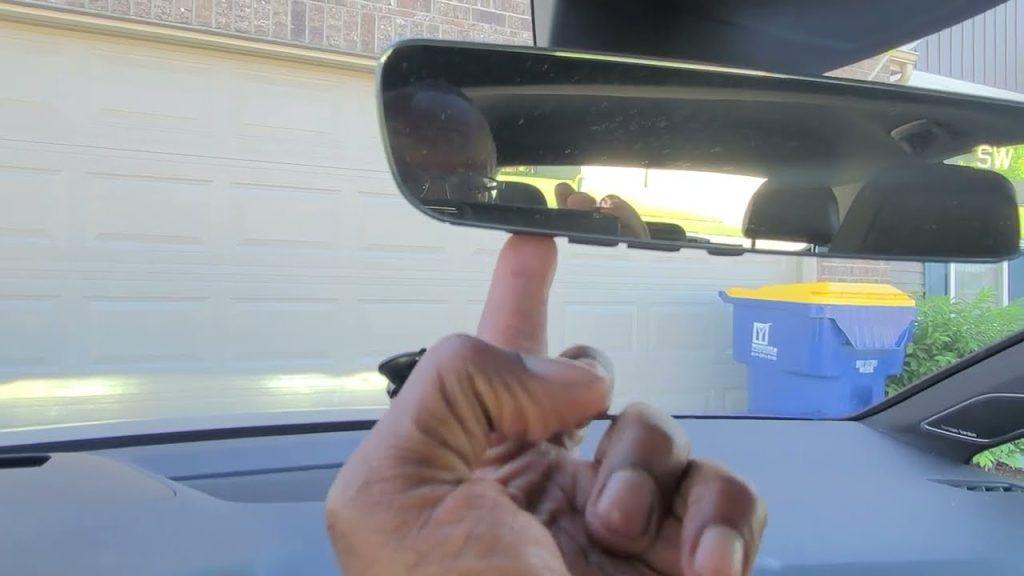
Understanding this distinction matters because it dictates the troubleshooting process. You are not syncing a “VW part” to your house; you are syncing a universal RF bridge. Most VW Atlas models (2018–2026) feature three HomeLink buttons located either on the overhead console near the rearview mirror or integrated directly into the driver-side sun visor. Identifying your specific button location is the first concrete step toward success.
Why Factory Resets Matter First
Many users fail at programming because they attempt to add a new code over an old, corrupted memory slot. Always perform a factory reset before starting. This clears previous owner data or failed attempts that create signal interference. Think of it like rebooting a frozen computer; it is the foundational step for a clean connection.
Step-by-Step: How To Set Garage Door Opener In Vw Atlas
This tutorial assumes you have a standard rolling-code garage door opener (manufactured after 1995). Please follow these instructions precisely. Rushing through timing-sensitive steps is the primary cause of failure.
Phase 1: Clearing the Memory
- Turn your VW Atlas ignition to the “ON” position (engine running is recommended to prevent battery drain during extended programming).
- Press and hold the two outer HomeLink buttons simultaneously for approximately 20 seconds.
- Watch the indicator light. It will flash slowly, then rapidly. Release the buttons only when the rapid flashing begins.
- The system is now wiped clean and ready for new programming.
Phase 2: Programming the Transmitter
- Hold your original handheld garage door remote 1–3 inches away from the HomeLink buttons on your Atlas. Angle matters; try pointing it directly at the button face.
- Simultaneously press and hold the desired HomeLink button AND the button on your handheld remote.
- Observe the HomeLink indicator light. It will flash slowly at first. Do not release. Keep holding until the light flashes rapidly (this can take up to 60 seconds).
- Release both buttons immediately upon seeing the rapid flash. This confirms the Atlas has learned the signal.
Phase 3: Synchronizing with the Garage Motor (Rolling Code Only)
If your garage door uses rolling-code technology (most modern openers do), Phase 2 alone will not open the door. You must complete this synchronization step within 30 seconds of finishing Phase 2.
- Go to your garage door motor unit mounted on the ceiling.
- Locate the “Learn” or “Smart” button. It is typically yellow, purple, orange, or red and located near the antenna wire or light lens.
- Press and release the Learn button. The indicator light on the motor will illuminate or blink, signaling it is in pairing mode.
- Return to your VW Atlas immediately. Firmly press and hold the programmed HomeLink button for 2 seconds, then release. Repeat this press-hold-release cycle up to 3 times until the garage door activates.
Expert Tip: If the door does not move after three cycles, check the battery in your handheld remote. A weak battery often transmits a signal strong enough to program the car but too weak to trigger the final sync with the ceiling motor.
Fixed Code vs. Rolling Code: What VW Atlas Owners Need to Know
Not all garage openers are created equal. Misidentifying your type leads to wasted time. Use this comparison table to diagnose your system:
| Feature | Fixed Code (Older) | Rolling Code (Modern) |
|---|---|---|
| Manufacture Date | Pre-1995 | Post-1995 |
| Security Level | Low (static signal) | High (changing signal) |
| Programming Steps | Phase 1 & 2 only | Phase 1, 2, AND 3 required |
| Indicator Behavior | Solid light after programming | Rapid flash during programming |
| Common Brands | Genie older models | LiftMaster, Chamberlain, Craftsman |
If you completed Phase 2 and your HomeLink light remains solid (not flashing), you likely have a fixed-code opener. Skip Phase 3 and test the door. If the light flashed rapidly during Phase 2 but the door won’t open, you have a rolling-code opener and must complete Phase 3.
Troubleshooting Common VW Atlas HomeLink Issues
Even with perfect execution, variables can interfere. Here are solutions to the most frequent pain points based on real-world service data:
- LED Never Flashes Rapidly: Change the angle of your handheld remote. Try holding it above, below, or to the side of the HomeLink button. Some VW Atlas overhead consoles have slight shielding that requires precise alignment. Also, replace the handheld remote battery with a fresh CR2032 or equivalent.
- Door Opens Intermittently: Signal interference from LED bulbs in the garage fixture is a documented issue. Temporarily unscrew the garage light bulb and retest. If programming works without the bulb, switch to RF-shielded LED bulbs rated for garage door openers.
- Works Outside Garage But Not Inside: This indicates range issues rather than programming failure. Check for metal obstructions in the headliner or aftermarket tint films containing metallic particles that block RF signals.
- Canadian/International Models: Some VW Atlas vehicles sold outside the US operate on different frequencies. Verify your HomeLink module matches your regional garage opener frequency (US: 315 MHz / 390 MHz dual-band).
Frequently Asked Questions (FAQ)
Can I program my VW Atlas garage opener without the original remote?
Generally, no. The HomeLink system requires cloning an existing signal. However, if your garage motor has a direct “HomeLink” or “Car2U” learn procedure (rare in newer models), you may bypass the remote. Otherwise, purchase a compatible replacement remote first, program it to the motor, then use it to program your Atlas.
Does the VW Atlas support smart garage openers like MyQ or Tailwind?
The built-in HomeLink system operates via traditional RF signals, not Wi-Fi. It cannot directly connect to smart platforms. However, many smart openers include a traditional RF receiver specifically for HomeLink compatibility. Check your smart opener’s specifications for “HomeLink Compatible” labeling.
How many devices can my VW Atlas HomeLink store?
Your VW Atlas HomeLink system stores up to three distinct devices. These can be any combination of garage doors, gate operators, entry locks, or lighting controllers. Each of the three buttons corresponds to one device memory slot.
Will disconnecting my VW Atlas battery erase HomeLink settings?
No. HomeLink memory is stored in non-volatile memory. Disconnecting the battery, replacing it, or even performing routine maintenance will not delete your programmed garage door codes. Only a manual factory reset (holding outer buttons for 20 seconds) clears the memory.
My VW Atlas is a 2024+ model with digital cockpit. Is programming different?
The physical programming steps remain identical regardless of infotainment generation. However, some 2024–2026 Atlas models display HomeLink status on the digital instrument cluster or center screen. Use this visual feedback as confirmation alongside the physical LED indicator light for added certainty during programming.
Why did my previously working HomeLink suddenly stop functioning?
Sudden failure usually indicates one of three issues: a dead battery in the handheld remote (even if unused, batteries degrade), a tripped GFCI outlet powering the garage motor, or accidental memory clearing during detailing or windshield replacement. Start by checking power to the motor and replacing the remote battery before reprogramming.
Conclusion
Mastering how to set garage door opener in VW Atlas transforms your daily routine from a fumbling hassle into a seamless arrival experience. By understanding the HomeLink system, following the precise three-phase programming sequence, and applying targeted troubleshooting when needed, you gain full control over your vehicle’s convenience features. Remember that patience during the timing-sensitive steps pays dividends—rushing is the enemy of successful synchronization.
Your VW Atlas was engineered to make life easier, and a properly programmed garage opener is one of its most satisfying daily luxuries. Did this guide help you finally sync your garage door? Share this article on Facebook, X (Twitter), or Reddit to help fellow VW owners conquer their HomeLink challenges. Your share might save someone else thirty minutes of driveway frustration tonight! Drive safely and enjoy the convenience you’ve earned.



Leave a Reply