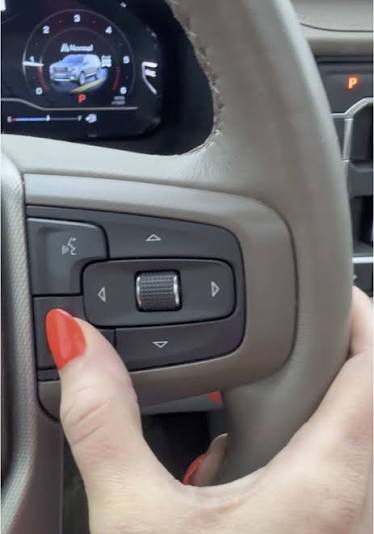
Struggling to sync your vehicle and home? Learning how to program a GMC Sierra garage door opener doesn’t have to be a frustrating ordeal. In just a few minutes, you can seamlessly connect your truck’s built-in system to open your garage with a single button press.
Think of me as your trusted automotive friend. I know that staring at the buttons on your rearview mirror or overhead console can feel overwhelming. However, I promise that by the end of this guide, you will be pulling into your driveway and pressing one button to open the door like a pro. Let’s dive right in!
How To Program A GMC Sierra Garage Door Opener: Preparation
Before we start pressing buttons, we need to set the stage. Proper preparation prevents poor performance, especially when dealing with vehicle electronics.
First, ensure your GMC Sierra is parked safely outside the garage. Never close the garage door while you are testing the system, as this can trap you outside or damage the door mechanism.
Next, gather what you need. You will need your existing, working garage door remote and the key to your GMC Sierra.
What You Need vs. What You Don’t Need
To make things crystal clear, here is a quick checklist to keep you on track:
| What You Need | What You Don’t Need |
|---|---|
| Your working garage door remote | A ladder to reach the motor |
| Your GMC Sierra keys | Specialized mechanic tools |
| A clear line of sight to the garage | To be inside the garage during setup |
According to industry data, over 30 million vehicles on the road today are equipped with integrated garage door systems like the HomeLink system found in your GMC. Taking five minutes to prepare properly will save you a lot of headaches later.
How Do You Clear the Old HomeLink Memory?
If you bought your GMC Sierra used, or if you are replacing an old setup, you must clear the old memory first. This is a crucial step that many beginners skip.
- Turn your GMC Sierra’s ignition to the RUN position. You do not need to start the engine, but the electrical system must be on.
- Locate the two outer buttons on the HomeLink console (usually located on the rearview mirror or the overhead console).
- Press and hold both outer buttons simultaneously.
- Keep holding them for exactly 20 seconds.
- Watch the indicator light. Once it flashes rapidly and then turns solid, the memory is cleared.
Pro tip: If your indicator light does not flash after 20 seconds, turn the ignition off and try again. Ensure your vehicle battery is fully charged.
What Are the Exact Steps to Program the Buttons?
Now comes the fun part. This is where we actually teach your GMC Sierra the frequency of your garage door.
- Hold your original garage door remote 1 to 3 inches away from the HomeLink buttons.
- Choose the specific HomeLink button you want to use (left, middle, or right).
- Press and hold the desired HomeLink button with one hand.
- With your other hand, press and hold the button on your original remote.
- Keep both buttons pressed. Watch the HomeLink indicator light.
- After about 20 to 30 seconds, the indicator light will begin to blink slowly, and then blink rapidly.
- Once it blinks rapidly, release both buttons.
Congratulations! You have successfully trained the first channel. To ensure accuracy, press and release the newly programmed HomeLink button. The garage door should activate. If it does, you are halfway to mastering how to program a GMC Sierra garage door opener.
How Do You Sync the System With a Rolling Code Motor?
If your garage door still didn’t move, don’t panic. Most modern garage doors use “rolling code” technology for enhanced security. The HomeLink system in your GMC Sierra needs to be synchronized with the motor’s receiver.
Here is how you sync a rolling code system:
- Locate the “Learn” or “Smart” button on your actual garage door motor unit (usually hanging from the ceiling). It is often yellow, red, or purple.
- Press and release this “Learn” button. The indicator light on the motor will usually blink or turn on.
- You have exactly 30 seconds to complete the next step.
- Go back to your GMC Sierra.
- Press and hold the newly programmed HomeLink button.
- Hold it for about 2 to 3 seconds, then release it.
- Press it a second time and hold for another 2 seconds.
- Press it a third time and hold. Your garage door should now activate!
Expert insight: “Rolling code technology changes the access code every time the door is used, preventing code grabbing,” says veteran garage door technician Mark Davis. “Syncing the motor is the only way to bridge this security feature.”
What Are the Pros and Cons of Using the GMC Sierra HomeLink?
Using your truck’s built-in system is incredibly convenient, but it is always good to weigh your options. Here is a quick breakdown of the advantages and disadvantages.
Pros:
- Ultimate Convenience: No more fumbling for a small remote in your pocket or bag.
- Clean Aesthetics: Keeps your vehicle interior clutter-free without visor clips.
- Extended Range: The HomeLink system often has a stronger signal range than standard remotes.
- Multi-Device Support: You can program up to three different devices (garage doors, gates, or home lighting).
Cons:
- Initial Setup Time: It takes about 10 minutes to program initially.
- Vehicle Dependency: If your GMC Sierra’s battery dies, you cannot open the garage from the truck.
- Resale Confusion: You must remember to clear the memory before selling or trading in your truck.
Frequently Asked Questions (FAQ)
1. Why won’t my GMC Sierra garage door opener program?
The most common reason is distance. Ensure your original remote is exactly 1 to 3 inches away from the HomeLink buttons. If it is too far, the signal won’t transfer. Additionally, check if your remote’s battery is dying, as a weak battery will fail to transmit the frequency to your truck.
2. How do I reset the HomeLink memory in my GMC Sierra?
To completely wipe the system, turn the ignition to the RUN position. Press and hold the two outer HomeLink buttons for 20 seconds until the indicator light flashes rapidly. This erases all three channels, allowing you to start fresh.
3. Can I program multiple garage doors in my GMC Sierra?
Absolutely! The HomeLink system features three independent channels. You can repeat the exact same programming steps for the second and third buttons to control multiple garage doors, a gate, or even a home security system.
4. Does programming a GMC Sierra garage door opener drain the battery?
No, the programming process takes less than a minute per button. The power drawn from your vehicle’s electrical system during this brief window is negligible and will not impact your car battery’s health or lifespan.
Conclusion
Mastering how to program a GMC Sierra garage door opener is a simple, highly rewarding task. By clearing the old memory, training the buttons with your original remote, and syncing the rolling code motor, you transform your daily driving routine. You no longer have to dig through your pockets or worry about losing a tiny plastic remote. Your GMC Sierra is now an integrated part of your smart home!



Leave a Reply