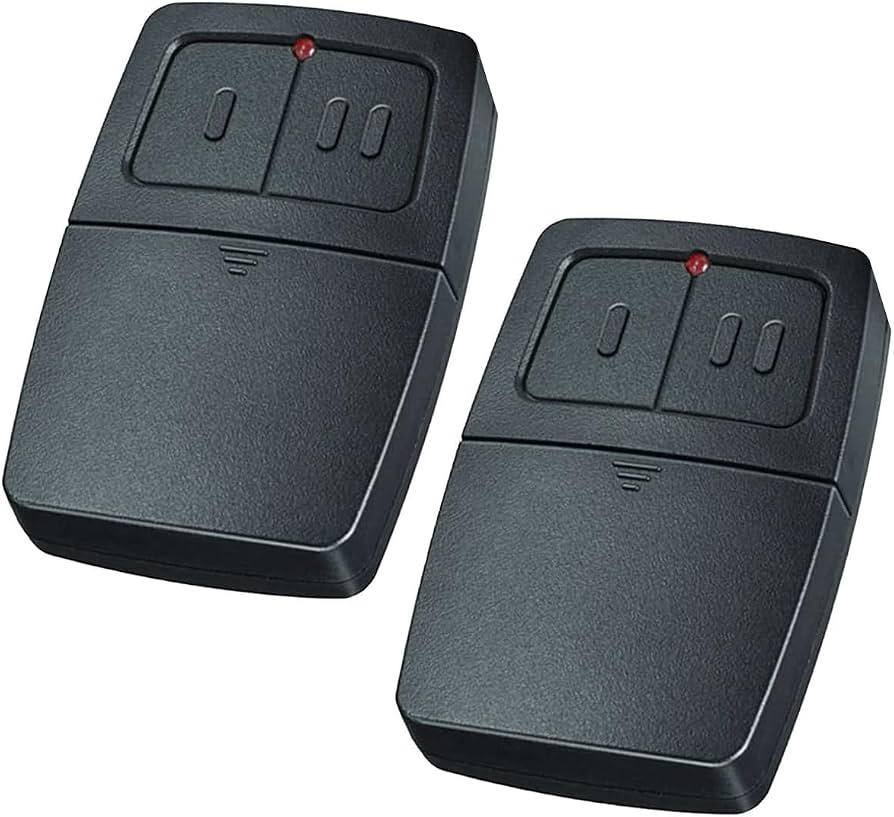
Have you ever stood in your driveway, pressing the button on your new garage door remote only to watch your garage door remain stubbornly closed? You’re not alone. Thousands of homeowners face this frustrating scenario every day when trying to how to program a Clicker universal garage door opener. The good news? With the right guidance, you can have your universal remote syncing with your garage door opener in under 10 minutes—no professional help required.
Why Universal Remotes Sometimes Fail to Connect
Before diving into the programming process, it’s essential to understand why universal remotes like Clicker sometimes struggle to connect. Unlike proprietary remotes designed specifically for one brand, universal remotes must communicate with various frequencies and security protocols. According to the International Door Association, approximately 30% of garage door opener issues stem from incorrect programming rather than mechanical failures.
Clicker universal remotes work by mimicking the signal patterns of major brands including LiftMaster, Chamberlain, Genie, and Craftsman. However, each manufacturer uses different rolling code technologies and frequency bands, typically ranging from 300 MHz to 400 MHz. Understanding your specific opener’s requirements is crucial for successful programming.
For more detailed information about garage door opener frequencies and standards, you can reference Wikipedia’s comprehensive guide on garage door openers.
Identifying Your Garage Door Opener Model
The first critical step in learning how to program a Clicker universal garage door opener is identifying your existing garage door opener model. This information determines which programming method you’ll need to use.
Where to Find Your Model Number
Look for a label or sticker on your garage door opener motor unit, typically located:
- On the back panel of the motor housing
- Underneath the light cover
- On the side of the unit near the antenna wire
Your model number usually appears as a combination of letters and numbers (e.g., “LiftMaster 8500” or “Chamberlain WD832”). Write this down before proceeding.
Determining Your Opener’s Frequency
Most modern garage door openers operate on one of three frequencies:
- 315 MHz: Common in older models (pre-2005)
- 390 MHz: Standard for most mid-range models
- 433 MHz: Used in newer European and some American models
Check your owner’s manual or the label on your opener to confirm the frequency. Clicker remotes are compatible with all three frequencies, but you’ll need to select the correct setting during programming.
Step-by-Step Programming Guide for Clicker Universal Remotes
Now let’s walk through the exact process of programming your Clicker universal garage door opener. Follow these steps carefully for best results.
Step 1: Prepare Your Equipment
Gather the following items before starting:
- Your Clicker universal remote
- A sturdy ladder (if needed to reach the motor unit)
- Your garage door opener’s manual (optional but helpful)
- Fresh batteries for the remote (recommended)
Pro Tip: Replace the batteries in your Clicker remote before programming. Weak batteries can cause inconsistent signals and failed programming attempts.
Step 2: Locate the Learn Button on Your Opener
The “Learn” or “Smart” button is typically found:
- On the back panel of the motor unit
- Near the antenna wire
- Under a small plastic cover (may be colored yellow, red, purple, or orange)
Press and release the Learn button. An indicator light should illuminate or blink, signaling that the opener is ready to receive a new remote signal. You typically have 30 seconds to complete the next step.
Step 3: Program the Clicker Remote
Hold your Clicker remote 2-6 inches away from the motor unit antenna. Press and hold the button you want to program for 3-5 seconds, then release. You should see the opener’s light blink or hear a click, confirming successful programming.
Important: If nothing happens, repeat Step 2 and try again. Some openers require multiple attempts.
Step 4: Test the Connection
Stand at least 10 feet away from the garage door and press the programmed button. The door should activate within 2-3 seconds. Test this multiple times to ensure consistent operation.
Troubleshooting Common Programming Issues
Even with careful following of instructions, problems can arise. Here are solutions to the most common issues:
| Problem | Possible Cause | Solution |
|---|---|---|
| Remote doesn’t respond | Dead batteries | Replace with fresh alkaline batteries |
| Light doesn’t blink on opener | Wrong button pressed | Ensure you’re pressing the Learn/Smart button |
| Door operates intermittently | Signal interference | Reprogram away from electronic devices |
| Multiple remotes stop working | Memory full | Clear all codes and reprogram |
Clearing Previous Codes
If your opener isn’t accepting new remotes, you may need to clear its memory:
- Press and hold the Learn button for 10-15 seconds
- Wait until the indicator light turns off
- Release the button
- Reprogram all desired remotes from scratch
Warning: This will erase ALL previously programmed remotes and keypads. Make sure you have access to all devices you want to keep using.
Advanced Programming Features
Modern Clicker universal remotes offer several advanced features worth exploring:
Multi-Button Programming
Most Clicker remotes have 2-4 buttons that can be programmed independently. This allows you to:
- Control multiple garage doors
- Operate gate openers
- Activate outdoor lighting systems
Program each button separately by repeating the main programming process for each desired function.
Rolling Code Technology
Newer Clicker models support rolling code technology, which changes the access code with each use for enhanced security. If your opener uses rolling codes (most units manufactured after 1993), ensure your Clicker remote is compatible with this feature.
When to Call a Professional
While most homeowners can successfully program their Clicker universal remotes, certain situations warrant professional assistance:
- Your opener is more than 15 years old and uses obsolete frequency bands
- You’ve attempted programming multiple times without success
- The opener shows signs of mechanical failure (unusual noises, slow operation)
- You’re uncomfortable working on a ladder or with electrical components
Professional garage door technicians typically charge $75-$150 for remote programming services, but many offer free programming with service calls for other issues.
Frequently Asked Questions
Q: Can I program a Clicker remote without accessing the garage door opener motor?
A: Unfortunately, no. You must physically access the Learn button on your garage door opener motor unit to initiate the programming mode. There’s no wireless or remote method to enter programming mode for security reasons.
Q: How many Clicker remotes can I program to one garage door opener?
A: Most modern garage door openers can store 20-30 remote codes simultaneously. Older models may only accommodate 8-12 remotes. Check your opener’s manual for specific capacity limits.
Q: Will programming a new Clicker remote erase my existing remotes?
A: No, adding a new remote doesn’t affect previously programmed devices. However, if you clear the opener’s memory using the extended Learn button press, all codes will be erased and require reprogramming.
Q: My Clicker remote works sometimes but not others. What’s wrong?
A: This typically indicates weak batteries, signal interference from nearby electronics, or distance issues. Try replacing batteries first, then reprogram the remote closer to the motor unit. Avoid placing the remote near cell phones, WiFi routers, or microwave ovens.
Q: Can I use a Clicker universal remote with any garage door opener brand?
A: Clicker remotes are compatible with most major brands including LiftMaster, Chamberlain, Genie, Craftsman, Stanley, and Wayne Dalton. However, some proprietary systems (like certain Security+ 2.0 models) may require specific Clicker models designed for those protocols.
Q: How long does the programming process take?
A: Once you’ve located the Learn button, the actual programming takes less than 30 seconds. However, finding the button and preparing your equipment may add 5-10 minutes to the total time. First-time users should budget 15-20 minutes for the entire process.
Conclusion
Learning how to program a Clicker universal garage door opener doesn’t have to be intimidating. With this comprehensive guide, you now have the knowledge to successfully sync your universal remote with your garage door opener in just minutes. Remember to identify your opener model correctly, follow the step-by-step instructions carefully, and troubleshoot methodically if issues arise.
The convenience of having a reliable universal remote that works with multiple doors or replaces lost proprietary remotes is invaluable. Plus, you’ll save money by avoiding unnecessary service calls.
Did this guide help you successfully program your Clicker remote? Share your experience on social media and help other homeowners master their garage door openers! Tag us with #GarageDoorSuccess and let us know which model you programmed. Your success story might inspire someone else struggling with their universal remote today.



Leave a Reply