Introduction
There are few things more frustrating than standing in your driveway, clicking a remote that refuses to respond, or realizing a former tenant still has access to your home. If you are searching for how to reset code on Linear garage door opener systems, you are likely dealing with a security concern or a malfunctioning remote. We understand that garage door security is personal and urgent; this guide provides clear, empathetic, and manufacturer-aligned steps to get your system working safely again. Whether you have lost a remote, moved into a new home, or simply want to refresh your access codes, we will walk you through the process without unnecessary technical jargon.
Why Resetting Your Linear Opener Code Matters for Security
Before diving into the buttons and LEDs, it is vital to understand why this maintenance task is critical. According to crime statistics, garages are among the most common entry points for residential burglaries. When you move into a new home or lose a remote, the old codes remain active in the opener’s memory until explicitly cleared.
Resetting your system ensures that only authorized users can access your property. For Linear openers specifically, which utilize proprietary MegaCode and newer secure rolling code technologies, failing to reset can leave your home vulnerable to “code grabbing” or unauthorized reuse of old transmitters. As noted in general security protocols outlined by Wikipedia, modern openers use rolling codes to prevent replay attacks, but these safety features only work if the user actively manages their device pairing.
Identifying Your Linear Garage Door Opener Model
Linear has manufactured garage door openers for decades, and the reset procedure varies significantly between models. Before attempting any reset, locate the model number on the motor unit (usually on the back or side panel).
Common Linear Series and Their Reset Methods
| Model Series | Technology Type | Reset Method Complexity | Typical Use Case |
|---|---|---|---|
| LDCO850 / LDO50 | Secure Rolling Code | Moderate (Learn Button) | Modern Residential |
| LSO50 / LSO30 | MegaCode | Simple (DIP/Learn) | Older Residential/Commercial |
| LD-12 / LD-7 | Legacy Fixed Code | Complex (DIP Switches) | Vintage Systems (Pre-1990s) |
| MOVR / WDT | Commercial Operator | Advanced (Menu Nav) | Multi-Door Facilities |
Note: Always verify your specific model against the official Linear/Nice North America documentation, as manufacturing revisions can alter button layouts.
How To Reset Code On Linear Garage Door Opener: Step-by-Step
This section addresses the primary user intent. Below are the detailed procedures for the two most common Linear technologies found in US homes today.
Method 1: Resetting Secure Rolling Code Models (LDCO/LDO Series)
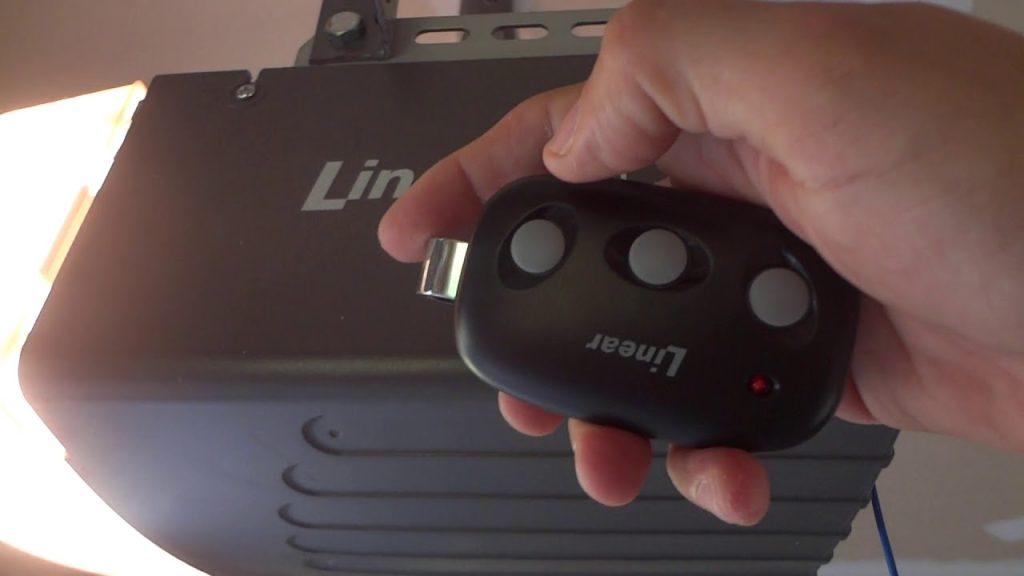
These models feature a dedicated “Learn” button, typically located on the back panel near the antenna wire. The LED color may be green, amber, or red depending on the revision.
- Locate the Learn Button: Find the small, round button on the rear of the motor head. It is often labeled “SET,” “LEARN,” or “PROGRAM.”
- Clear All Memory (Factory Reset): Press and hold the Learn button for 10–15 seconds. Watch the LED indicator; it will turn on, then turn off. Once the light goes out, release the button. This erases all remotes and keypads from the system.
- Reprogram Your Primary Remote: Briefly press the Learn button once (the LED will illuminate or blink). Within 30 seconds, press and hold the desired button on your remote until the motor unit lights flash or you hear a click.
- Test the System: Press the newly programmed remote button. The door should activate smoothly. Repeat step 3 for additional remotes or wireless keypads.
⚠️ Safety Warning: Never attempt to reset or program the opener while the door is in motion. Ensure the area around the door is clear of people, pets, and vehicles before testing.
Method 2: Resetting MegaCode Models (LSO Series)
Older Linear MegaCode openers do not always have a traditional “hold-to-clear” learn button. Instead, they rely on a receiver module reset.
- Access the Receiver: Remove the lens cover or access panel on the motor unit to expose the circuit board. Locate the MegaCode receiver module (a small plastic box with an antenna wire).
- Press the Reset Tab: On the receiver module, find the small recessed reset tab or button. Use a non-conductive tool (like a plastic pen tip) to press it. You may hear a faint beep or see an LED flash.
- Transmit New Codes: With the receiver in “learn mode” (usually indicated by a steady or blinking LED), press each remote button you wish to add. The receiver stores up to 20+ MegaCode transmitters.
- Exit Learn Mode: Wait 30 seconds without pressing any buttons, or press the reset tab again to exit programming mode.
Method 3: Clearing Individual Remotes Without Full Reset
If you only lost one remote and want to keep others functional, a full factory reset is unnecessary.
- For Rolling Code Models: Unfortunately, most secure rolling code units require clearing all memory and re-adding valid remotes. There is no selective delete function for security reasons.
- For MegaCode Models: Some commercial-grade Linear receivers allow selective deletion via dip-switch configurations or menu navigation. Consult your specific receiver manual for “selective erase” procedures.
Troubleshooting: When the Reset Doesn’t Work
Even with perfect execution, issues arise. Here are data-backed solutions for common failures:
- LED Won’t Turn Off During Reset: The logic board capacitor may be faulty, or the button itself is stuck. Try unplugging the unit for 60 seconds to discharge residual power, then retry.
- Remote Programs But Door Doesn’t Move: Check the safety sensors. If the photo-eye beam is blocked or misaligned, the opener will accept the code but refuse to close. The sensor LEDs should be solid (not blinking).
- Range Issues After Reset: A weak battery is the #1 cause. Replace remote batteries with fresh alkaline cells. Also, ensure the antenna wire is fully extended and not coiled inside the housing.
- Intermittent Response: Nearby LED bulbs can emit RF interference that disrupts Linear frequencies. Swap garage light fixtures with “garage door safe” LED bulbs rated for opener compatibility.
FAQ: Common Questions About Linear Opener Resets
Q1: How often should I reset my Linear garage door opener code?
Security experts recommend resetting your codes annually or immediately after losing a remote, ending a rental agreement, or experiencing a break-in attempt. Regular resets minimize the window of vulnerability from compromised transmitters.
Q2: Will resetting the opener affect my wired wall button?
Generally, no. Wired wall consoles are hardwired directly to the logic board and operate independently of the wireless receiver memory. However, some advanced smart wall consoles (like Linear’s WTOSB) may need re-pairing after a full factory reset. Always test your wall button after resetting.
Q3: Can I reset a Linear opener without the original remote?
Yes. The reset procedure is performed entirely at the motor unit using the Learn button or receiver reset tab. You do not need an existing remote to clear memory. You will, however, need at least one functioning transmitter to reprogram afterward.
Q4: My Linear opener has no visible Learn button. What now?
You likely have a vintage fixed-code or early MegaCode model. These units use DIP switches (tiny sliding toggles) on both the remote and the motor unit. To “reset,” you must physically change the switch pattern on the motor unit to match a new configuration, then adjust your remote’s switches to match. Document the new pattern carefully.
Q5: Is it safe to DIY this reset, or should I call a professional?
Resetting codes is a safe, user-level task that requires no electrical work. However, if your opener exhibits mechanical issues (grinding noises, cable fraying, spring damage), stop immediately and contact a certified technician. Spring replacement, in particular, carries serious injury risk and should never be DIY.
Q6: Does resetting improve my opener’s performance?
Resetting does not fix mechanical wear, but it can resolve electronic glitches caused by corrupted memory or signal conflicts. If your opener was behaving erratically due to phantom signals or overlapping codes, a clean reset often restores reliable operation.
Key Takeaways and Next Steps
Mastering how to reset code on Linear garage door opener systems empowers you to maintain both convenience and security. By identifying your model correctly, following the appropriate reset method, and troubleshooting systematically, you can restore full functionality without expensive service calls. Remember:
- Identify first: Model number determines the correct procedure.
- Safety always: Clear the doorway and disconnect power when accessing internal components.
- Test thoroughly: Verify all remotes, keypads, and wall buttons after resetting.
- Document: Keep a record of your current code configuration in a secure location.
Your garage is the gateway to your home’s safety. Taking ten minutes today to reset your Linear opener provides peace of mind that lasts for years.
Found this guide helpful? Share it with friends, family, or neighbors who might be struggling with their Linear garage door opener. Tag us on social media or send this article to someone who just moved into a new home — small acts of knowledge-sharing build safer communities. Have questions we didn’t cover? Drop them in the comments below; our team monitors responses daily to keep this resource accurate and up-to-date.
Disclaimer: This guide is for informational purposes. Always consult your Linear/Nice North America owner’s manual for model-specific instructions. If you are uncomfortable performing these steps, hire a licensed garage door technician. Improper handling of garage door components can result in injury or property damage.



Leave a Reply