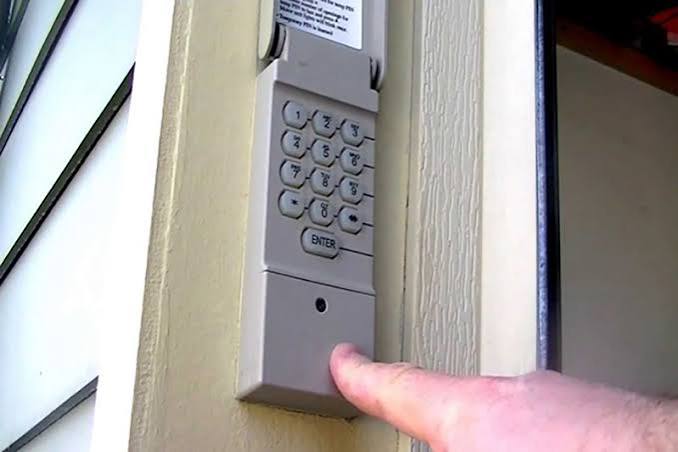
Locked out of your garage again? We know how frustrating it is, but learning how to program a keyless entry garage door opener is a quick fix that gives you instant, secure access without fumbling for remotes. Let’s get your keypad working smoothly in just a few simple steps!
How To Program A Keyless Entry Garage Door Opener: The Basics
Before we dive into the actual programming, let us gather the right tools. You do not need to be a professional technician to get this done.
Most modern keyless entry systems are designed with the everyday homeowner in mind. However, having a few basic items on hand will make the process much smoother.
What You Will Need:
- A sturdy step ladder or step stool.
- Fresh batteries for your keypad (usually 9V, AA, or AAA, depending on the brand).
- A Phillips-head screwdriver (only if you need to open the motor housing).
- Your garage door opener’s manual (helpful for brand-specific quirks).
According to the International Door Association (IDA), nearly 70% of homeowners use their garage as their primary entrance. Because of this, ensuring your entry methods are secure and functional is vital for your daily routine.
Step-by-Step Guide to Programming Your Keypad
Programming your keypad might seem intimidating, but it is actually quite straightforward. The modern garage door opener relies on radio frequency technology, which makes syncing your new keypad a breeze.
Follow these concrete steps to get your system up and running.
Step 1: Locate the “Learn” or “Smart” Button
First, place your step ladder safely under the garage door motor. Look at the back or side of the motor head. You are looking for a small, colored button.
Depending on your manufacturer (like Chamberlain, LiftMaster, or Genie), this button is usually purple, yellow, orange, or red. It will be located near a small LED light and the antenna wire.
Step 2: Clear the Old Memory
If you bought a new house or a used keypad, you must clear the old codes first. This prevents unauthorized access from previous owners.
- Press and hold the Learn or Smart button on the motor head.
- Hold it for about 6 to 10 seconds.
- Release the button when the LED light next to it turns off or blinks.
- This resets the system and erases all previously programmed remotes and keypads.
Step 3: Enter Your New PIN
Now, walk over to your exterior keyless entry keypad.
- Type in your desired 4-digit PIN.
- Pro Tip: Never use easily guessable numbers like 1234, 0000, or your birth year.
- Press and hold the Enter button on the keypad.
Step 4: Sync the Keypad with the Motor
While you are holding the Enter button on the keypad, you need to tell the motor to accept this new code.
- Go back to the motor head and press the Learn button once. (Do not hold it this time; just give it a quick press).
- You should see the motor’s LED light blink or hear a distinct click.
- Release the Enter button on your keypad.
- Test the system by entering your new PIN and pressing Enter. The door should activate immediately!
Keyless Entry vs. Traditional Remotes: Pros and Cons
Why should you bother with a keypad when you already have a remote? Let us break down the advantages and disadvantages to help you understand the value of your keyless system.
| Feature | Keyless Entry Keypad | Traditional Remote Control |
|---|---|---|
| Convenience | High. No need to carry a physical device. Great for kids or runners. | Medium. Requires you to have the physical remote in your car or pocket. |
| Security | High. You can change the PIN anytime. No physical device to lose. | Medium. If lost, someone could find it and open your garage. |
| Guest Access | Easy. Simply share the PIN with dog walkers or contractors. | Hard. You must physically hand over the remote to the guest. |
| Maintenance | Low. Only requires battery changes every 1-2 years. | Medium. Requires battery changes and occasional re-syncing. |
As you can see, a keypad offers superior flexibility, especially when granting temporary access to service workers.
Troubleshooting Common Keypad Issues
Even with the best instructions, things do not always go perfectly. Here are solutions to the most common problems you might encounter.
The Keypad Light is Blinking, but the Door Won’t Open
If your keypad lights up but the motor does not respond, the issue is usually a weak signal.
- The Fix: Replace the batteries in the keypad. Even if the lights turn on, low voltage can prevent the radio signal from reaching the motor.
The Motor Light is Blinking Rapidly
When you press the Learn button, the motor light might flash rapidly instead of staying solid.
- The Fix: This means the motor is in “reset mode” but timed out. You must repeat the process faster. Press the Learn button on the motor while you are actively pressing the Enter button on the keypad.
The Keypad is Completely Dead
If there are no lights at all when you press the buttons, the keypad has lost power.
- The Fix: Check the battery compartment. Ensure the batteries are inserted with the correct polarity (+ and -). If new batteries do not work, the keypad’s internal circuit board may be damaged by weather and require replacement.
Frequently Asked Questions
1. How do I reset my garage door keypad without knowing the old code?
You do not need the old code to reset the system! Simply locate the Learn button on the main garage door motor. Press and hold it for 6 to 10 seconds to clear the memory. Once cleared, you can immediately program a brand new PIN using the steps outlined above.
2. Why is my garage door keypad blinking but not working?
A blinking light usually indicates one of two things: low battery power or a failed synchronization with the motor. First, try replacing the batteries. If that fails, clear the motor’s memory using the Learn button and re-sync the keypad from scratch.
3. Can I program multiple keypads to one garage door opener?
Yes, absolutely! Most modern garage door openers can support up to 40 different remotes and keypads. Simply repeat the programming steps for each additional keypad you want to add. The motor will remember all of them simultaneously.
4. How often should I change my garage door keypad PIN?
For optimal home security, experts recommend changing your garage door PIN every 6 to 12 months. You should also change it immediately if you lose the instruction sheet with the PIN written on it, or if you suspect someone unauthorized has discovered the code.
Conclusion
Learning how to program a keyless entry garage door opener is one of the most practical home maintenance skills you can acquire. Not only does it save you from the frustration of being locked out, but it also significantly boosts your home’s security and convenience. By following these simple steps, you can sync your keypad in under five minutes.



Leave a Reply