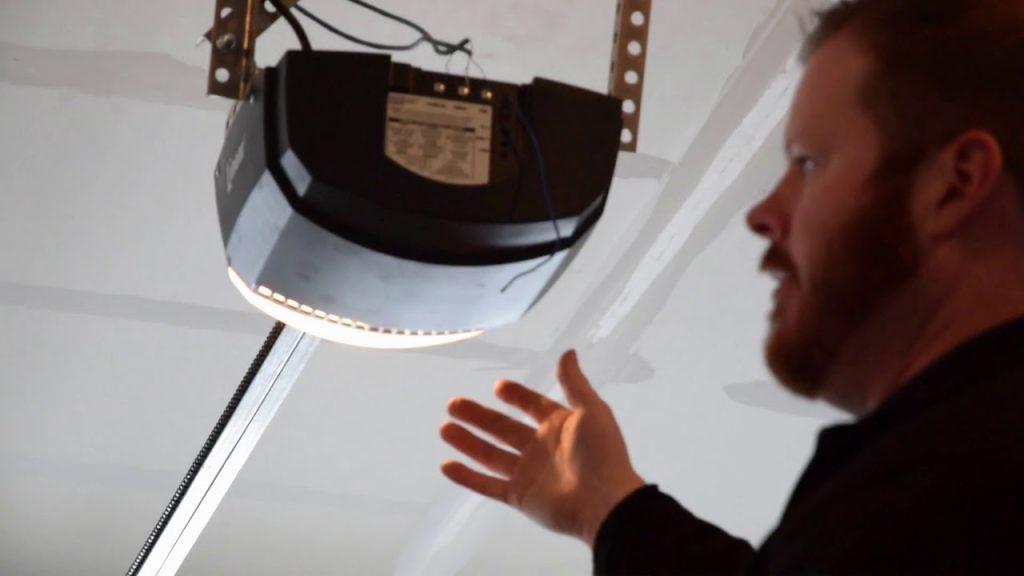
Have you ever stood in your driveway, pressing the button on your garage remote only to watch your car sit there in silence? It is a frustrating experience that disrupts your daily routine and leaves you feeling stuck. If you have recently replaced a battery, bought a new remote, or reset your system, you likely need to know how to program a Linear garage door opener remote to restore convenience to your home.
The good news is that you do not need to be a technical expert to fix this. Most Linear openers are designed with user-friendly programming sequences that take less than five minutes. In this guide, we will walk you through the exact steps to sync your remote, troubleshoot common issues, and ensure your garage operates smoothly and securely.
Identifying Your Linear Garage Door Opener Model
Before you begin the programming process, it is crucial to identify which type of Linear opener you have. Linear has manufactured several series over the years, including the popular Legacy, ProSeries, and Liberty Nexus models. The programming method can vary slightly depending on the age and technology of your unit.
Most modern Linear openers use a “Learn Button” located on the motor head unit. This button is typically colored purple, red, orange, or green. Older models might use DIP switches, which are small toggle switches inside the remote and the motor unit that must match exactly.
To find your model number:
- Look at the back or side of the motor unit hanging from your garage ceiling.
- Locate the label with the serial number and model code.
- Note if it says “Legacy,” “ProSeries,” or has a specific model number like LSX050 or LDC0800.
Knowing your model helps you determine if you need a simple one-button press or a more complex DIP switch alignment. For detailed technical specifications on older legacy systems, you can refer to general industry standards documented on Wikipedia.
Step-by-Step Guide: Programming with the Learn Button
For most homeowners with Linear openers installed in the last 15 years, the Learn Button method is the standard procedure. This method clears old codes and pairs your new remote securely using rolling code technology, which changes the access code every time you use the remote to prevent hacking.
Step 1: Prepare Your Equipment
Ensure your garage door is closed. Have your remote control ready with fresh batteries. Weak batteries are the number one cause of programming failures, so replace them if you are unsure of their age.
Step 2: Locate the Learn Button
Climb a sturdy ladder to access the motor unit. Look for the Learn button on the back panel. It is usually near the antenna wire (a hanging wire about 6 inches long). The button may be labeled “Learn,” “Program,” or simply have an icon of a light bulb.
Step 3: Clear Old Codes (Optional but Recommended)
If you are having trouble pairing a new remote, or if you suspect security issues, clear the memory first.
- Press and hold the Learn button for about 10 seconds.
- Release when the indicator LED turns off.
- Note: This will erase all previously programmed remotes and keypads, so you will need to reprogram all devices.
Step 4: Initiate Programming Mode
- Press and release the Learn button once.
- The LED light next to the button will illuminate or start blinking. You typically have 30 seconds to complete the next step before the mode times out.
Step 5: Sync the Remote
- Within 30 seconds, press and hold the button on your remote that you want to use.
- Hold it until the LED light on the motor unit blinks or turns off.
- Release the remote button.
Step 6: Test the Connection
Press the remote button again. The garage door should activate. If it does, you have successfully learned how to program a Linear garage door opener remote. If the light on the motor did not react, repeat Steps 4 and 5, ensuring you are within range.
Troubleshooting Common Programming Issues
Even with clear instructions, things can go wrong. Here are the most common reasons why your remote might not be programming and how to fix them.
| Issue | Possible Cause | Solution |
|---|---|---|
| LED does not light up | Power issue or faulty button | Check if the opener is plugged in. Try pressing the Learn button firmly. |
| Remote fails to sync | Dead batteries | Replace remote batteries with high-quality alkaline ones. |
| Door moves partially | Obstruction or limit settings | Check tracks for debris. Adjust travel limits if necessary. |
| Interference | Nearby electronics | Move away from large metal objects or Wi-Fi routers during programming. |
Dealing with DIP Switches (Older Models)
If your Linear opener does not have a Learn button, it likely uses DIP switches. These are small banks of tiny switches inside both the remote and the motor unit.
- Open the cover of your remote control.
- Look at the pattern of the switches (Up/Down positions).
- Open the cover of the motor unit’s receiver.
- Match the switch positions in the motor unit exactly to those in the remote.
- Close both covers and test.
This method is less secure than rolling codes because the code never changes, but it is reliable for older hardware.
Security Best Practices for Your Garage Opener
Programming your remote is not just about convenience; it is about security. Garage doors are often the largest entry point to a home, making them a target for thieves.
Use Rolling Code Technology If your opener is very old and uses fixed codes (DIP switches), consider upgrading to a newer Linear model that supports rolling codes. Rolling codes generate a new encryption key with every use, making it nearly impossible for criminals to intercept and replay the signal.
Keep Your Learn Button Accessible but Secure While you need to reach the Learn button to program remotes, ensure that no one outside your home can easily access it. If your garage has windows, consider covering the motor unit or using a privacy shield.
Regularly Update Your Remotes If you lose a remote, immediately clear the memory of your opener and reprogram your remaining remotes. This ensures that the lost remote cannot be used to enter your home if found by someone with malicious intent.
Frequently Asked Questions
How do I know if my Linear remote is compatible?
Check the frequency listed on the back of your remote (usually 315 MHz or 390 MHz). It must match the frequency of your Linear opener. Most Linear remotes are universal within their frequency band, but verifying the model number on the Linear website is the safest bet.
Can I program a universal remote to a Linear opener?
Yes, most universal remotes can be programmed to work with Linear openers. You will follow the same Learn Button procedure described above. Ensure the universal remote is set to the correct brand code (often listed as “Linear” or “Northeastern” in the manual) before attempting to sync.
Why does my remote work intermittently after programming?
Intermittent issues are usually caused by weak batteries or radio frequency interference. Try replacing the batteries first. If the problem persists, check for new electronic devices nearby that might be causing signal noise, such as LED light bulbs or Wi-Fi extenders.
How many remotes can I program to one Linear opener?
Most Linear openers allow you to program between 8 to 12 remotes, depending on the model. Some newer smart-enabled models may support more devices via app integration. Refer to your specific owner’s manual for the exact capacity.
What should I do if the Learn button light stays on?
If the LED stays solid or blinks continuously without accepting a remote, the opener may be in lock mode or experiencing a logic error. Unplug the opener from the power source for 30 seconds, then plug it back in. This hard reset often clears temporary glitches.
Conclusion
Learning how to program a Linear garage door opener remote is a simple task that saves you time and money on service calls. By identifying your model, using the Learn button correctly, and ensuring your batteries are fresh, you can regain control of your garage in minutes. Remember to prioritize security by using rolling code technology and clearing old codes when necessary.
Did this guide help you get your garage door working again? Share this article with friends or family who might be struggling with their own garage openers. A little knowledge goes a long way in keeping our homes safe and convenient!



Leave a Reply