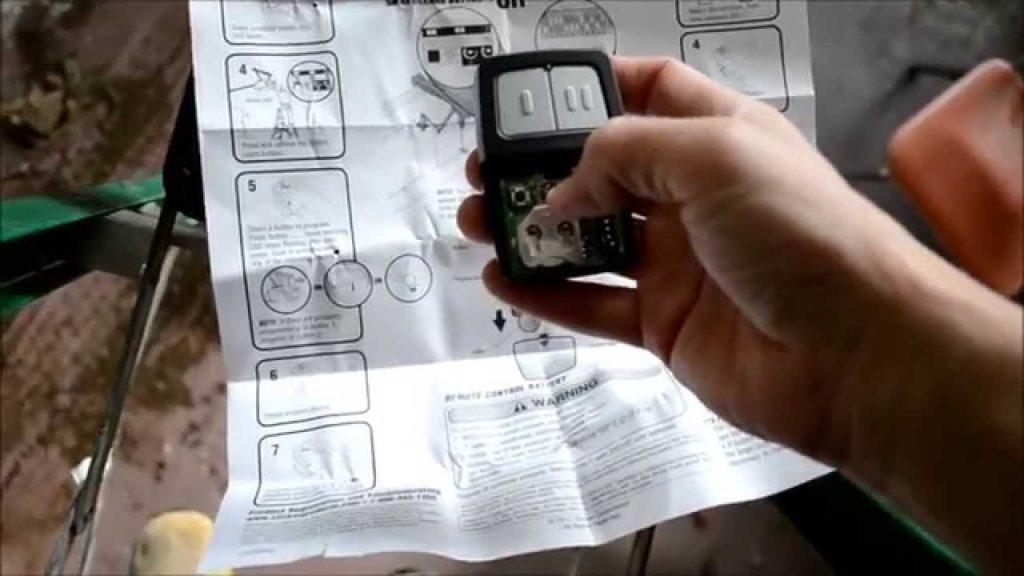
Have you ever stood in your driveway, frantically pressing buttons on a new remote, only to watch your garage door remain stubbornly closed? It is a frustrating scenario that happens to millions of homeowners every year when they lose their original remote or buy a replacement. Learning how to program a universal clicker garage door opener can save you the cost of a professional service call and get your home secure again in minutes.
Why Your Universal Remote Might Not Be Working
Before diving into the programming steps, it is crucial to understand why universal remotes sometimes fail to connect. Unlike proprietary remotes made by the same manufacturer as your garage door opener, universal clickers must “speak” the same language as your motor unit.
Garage door openers use specific radio frequencies and rolling code technologies to prevent theft. If your universal remote is not compatible with your opener’s frequency (usually 315 MHz or 390 MHz) or security protocol, no amount of button-pressing will make it work. According to industry standards, most modern openers use rolling codes, which change the access code every time the remote is used to prevent code grabbing.
If you have purchased a universal remote, check the packaging to ensure it lists your garage door opener’s brand and model year. Compatibility is the first hurdle to clearing this task.
Step-by-Step Guide: How to Program a Universal Clicker
While every brand has slight variations, the general process for programming a universal clicker follows a logical sequence. Below is a comprehensive guide that covers the most common methods used by major manufacturers like LiftMaster, Chamberlain, Genie, and Craftsman.
Step 1: Locate the “Learn” Button on Your Motor Unit
The first step is always physical. You need to access the motor unit mounted on your garage ceiling.
- Use a sturdy ladder to reach the motor unit safely.
- Look for a small square or rectangular button, often colored yellow, purple, red, or green. This is the “Learn” or “Smart” button.
- Note the color of the button, as this often dictates the programming method.
Safety Tip: Ensure the garage door is closed before starting. Never attempt to climb onto the motor unit itself; use a stable ladder and have someone spot you if possible.
Step 2: Clear Old Codes (If Necessary)
If you are replacing a lost remote or reprogramming an existing one, it is best practice to clear the memory of the motor unit. This prevents unauthorized access from old remotes.
- Press and hold the “Learn” button for about 6–10 seconds until the indicator light turns off.
- Release the button. The memory is now cleared, and all previously programmed remotes will no longer work.
Step 3: Initiate Programming Mode
Now, you will put the motor unit into pairing mode.
- Press and release the “Learn” button quickly. Do not hold it down.
- The indicator light on the motor unit should turn on or start blinking. This signals that the unit is ready to receive a new signal.
- You typically have 30 seconds to complete the next step before the mode times out.
Step 4: Sync the Universal Clicker
With the motor unit in learning mode, pick up your universal clicker.
- Hold the remote close to the motor unit (within 2–3 feet).
- Press and hold the button on the remote that you want to program.
- Keep holding the button until the light on the motor unit blinks or clicks. This confirms the signal has been received.
- Release the button on the remote.
Step 5: Test the Connection
Step down from the ladder and test the remote from a distance.
- Press the programmed button once.
- The garage door should activate.
- If it does not work, repeat Steps 3 and 4, ensuring you are within the time limit.
For more detailed technical specifications on garage door opener frequencies, you can refer to the Wikipedia page on Garage Door Openers, which provides a historical overview of the technology evolution.
Troubleshooting Common Programming Issues
Even with careful following of instructions, things can go wrong. Here are the most common issues and how to fix them.
| Issue | Possible Cause | Solution |
|---|---|---|
| Remote not syncing | Wrong frequency | Check if your remote supports 315 MHz or 390 MHz. |
| Light blinks but door doesn’t move | Weak battery | Replace the battery in the universal clicker. |
| Motor unit light stays solid | Memory full | Clear old codes by holding the Learn button for 10 seconds. |
| Remote works close but not far | Interference | Check for LED bulbs near the motor that may cause signal interference. |
The LED Bulb Interference Problem
A surprisingly common issue in modern homes is interference from LED light bulbs. Some LED bulbs emit electromagnetic noise that disrupts the radio signal between the remote and the motor unit.
If your remote only works when you are standing directly under the motor, try turning off the garage lights and testing again. If it works, replace the bulbs with “garage door opener compatible” LEDs or standard incandescent bulbs.
Dip Switches vs. Smart Buttons: Know Your System
Not all garage door openers use the “Learn” button method. Older models, particularly those manufactured before 2005, may use Dip Switches.
How to Program Dip Switch Remotes
- Open the back panel of your universal remote to reveal a row of tiny switches.
- Match the position of these switches (up or down) exactly to the Dip Switches inside your motor unit.
- Close the remote panel and test the button.
This method is less secure than rolling codes because the code never changes. If you have a Dip Switch system, consider upgrading your motor unit for better security.
Frequently Asked Questions (FAQ)
Can I program a universal remote without the original remote?
Yes, you do not need the original remote to program a new universal clicker. As long as you have access to the motor unit’s “Learn” button, you can sync any compatible remote directly to the opener.
How many remotes can I program to one garage door opener?
Most modern garage door openers can store between 8 to 15 different remote codes. However, check your specific model’s manual, as older units may have lower limits.
What if my universal remote is not listed as compatible?
If the packaging does not list your brand, it may still work if the frequencies match. Try the programming steps anyway. If it fails, you may need a remote specifically designed for your opener’s brand.
Is it safe to use a universal remote?
Universal remotes are generally safe if they use rolling code technology. Avoid using very old universal remotes that rely on fixed codes, as these can be easily copied by thieves using code-grabbing devices.
Why does my remote stop working after a few weeks?
This is usually a battery issue. Universal remotes often use standard coin-cell batteries (like CR2032) that may drain faster if the remote is used frequently. Replace the battery and reprogram if necessary.
Can I program a universal remote to work with two different garage doors?
Yes, most universal remotes have multiple buttons. You can program each button to a different motor unit by repeating the programming process for each door separately.
Conclusion
Learning how to program a universal clicker garage door opener is a valuable skill that empowers you to maintain your home’s convenience and security without relying on expensive professionals. By understanding the compatibility requirements, locating the “Learn” button, and following the step-by-step syncing process, you can get your garage door operational in under ten minutes.
Remember to check for interference from LED bulbs and ensure your remote uses rolling code technology for maximum security. If you found this guide helpful, please share it with friends or family who might be struggling with their own garage door remotes. A quick share on social media could save someone else from a frustrating afternoon in the driveway!



Leave a Reply