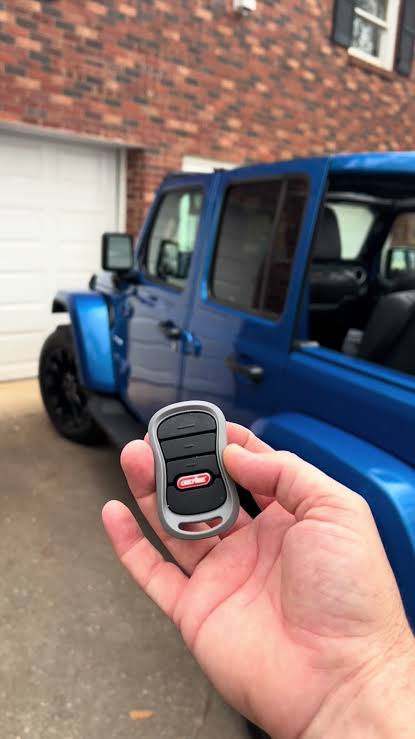
Introduction
Are you tired of juggling multiple remotes every time you pull into your driveway? It is a common frustration for new car owners who want the convenience of integrated technology but get stuck during the setup process. If you are wondering how to program garage door opener 2019 Jeep Cherokee, you are not alone; many drivers find the HomeLink system slightly intimidating at first glance. This guide will walk you through the process with clear, empathetic instructions to get your garage door syncing with your vehicle in minutes.
Understanding the HomeLink System in Your 2019 Jeep
Before diving into the buttons, it helps to understand what you are working with. The 2019 Jeep Cherokee comes equipped with HomeLink, a universal transceiver that replaces your standard handheld remote controls. Unlike older systems that required complex dip-switch settings, modern HomeLink units use “rolling code” technology for enhanced security.
This means your car and garage door opener constantly change the access code each time you use it, preventing hackers from intercepting the signal. According to Wikipedia, HomeLink is compatible with over 95% of garage door openers manufactured since 1982, making it one of the most reliable systems on the market.
Why Programming Might Fail Initially
Many users fail not because the system is broken, but because they skip the “clearing” phase. If your Jeep was previously owned or if you attempted programming before, old codes may still be stored in the memory. Starting with a clean slate is crucial for success.
Step-by-Step: How To Program Garage Door Opener 2019 Jeep Cherokee
Follow these precise steps to ensure a successful connection. We have broken this down into three distinct phases: Preparation, Training, and Verification.
Phase 1: Clearing Previous Codes (If Necessary)
If this is your first time using HomeLink, or if you are replacing an old garage door remote, you must clear the memory buttons.
- Turn your Jeep’s ignition to the ON/RUN position. You do not need to start the engine, but the electronics must be active.
- Locate the three HomeLink buttons on your rearview mirror or overhead console.
- Press and hold the two outer buttons simultaneously.
- Keep holding them for about 20 seconds.
- Watch the indicator light. It will begin to flash slowly, then rapidly. Once it flashes rapidly, release the buttons.
- The memory is now cleared. Note: If you are programming a new button without clearing others, you can skip this step.
Phase 2: Training the HomeLink Button
This is the core part of learning how to program garage door opener 2019 Jeep Cherokee. You will need your original handheld garage door remote for this step.
- Position your Jeep outside your garage, close enough to see the garage door opener motor unit (usually within 10–15 feet).
- Choose which HomeLink button you want to use (Button 1, 2, or 3).
- Hold your original handheld remote 1–3 inches away from the chosen HomeLink button on the mirror/console.
- Press and hold the button on your handheld remote.
- Simultaneously, press and hold the chosen HomeLink button in your Jeep.
- Keep both buttons held down. Do not release them yet.
- Watch the HomeLink indicator light. It will change from a slow blink to a rapid flash.
- Once the light flashes rapidly, release both buttons.
Tip: If the light does not flash rapidly after 30 seconds, try moving the handheld remote slightly closer or further away. Interference from LED bulbs in the garage can sometimes affect signal transmission.
Phase 3: Testing the Connection
Now that the signal is trained, you need to test if the garage door responds.
- Press the programmed HomeLink button in your Jeep firmly.
- Observe your garage door.
- Scenario A: The door moves. Congratulations! You are done.
- Scenario B: The door does not move, or the motor light blinks but the door stays shut. This indicates you have a Rolling Code system, which requires an extra synchronization step.
Handling Rolling Code Openers (The Extra Step)
Most garage doors installed after 1995 use rolling codes for security. If Scenario B happened above, follow these steps to complete the pairing.
- Locate the “Learn” or “Smart” button on your garage door opener motor unit inside the garage. It is usually located on the back or side of the motor box and may be yellow, purple, or red.
- Press and release the “Learn” button. The indicator light on the motor unit will typically turn on or blink.
- You have approximately 30 seconds to return to your Jeep.
- Press and hold the programmed HomeLink button in your Jeep for 2 seconds, then release.
- Repeat this press-and-release cycle three times.
- Test the button again. The garage door should now open and close reliably.
Troubleshooting Common Issues
Even with careful instruction, things can go wrong. Here is a quick comparison of common problems and solutions.
| Issue | Possible Cause | Solution |
|---|---|---|
| Light flashes slowly, never rapidly | Weak battery in handheld remote | Replace the battery in your original remote. |
| Door moves partially then stops | Safety sensors blocked | Check the infrared sensors near the garage floor for obstructions. |
| “Learn” button doesn’t respond | Motor unit locked out | Unplug the garage door opener for 1 minute, then plug it back in to reset. |
| Signal works intermittently | LED bulb interference | Replace LED garage bulbs with incandescent ones or shielded LEDs. |
Expert Tips for Better Performance
To ensure your HomeLink system remains reliable over the years, consider these professional insights:
- Avoid Metal Interference: Do not place metallic objects, such as sunglasses cases or toll transponders, directly over the HomeLink buttons on the mirror. This can block the signal transmission.
- Update Firmware: While rare, some newer Jeep models allow for software updates via the Uconnect system. Ensure your Uconnect software is up to date to maintain compatibility with smart home devices.
- Label Your Buttons: Use a small piece of tape or a marker to note which button corresponds to which door (e.g., “Home,” “Gate,” “Shop”). This prevents confusion for family members who also drive the vehicle.
FAQ Section
1. Can I program more than one garage door to my 2019 Jeep Cherokee?
Yes, the HomeLink system in the 2019 Jeep Cherokee has three separate buttons. You can program each button to control a different device, such as your main garage door, a gate, or even a secondary workshop door. Follow the same programming steps for each individual button.
2. What if I don’t have my original handheld remote?
If you have lost your original remote, you cannot program HomeLink using the standard method. You will need to purchase a compatible universal remote from a hardware store or contact your garage door manufacturer to get a replacement. Alternatively, some garage door openers have a keypad outside where you can enter a PIN to trigger the “Learn” mode directly.
3. Why does my garage door close immediately after opening?
This is a safety feature. If the door reverses immediately, it likely means the safety sensors are misaligned or blocked. Check the small eyes near the bottom of your garage door tracks. Ensure they are facing each other and that the lights on them are solid (not blinking). If the sensors are fine, you may need to re-sync the rolling code as described in Phase 3.
4. Is it safe to leave my garage door opener programmed in my car?
Generally, yes. HomeLink uses encrypted rolling codes, making it difficult for thieves to clone the signal. However, if you are selling your vehicle, always remember to clear the HomeLink memory by holding the two outer buttons for 20 seconds, as described in Phase 1. This ensures the new owner cannot access your garage.
5. Can HomeLink control devices other than garage doors?
Absolutely. HomeLink is versatile and can program various radio-frequency devices, including gate operators, security gates, entry doors, and even some home lighting systems. As long as the device uses a remote control with a frequency between 280 and 390 MHz or 433 MHz, it is likely compatible.
6. My Jeep’s HomeLink light stays solid green. What does this mean?
A solid green light usually indicates that the button has been successfully programmed and is ready to use. If the light is solid but the door doesn’t open, refer to the rolling code synchronization steps. If the light is off, the button has no code stored.
Conclusion
Learning how to program garage door opener 2019 Jeep Cherokee is a straightforward process once you understand the difference between standard and rolling code systems. By following the steps outlined above—clearing memory, training the button, and synchronizing the rolling code—you can enjoy the seamless convenience of hands-free garage access.
Remember, patience is key during the synchronization phase. If you encounter issues, double-check your batteries and sensor alignment before assuming the system is faulty. Now that your garage is synced, take a moment to appreciate the added security and ease of use.
Did this guide help you get your Jeep connected? Share this article with fellow Jeep owners on social media who might be struggling with their HomeLink setup!



Leave a Reply