Introduction
Losing or breaking your original garage door remote can be incredibly frustrating, especially when you are locked out of your own home or rushing to work in the morning. If you are searching for how to program Subaru garage door opener without remote, rest assured that your vehicle’s built-in HomeLink system is designed specifically for this scenario. You do not need the original handheld transmitter to sync your car; instead, you can utilize the “learn” button on your garage motor unit to establish a secure connection directly from your driver’s seat.
This guide will walk you through the exact process with empathy and precision, ensuring you get back into your garage safely and quickly. Whether you drive an Outback, Forester, Crosstrek, or Legacy, the following steps apply to most modern Subaru models equipped with integrated universal transmitters.
Understanding HomeLink Technology in Subarus
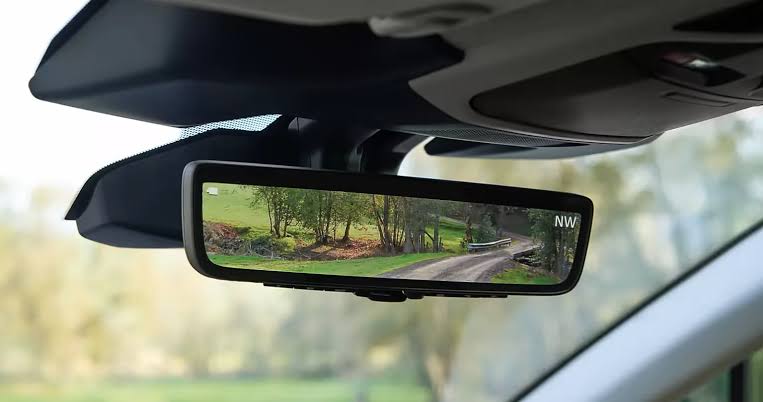
Before diving into the buttons, it is vital to understand what you are actually programming. Most Subaru vehicles manufactured after 2015 come equipped with HomeLink, a wireless control system integrated into the rearview mirror or overhead console. According to Wikipedia, HomeLink uses radio frequency (RF) signals to communicate with garage door openers, gates, and even home lighting systems, effectively replacing the need for multiple physical remotes.
When you ask how to program Subaru garage door opener without remote, you are essentially asking your car to mimic the unique rolling code signal that your garage motor expects. This technology ensures security while providing the convenience of keyless entry.
Why Your Original Remote Isn’t Needed
Many drivers mistakenly believe they must have the old remote to “clone” the signal. However, modern garage openers feature a “Learn” or “Smart” button on the motor head itself. This button allows the motor to accept a new signal directly from your Subaru’s HomeLink module, bypassing the old remote entirely. This is particularly useful if:
- The original remote is lost or damaged.
- You purchased a used Subaru and never received the garage remote.
- You are upgrading to a newer garage opener but want to keep your car synced.
Pre-Programming Checklist: Safety and Preparation
Safety and preparation are non-negotiable when working with garage door mechanisms. Before attempting to program your system, complete this checklist to avoid injury or equipment damage.
| Item | Requirement | Why It Matters |
|---|---|---|
| Clear Path | No people/pets near door | Prevents accidental crushing during testing |
| Ladder | Stable, non-conductive | Safe access to motor unit learn button |
| Ignition | ON/RUN position | HomeLink requires vehicle power |
| Battery | Fresh car battery | Weak voltage causes sync failures |
| Opener Type | Rolling Code compatible | Essential for post-1996 openers |
⚠️ Critical Safety Warning: Never stand directly under the garage door while programming or testing. Always keep children and pets at least 10 feet away from the door’s path. If your door does not have auto-reverse sensors installed, halt the process and consult a professional technician immediately.
Step-by-Step: How To Program Subaru Garage Door Opener Without Remote
Follow these precise instructions. Timing matters—most steps require actions within specific second windows.
Step 1: Clear Previous HomeLink Memory (If Necessary)
If your Subaru was previously programmed to a different garage, you may need to reset it. Press and hold the two outer HomeLink buttons simultaneously for 10–20 seconds until the indicator light flashes rapidly. Release once flashing begins. Skip this step if programming a blank button.
Step 2: Locate the Learn Button on Your Garage Motor
Grab your ladder and locate the garage door opener motor unit mounted on the ceiling. Find the “Learn,” “Smart,” or “Program” button. It is typically colored yellow, purple, orange, or red and located near the antenna wire or light lens. Note the color, as it sometimes indicates the frequency type.
Step 3: Initiate Learning Mode on the Motor
Press and release the Learn button on the garage motor. An LED indicator will illuminate or begin blinking, signaling that the unit is in pairing mode. You typically have 30 seconds to complete the next step before the motor exits learning mode. Move efficiently but safely.
Step 4: Transmit Signal From Your Subaru
Return to your vehicle with the ignition in the ON/RUN position (engine running is recommended to prevent battery drain). Press and hold the desired HomeLink button in your mirror/console. Watch the indicator light:
- Slow Flash: Initial transmission phase.
- Rapid Flash/Solid Light: Successful pairing confirmation.
Hold the button continuously until the light changes state. This usually takes 5–15 seconds. If the light remains slow-flashing after 20 seconds, release and repeat Step 3 and Step 4.
Step 5: Test and Verify Operation
Press the newly programmed HomeLink button briefly. The garage door should activate smoothly. Test the auto-reverse safety feature by placing a 2×4 board flat on the floor beneath the door’s center. Close the door; it must reverse immediately upon contact. If it does not, discontinue use and service the opener.
Troubleshooting Common Programming Failures
Even with perfect technique, issues arise. Here are solutions to the most frequent problems encountered when figuring out how to program Subaru garage door opener without remote.
The Indicator Light Won’t Change State
- Cause: Vehicle not in correct ignition position or weak battery.
- Fix: Ensure engine is running. Test car battery voltage (should be ≥12.4V). Try a different HomeLink button.
Door Activates But Doesn’t Complete Cycle
- Cause: Travel limits need recalibration after new programming.
- Fix: Consult your garage opener manual to adjust up/down limit switches. This is a motor adjustment, not a HomeLink issue.
Intermittent Operation or Short Range
- Cause: RF interference or antenna obstruction.
- Fix: Ensure garage motor antenna hangs vertically and isn’t touching metal. Remove nearby LED bulbs (notorious for RF interference). Reposition vehicle during programming.
Older Fixed-Code Openers Won’t Sync
- Cause: Pre-1996 openers use obsolete fixed-code technology incompatible with modern HomeLink rolling codes.
- Fix: Install a HomeLink Compatibility Bridge (available separately) or upgrade the garage opener receiver.
Expert Tips for Long-Term Reliability
Automotive and garage door technicians recommend these best practices to maintain seamless operation:
- Reprogram Annually: Signals can drift over time. A quick re-sync prevents unexpected failures.
- Update Firmware: Some newer Subaru models receive HomeLink updates via dealership service visits. Ask during routine maintenance.
- Avoid Aftermarket Interference: Cheap phone chargers and dash cams can emit RF noise. Use only FCC-certified accessories.
- Document Your Setup: Keep a note of which HomeLink button corresponds to which device. Future-you will thank present-you.
Frequently Asked Questions (FAQ)
Can I program my Subaru HomeLink without ANY remote at all?
Yes, absolutely. As detailed above, the garage motor’s Learn button allows direct vehicle-to-motor pairing. No handheld remote is required for this method. This is the primary design intent of modern HomeLink systems.
Will programming my Subaru erase other remotes’ access?
Generally, no. Using the Learn button to add your Subaru simply adds a new authorized device. Existing remotes remain functional unless you perform a full factory reset on the garage motor (which clears all devices). Always verify other household remotes still work after programming.
My Subaru has three HomeLink buttons—which one should I use?
Any unused button works identically. Convention suggests using Button 1 for primary garage, Button 2 for secondary/gate, and Button 3 for community access. Consistency helps prevent confusion among family members. There is no technical difference between buttons.
How do I know if my garage opener is compatible with Subaru HomeLink?
Check the manufacture date on your garage motor label. Units made after 1996 with rolling-code technology are universally compatible. For older units, visit the official HomeLink compatibility checker online or consult a garage door professional. Most openers sold in the last 25 years work seamlessly.
Is it safe to program the garage door myself, or should I hire a pro?
DIY programming is safe if you follow safety protocols and your opener has functioning auto-reverse sensors. However, if you’re uncomfortable on ladders, unsure about electrical components, or your door lacks safety sensors, hire a certified technician. Professional programming typically costs $75–$150 and includes safety verification.
Why did my programmed button stop working after a few months?
Common culprits include dying car battery, RF interference from new electronics, or garage motor capacitor failure. First, reprogram following Steps 3–4 above. If the problem persists, test with another remote to isolate whether the issue is vehicle-side or motor-side. Garage motor capacitors typically last 7–10 years and are inexpensive to replace.
Conclusion
Mastering how to program Subaru garage door opener without remote empowers you with true keyless convenience and eliminates dependency on easily lost transmitters. By leveraging your vehicle’s integrated HomeLink system and your garage motor’s Learn button, you create a reliable, secure connection that enhances daily life. Remember to prioritize safety, follow timing precisely, and test auto-reverse functionality every time.
Your garage should serve you—not frustrate you. With this guide, you’ve taken control of your home access independently and confidently.
Found this guide helpful? Share it with fellow Subaru owners on Facebook, Reddit’s r/Subaru community, or Twitter/X! Someone in your network is probably stuck outside their garage right now—be the friend who solves their problem. Tag us with your success story; we love celebrating DIY wins! 🚗🏡



Leave a Reply