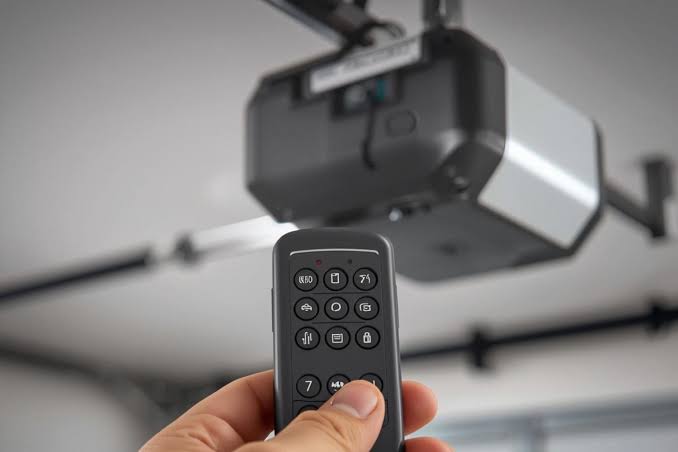
Losing your garage door opener remote is one of those small inconveniences that can cause a surprisingly large amount of stress. You’re stuck outside, maybe in the rain or late for work, wondering if you’ll need to break into your own home. If you are asking yourself how to replace a lost garage door opener remote, you are not alone, and the good news is that it is often simpler and cheaper than you might think. This guide will walk you through every step, from identifying your model to programming a new unit, ensuring you regain access without compromising your home’s security.
Identifying Your Garage Door Opener Model
Before you can buy a replacement, you need to know exactly what system you have. Garage door openers are not universal; a remote designed for a Chamberlain will not work with a LiftMaster unless they share the same frequency and coding technology.
Look at the motor unit hanging from your garage ceiling. There should be a label or sticker on the back or side of the unit. This label contains crucial information:
- Brand Name: (e.g., Genie, Craftsman, Sommer, Linear)
- Model Number: A specific alphanumeric code.
- Frequency: Usually 315 MHz, 390 MHz, or 433 MHz.
- Year of Manufacture: This helps determine if your system uses older DIP switches or newer rolling code technology.
If the label is faded or missing, check the original manual if you have it stored away. Alternatively, you can take a photo of the motor unit and search online image databases or contact the manufacturer’s customer support with the serial number. Knowing your exact model prevents the frustration of buying an incompatible remote.
Universal vs. Brand-Specific Remotes: Which Should You Choose?
Once you have your model number, you face a choice: buy an official replacement from the manufacturer or opt for a universal remote. Both have distinct advantages and drawbacks.
| Feature | Brand-Specific Remote | Universal Remote |
|---|---|---|
| Compatibility | Guaranteed fit for your model | May not work with older or proprietary systems |
| Price | Typically $30–$50 | Typically $15–$30 |
| Ease of Programming | Simple, follows standard steps | Can be complex, requires trial-and-error |
| Build Quality | High durability, matched aesthetics | Varies by brand, often plastic-heavy |
| Features | Includes all original features (lock, light) | Basic open/close functions only |
For most users, a universal remote is a cost-effective solution if your opener was manufactured after 1993. However, if you have a high-security system or a very old unit, sticking with the brand-specific remote is safer. According to industry standards, rolling code technology—used by most modern openers—requires precise synchronization that universal remotes sometimes struggle to achieve without detailed instructions.
Step-by-Step Guide to Programming a New Remote
Replacing the hardware is only half the battle; you must program the new remote to communicate with your opener. The process varies slightly by brand, but the general logic remains consistent. Below is a universal approach that works for most rolling code systems.
Step 1: Locate the “Learn” Button
Climb a sturdy ladder to reach your garage door motor unit. Look for a button labeled “Learn,” “Program,” or “Smart.” It is usually located near the antenna wire and may be colored yellow, purple, red, or green. Pressing this button clears all previously programmed remotes, so ensure you have all remotes you wish to use handy.
Step 2: Clear Old Codes (Security Step)
Since you lost a remote, security is paramount. Hold down the “Learn” button for about 6–10 seconds until the indicator light turns off. This action deletes all paired devices, including the lost remote. Note: This means any other existing remotes will also need to be reprogrammed.
Step 3: Initiate Programming Mode
Press the “Learn” button once briefly. The indicator light will illuminate or blink, signaling that the unit is ready to accept a new code. You typically have 30 seconds to complete the next step.
Step 4: Sync the New Remote
While standing within range of the motor unit, press and hold the button on your new remote that you want to use for opening the door. Hold it for 3–5 seconds. Watch the motor unit’s light; it should blink or turn off, confirming the code has been accepted.
Step 5: Test the Connection
Press the remote button again. The garage door should activate. If it does not, repeat Steps 3 and 4, ensuring you are close to the unit and the remote has fresh batteries.
For more technical details on radio frequency standards used in these devices, you can refer to Wikipedia’s article on Garage Door Openers, which provides historical context on how these security protocols have evolved over decades.
What If You Don’t Have a Ladder or Access to the Motor Unit?
Not everyone can safely climb a ladder, and some motor units are installed in hard-to-reach places. In such cases, you have alternative options:
- Use a Keypad: Install a wireless keypad outside your garage. These devices pair similarly to remotes but allow entry via a PIN code, eliminating the need for a physical remote.
- Smart Garage Hub: Devices like MyQ or Aladdin Connect can be installed on your existing opener. They connect to Wi-Fi and allow you to open and close your garage via a smartphone app. This effectively replaces the need for a physical remote entirely.
- Professional Help: If you are uncomfortable working with electrical components or heights, hire a local garage door technician. They can program the remote for you in minutes, usually for a service fee of $50–$100.
Securing Your Garage After Losing a Remote
Losing a remote is a security risk. Someone could find it and gain access to your home. Here is how to mitigate that risk:
- Always Clear the Memory: As mentioned in Step 2, never just add a new remote without deleting the old codes. This ensures the lost remote becomes useless.
- Change Your PIN: If you use a keypad, change the access code immediately.
- Monitor Activity: If you have a smart opener, check the activity log to see if the door was opened unexpectedly after the loss.
- Consider a Camera: Installing a security camera facing your garage door provides an extra layer of deterrence and evidence if unauthorized access occurs.
FAQ Section
Q: Can I use any universal remote for my garage door?
A: No. Universal remotes must match the frequency (MHz) and coding type (rolling code vs. fixed code) of your opener. Check your opener’s manual or label to ensure compatibility before purchasing.
Q: How much does it cost to replace a garage door remote?
A: A universal remote typically costs between $15 and $30, while brand-specific originals range from $30 to $50. Professional programming services may add $50–$100 to the total cost.
Q: Do I need to reprogram all my remotes if I lose one?
A: Yes, if you want to ensure the lost remote no longer works. Clearing the opener’s memory deletes all paired devices, so you must reprogram every remote you still possess.
Q: Can I program a new remote without the “Learn” button?
A: Most modern openers require the “Learn” button for security reasons. Older models with DIP switches can be programmed by matching the switch positions manually, but this is rare in units made after 1993.
Q: Is it safe to buy a used garage door remote?
A: It is not recommended. Used remotes may have worn-out buttons, weak batteries, or unknown security histories. Always buy new from reputable retailers to ensure reliability and security.
Q: How long does it take to program a new remote?
A: Once you have the new remote, the programming process itself takes less than 5 minutes. The majority of the time is spent identifying the model and purchasing the correct replacement.
Conclusion
Losing your garage door remote doesn’t have to be a nightmare. By following these steps, you can learn how to replace a lost garage door opener remote efficiently and securely. Remember to identify your model correctly, choose between universal or brand-specific options based on your needs, and always clear your opener’s memory to protect your home. With a new remote in hand and proper security measures in place, you’ll be back to seamless access in no time.
If you found this guide helpful, please share it with friends or family who might face the same issue. Staying informed is the best way to keep your home secure and your life convenient!



Leave a Reply