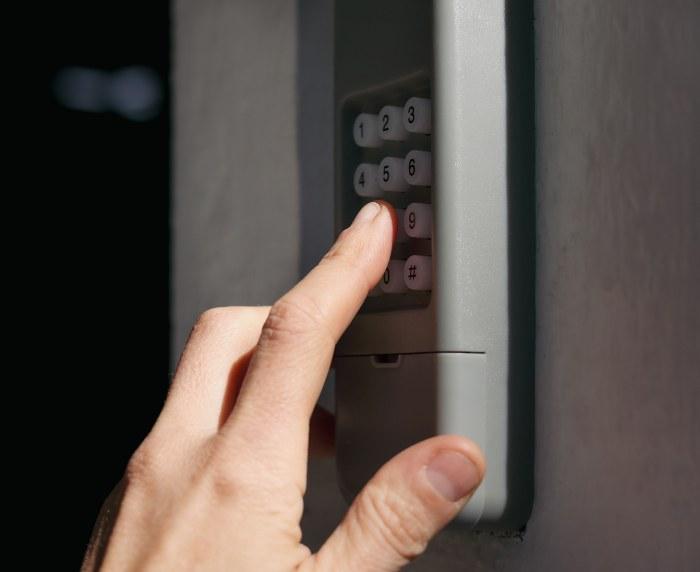
Being locked out of your own garage because of a forgotten code is incredibly frustrating, especially when you are in a hurry. If you are wondering How To Reset Pin On Genie Garage Door Opener systems, you have come to the right place for a quick, hassle-free solution. Let us get your home secured and accessible again in just a few simple steps!
How To Reset Pin On Genie Garage Door Opener: Quick Guide
Resetting your wireless keypad is a fundamental home maintenance task. Modern security relies heavily on rolling code technology, which prevents thieves from copying your signal. According to the basic mechanics outlined in the Wikipedia article for the garage door opener, these systems use radio frequency transmitters that require periodic syncing for optimal security.
Before we begin, grab a step stool and ensure you have your new PIN ready. Pro Tip: Avoid using easily guessable numbers like your birth year, your address, or “1234”.
Step-by-Step Reset Tutorial
Follow these concrete steps to sync your exterior keypad with your Genie motor unit. This process works for most Genie Intellicode models (including the GK-R and GK-BX series).
- Locate the Learn Button: Find the motor unit mounted on your garage ceiling. Look for the “Learn” or “Program” button. It is usually located behind the light lens or near the antenna wire.
- Initiate Programming Mode: Press and hold the Learn button for exactly 3 to 5 seconds. Release it when the LED indicator light turns on or starts blinking. You now have a 30-second window to complete the next step.
- Prepare the Keypad: Walk outside to your wireless keypad. Ensure you are standing within 5 feet of the door to guarantee a strong signal connection.
- Enter Your New PIN: Type in your desired 3-to-4 digit code.
- Send the Signal: Press and hold the UP/DOWN arrow button (or the “Send” button) on the keypad for 2 seconds.
- Verify the Sync: The motor unit’s LED light should flash, and the garage door lights might blink twice. This confirms the new PIN has been successfully registered.
Test the new code immediately by entering it and pressing the arrow button. The door should activate smoothly.
Troubleshooting Common Genie Keypad Issues
Sometimes, the reset process does not go perfectly on the first try. Do not worry; this is completely normal. Here is how to solve the most frequent hiccups users face.
The Keypad is Not Lighting Up
If the buttons do not illuminate when you press them, your keypad is out of juice.
- The Fix: Open the battery compartment at the bottom of the keypad. Replace the old battery with a brand-new, high-quality 9-volt alkaline battery. Avoid heavy-duty or rechargeable batteries, as they do not provide the consistent voltage required for exterior transmission.
The Motor Unit Light Blinks, But the Door Won’t Move
This usually indicates a signal interference issue or a safety sensor blockage.
- The Fix: Check the photo-eye sensors at the bottom of your garage door tracks. Ensure they are perfectly aligned and free of cobwebs. If the LED on the sensor is blinking red, gently wipe the lens with a microfiber cloth and realign the brackets until the light turns solid green.
The New PIN Works Outside, But My Car Remote Stopped Working
Resetting the keypad should not erase your car remotes. However, if you accidentally held the Learn button for more than 10 seconds, you may have cleared the entire system’s memory.
- The Fix: You will need to reprogram your handheld remotes and Homelink system using the exact same Learn button sequence.
Wireless Keypad vs. Traditional Remote: A Comparison
Is relying on a PIN code better than carrying a traditional clicker? Let us look at the pros and cons to help you understand your home security setup better.
| Feature | Wireless Exterior Keypad | Traditional Car Remote |
|---|---|---|
| Accessibility | Excellent for kids, dog walkers, and guests. | Limited to whoever has the remote in their car. |
| Security | High (You can change the PIN anytime). | Moderate (Risk of theft if car is broken into). |
| Maintenance | Requires 9V battery replacement every 1–2 years. | Requires coin-cell battery replacement every 3–5 years. |
| Weather Exposure | High (Exposed to rain, snow, and UV rays). | Low (Protected inside the vehicle cabin). |
Pros of Using a PIN Code:
- Keyless Entry: Never worry about losing your keys while on a jog.
- Temporary Access: You can give your PIN to a contractor and change it later.
- No Clutter: Frees up space on your car’s sun visor.
Cons of Using a PIN Code:
- Memory Reliance: If you forget the code, you must climb the ladder to reset it.
- Weather Damage: Extreme cold or heat can occasionally degrade the keypad’s rubber buttons over time.
Expert Insights on Garage Door Security
Your garage is one of the most vulnerable entry points in your home. Treating it with the same respect as your front door is vital for your family’s safety.
According to data from the National Crime Prevention Council, securing secondary entry points like garage doors can reduce overall burglary risks by up to 30%. Furthermore, home security expert Sarah Jenkins states, “Changing your garage PIN every six months drastically reduces the risk of unauthorized code cloning and ensures that former residents or workers no longer have access to your property.”
By mastering How To Reset Pin On Genie Garage Door Opener mechanisms, you are taking a proactive step toward comprehensive home defense.
Frequently Asked Questions (FAQ)
1. Why is my Genie keypad blinking red after I enter the PIN?
A blinking red light typically indicates one of two things: a low battery or an invalid PIN entry. First, try replacing the 9V battery. If the red light persists, it means the keypad does not recognize the code you typed, and you must repeat the reset tutorial outlined above to establish a new connection.
2. How often should I change my Genie garage door PIN?
For optimal security, we recommend changing your PIN every 6 to 12 months. You should also immediately reset the code if you move into a new house, lose a remote, or after a home service worker (like a plumber or HVAC technician) has finished their job.
3. Can I use the same PIN for multiple Genie keypads?
Yes, you can! If you have a keypad on the exterior and another on the interior mudroom wall, you can program them to share the same 3-to-4 digit code. Simply put the motor unit into “Learn” mode and program each keypad individually within the 30-second window.
4. What does it mean if the keypad light stays solid blue or green?
A solid light usually means the keypad is successfully transmitting a signal to the motor unit. If the light stays on continuously without you pressing any buttons, the keypad may be stuck or experiencing a short circuit due to moisture intrusion. In this case, you may need to purchase a replacement keypad.
5. Do I need a ladder to reset the PIN on older Genie models?
Yes, for older Genie models featuring “Dip Switches” (pre-1995 Intellicode), you must manually match the tiny physical switches inside the motor unit with the switches inside the keypad. However, almost all modern Genie openers use the “Learn Button” method, which only requires you to press a button on the motor housing.
6. Will a power outage erase my Genie PIN code?
No, your PIN is stored in the non-volatile memory of the logic board. A standard power outage will not erase your code. However, a severe power surge could potentially wipe the memory board. Using a surge protector for your garage door opener outlet is a highly recommended preventative measure.
Conclusion
Securing your home should never be a stressful chore. By learning How To Reset Pin On Genie Garage Door Opener units, you empower yourself to maintain control over your property’s access points quickly and efficiently. Whether you are locking out a former tenant, updating your security routine, or simply recovering from a forgotten password, this simple 5-minute tutorial keeps your family safe and your daily routine uninterrupted.
Did you find this guide helpful? Share this article on your favorite social media platforms like Facebook, Pinterest, or X (Twitter) to help your friends and neighbors secure their garages too! Stay safe, and happy home-owning!



Leave a Reply