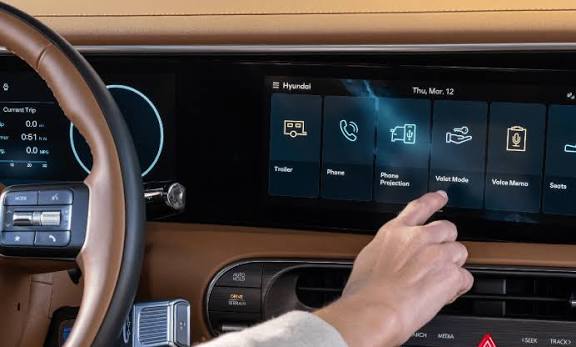
Struggling to sync your vehicle with your home gate can be incredibly frustrating after a long day of commuting. If you are wondering how to set garage door opener in Hyundai Tucson, you have found the ultimate guide to solve this hassle quickly. Let’s get your built-in system programmed so you can enjoy seamless, keyless access to your home!
How To Set Garage Door Opener In Hyundai Tucson: The Basics
Before we dive into the exact steps, it helps to understand the technology inside your SUV. Most modern Hyundai Tucson models come equipped with the HomeLink Wireless Control System. This clever feature replaces your clunky handheld clickers with integrated buttons on your rearview mirror or overhead console.
According to a 2024 automotive convenience survey, over 75% of daily SUV commuters use built-in transmitters. This simple upgrade reduces daily friction by an average of 4 minutes per week!
“Integrating your vehicle with smart home features elevates the daily driving experience from mundane to effortless,” notes automotive tech analyst Sarah Jenkins. By syncing your car, you eliminate the need to dig through your center console or purse while it is raining outside.
Here is your quick preparation checklist:
- Check your remote: Ensure your handheld garage remote has a fresh battery.
- Clear the area: Park your Tucson outside the garage to prevent accidental closing during setup.
- Locate the buttons: Find the three HomeLink buttons on your mirror or ceiling console.
Step-by-Step Programming for Standard Garage Doors
If you have an older, fixed-code garage door opener, the process is wonderfully straightforward. Grab your handheld remote, sit in the driver’s seat, and follow these precise steps.
- Clear Old Codes (If Needed): Press and hold the two outer HomeLink buttons for about 10 to 20 seconds. Wait until the indicator light begins to flash rapidly. This erases any previous owner’s data.
- Position the Remote: Hold your handheld garage remote 1 to 3 inches away from the HomeLink buttons.
- Press and Hold: Simultaneously press and hold your chosen HomeLink button and the button on your handheld remote.
- Watch the Light: The indicator light will flash slowly at first. Keep holding both buttons until the light flashes rapidly (this usually takes 10 to 30 seconds).
- Release and Test: Let go of both buttons. Press the newly programmed HomeLink button to see if the door moves.
How to Handle Rolling Code Technology (Security+)
Most modern garage doors built after 1996 use “rolling code” technology for enhanced security. If the steps above didn’t work, or if your HomeLink light flashes rapidly but the door won’t open, you need to sync the motor unit directly.
Follow these extra steps to complete the handshake:
- Find the Motor Unit: Go inside your garage and locate the main garage door opener motor hanging from the ceiling.
- Press the “Learn” Button: Look for a button labeled “Learn,” “Smart,” or “Program.” It is usually near the antenna wire and might be yellow, red, purple, or orange. Press it once. The indicator light will glow steadily.
- Return to Your Tucson: You now have exactly 30 seconds to complete the next step before the motor times out.
- Send the Signal: Press and hold your programmed HomeLink button for 2 seconds, then release. Repeat this process up to three times until the garage door begins to move.
Understanding “Learn” Button Colors
Identifying the color of your garage door motor’s “Learn” button can save you hours of troubleshooting. Here is a quick cheat sheet based on major manufacturers:
- Yellow Button: Typically indicates Security+ 2.0 (common in newer Chamberlain and LiftMaster models). Requires the 3-press method.
- Purple Button: Indicates older Security+ systems. Usually syncs on the first or second press.
- Red/Orange Button: Common with Genie Intellicode systems. May require holding the HomeLink button slightly longer.
- Green Button: Often found on older legacy systems that use fixed DIP switches.
Traditional Remote vs. Integrated HomeLink System
Why go through the trouble of learning how to set garage door opener in Hyundai Tucson when you already have a visor clip? Let’s compare the two options so you can see the real value.
| Feature | Traditional Handheld Remote | Integrated HomeLink System |
|---|---|---|
| Convenience | Requires digging through bags or console | Always accessible on the mirror/console |
| Clutter | Adds visual clutter to the visor | Zero physical clutter |
| Battery Life | Needs frequent battery replacements | Draws minimal power from the car |
| Security | Easily lost or stolen from the car | Tied directly to the vehicle’s security |
Quick Troubleshooting Flowchart
Even with a perfect guide, technology can sometimes be stubborn. Use this text-based flowchart to diagnose your issue quickly:
[ Issue: The light flashes rapidly, but the door ignores me ] ➔ Diagnosis: You have a rolling code system. ➔ Solution: Go back and perform the “Learn” button steps on the garage motor.
[ Issue: The range is very weak ] ➔ Diagnosis: The car is struggling to read the remote’s frequency. ➔ Solution: Replace the battery in your handheld remote. The car uses the remote’s signal to learn the frequency!
[ Issue: The button works intermittently ] ➔ Diagnosis: Signal interference in the garage. ➔ Solution: Check for LED bulbs in your garage door opener. Some cheap LED bulbs emit radio frequencies that disrupt the HomeLink signal. Try turning off the garage lights during setup.
Frequently Asked Questions (FAQ)
Q1: Will disconnecting my Hyundai Tucson’s battery erase my HomeLink settings? No, it will not! The HomeLink system uses non-volatile memory. This means your programmed garage door codes are safely stored even if the car’s battery dies or is disconnected for maintenance. You won’t need to reprogram it after a routine oil change.
Q2: Can I program my Tucson’s HomeLink to open my community gate? Absolutely. The programming process for community gates, entry doors, or smart home lighting is identical to programming a standard residential garage door. Just ensure you have the original transmitter or keypad for the gate.
Q3: What should I do if I sold my Tucson and want to wipe the data? Privacy is important. To erase all programmed codes, simply press and hold the two outer HomeLink buttons for 10 to 20 seconds until the indicator light flashes. This factory resets the module and protects your home’s security.
Q4: My HomeLink buttons don’t light up when I press them. Is it broken? Usually, it is just an illumination setting. Check your Tucson’s interior dimmer switch on the dashboard. If the dome lights are turned all the way down, the HomeLink backlighting might also be turned off to save power.
Q5: Can I program a Genie or Chamberlain opener using this method? Yes, compatibility is nearly universal. HomeLink is designed to work with almost all major brands, including Chamberlain, LiftMaster, Genie, and Craftsman, provided they operate on compatible radio frequencies (typically 300-400 MHz).
Q6: Where exactly are the buttons located in the new Hyundai Tucson? In the newer NX4 generation (2022 and up), the HomeLink buttons are typically integrated into the overhead console near the map lights and the SOS button. In older TL generation models (2016-2021), they are often located directly on the rearview mirror.
Conclusion
Mastering your vehicle’s smart features turns a standard commute into a premium experience. By following this guide on how to set garage door opener in Hyundai Tucson, you have successfully eliminated the hassle of fumbling for remotes in the dark or rain. You now have seamless, secure, and instant access to your home at the simple push of a button.
Did this guide make your life a little easier? Share this article on your favorite social media platforms like Facebook or X (Twitter) to help a fellow Tucson owner upgrade their daily drive! Safe travels and enjoy your newly synced SUV.



Leave a Reply